Sysmex XP-300 12-31
Cleaning and Maintenance
January 2012
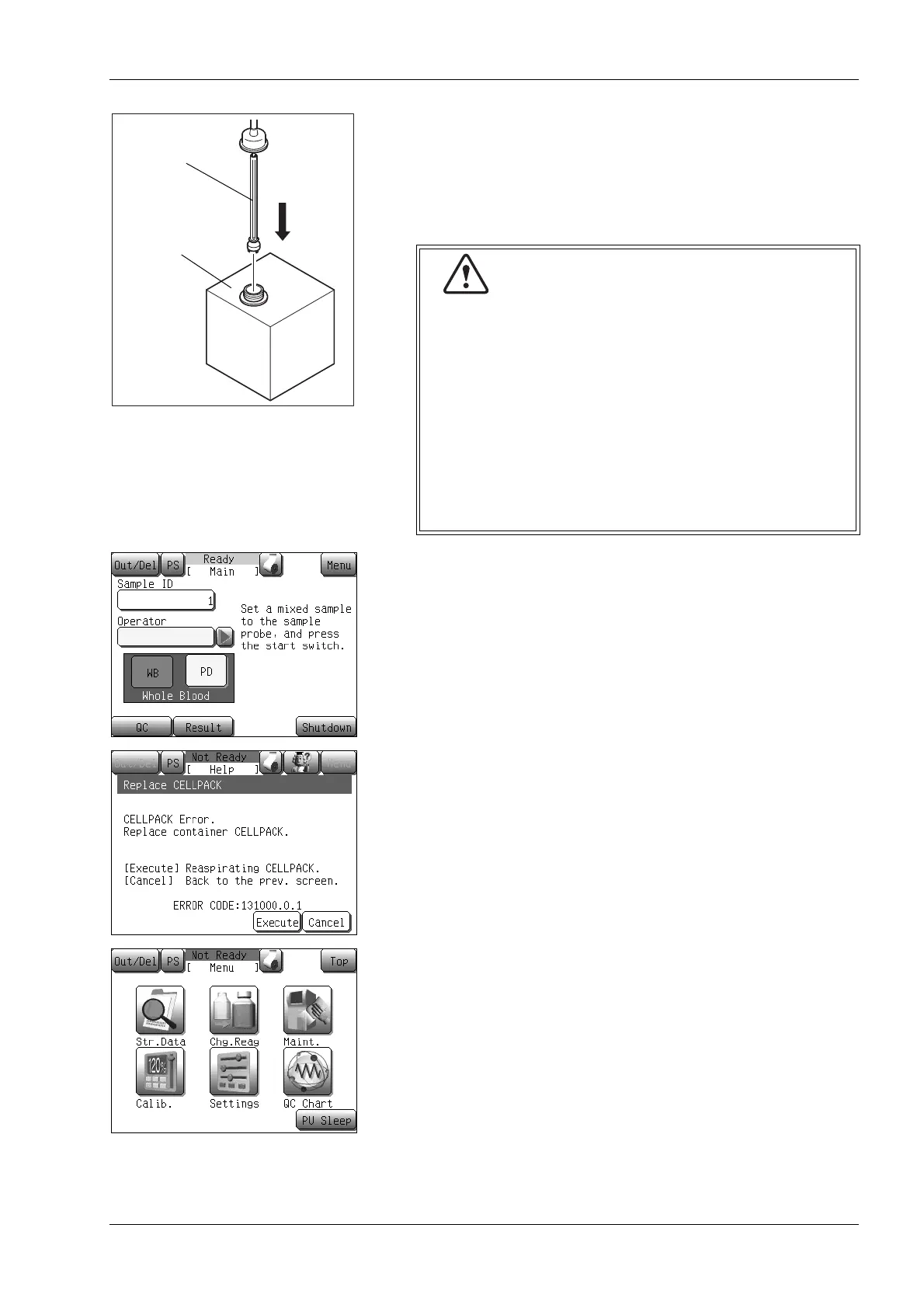
(2) Remove the cap from the new reagent container.
(3) Remove the cap from the empty reagent container and pull the
container spout kit straight out to remove it.
(4) Insert the container spout kit immediately straight into the new
reagent container, then tighten the cap.
(5) Press the [Menu] button on the Main screen.
To execute from the error help screen, press the [Execute]
button. (proceed to (8).)
(6) Press the [Chg.Reag] button.
The reagent information screen will appear.
Container
spout kits
Reagent container
• Take care not to touch the pipe that enters the
reagent with your hands, or to allow dust or other
substances to adhere to them. If such substances
adhere to the pipe, first wash the substance off with
reagent before attaching the container spout kit.
Otherwise, there is a possibility that proper analysis
cannot be performed.
• Take sufficient care to prevent the reagent from
spilling. If the reagent spills, immediately wipe it off
with a damp cloth or similar material. The reagent
may cause discoloration of surfaces.



 To Next Page