Sysmex XP-300 12-33
Cleaning and Maintenance
Revised March 2012
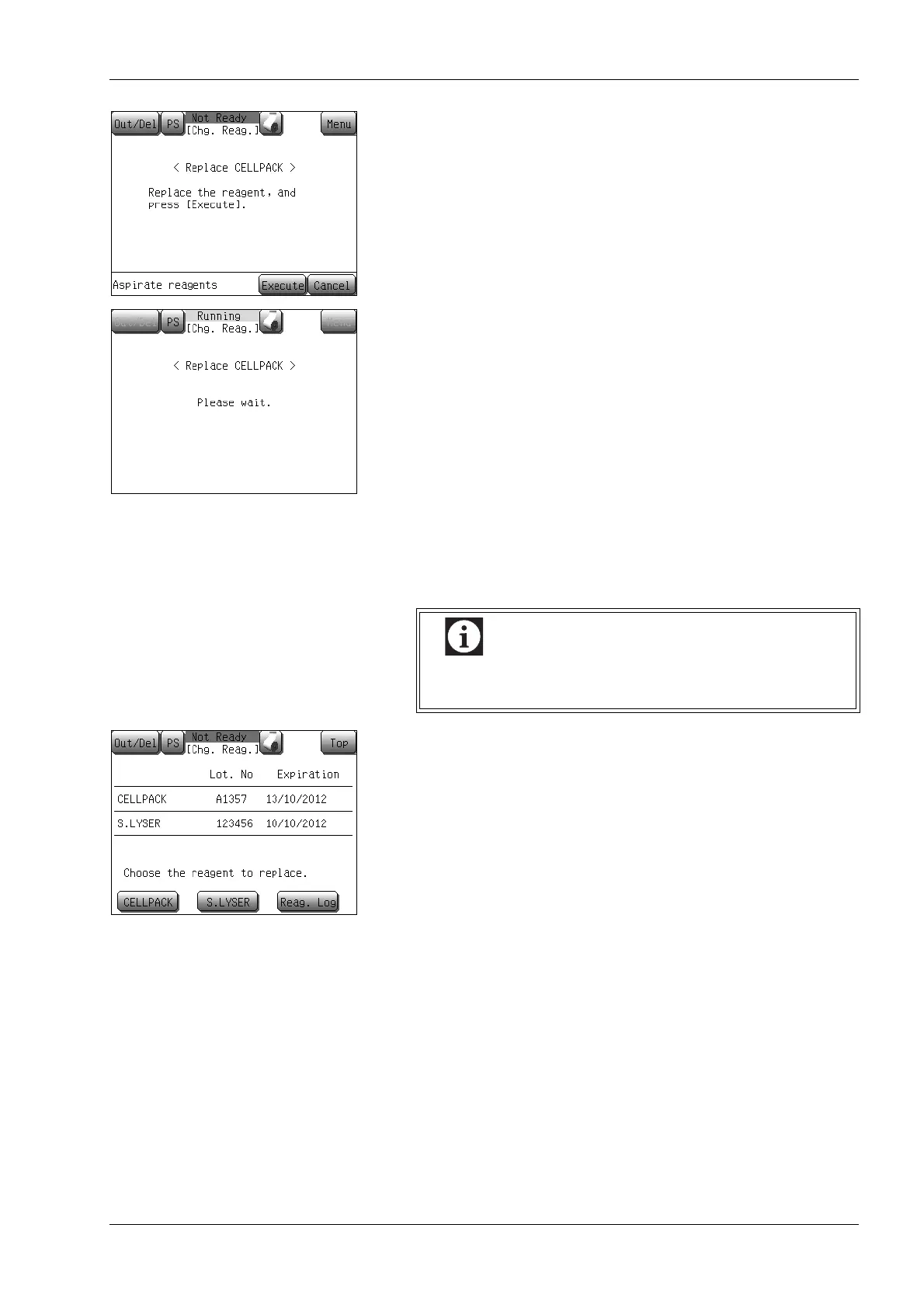
(10) Press the [Execute] button.
The reagent replacing dialog screen will appear, and reagent
aspiration will be performed.
• In case the [Cancel] button is pressed, the reagent replacing
operation is canceled, and the instrument returns to the Main
screen.
When the process is finished, the Main screen will appear.
Reagent replacement log
Up to 100 data can be confirmed in the reagent replacement log.
(1) Press the [Reag. Log] on the reagent information screen.
The reagent replacement history screen will appear.
If the data records exceed 100, the oldest data is
automatically deleted.



 To Next Page