24
4.
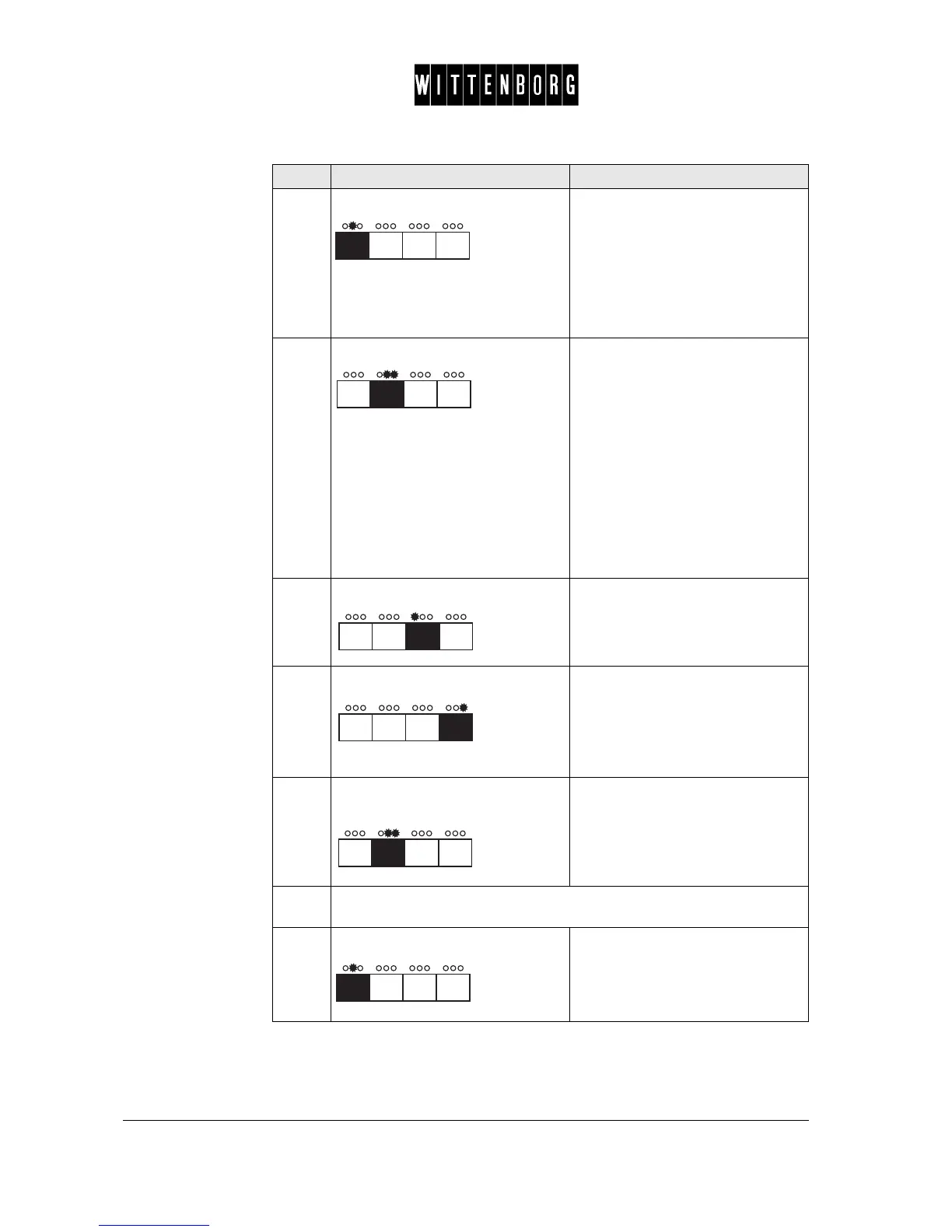
Press: Toggles between the various
options for the drink
• Powder
• Water
• Mixer
• Beep Delay
• Tes t Drin k
in succession.
5.
Press: Enters the specific ingredient
options:
• from "EScoffee" into Topstop
time
• from "ESwater" into Topstop
time
• from "INwater" into cold water
injection
in succession.
Note : Topstop time is not applica-
ble to Instant drinks.
Cold water injection is only applica-
ble to Instant drinks.
6.
Press: • Decreases the quantity or value
(ingredient/topstop time), or
• toggles between the options
(cold water injection).
7.
Press: • Increases the quantity or value
(ingredient/top stop time)
• toggles between the options
(cold water injection), or
• dispenses the drink in question
in the "Test Drink" option.
8.
In step 4 toggle to "test drink", then
press:
Returns to the Quanties option.
9.
Repeat steps 1-7 until components of relevant drinks have been
adjusted/set.
10.
Press: Accesses the next function
"Boiler".
Step Action Function



 To Next Page