Chapter 2. Setting Up 9500 MXC CT
Vol. IV-2-8 Alcatel-Lucent
are physically connecting to.
9. Click
OK, then OK again to confirm the settings and exit.
Next Step
Starting 9500 MXC CT on page 2-19.
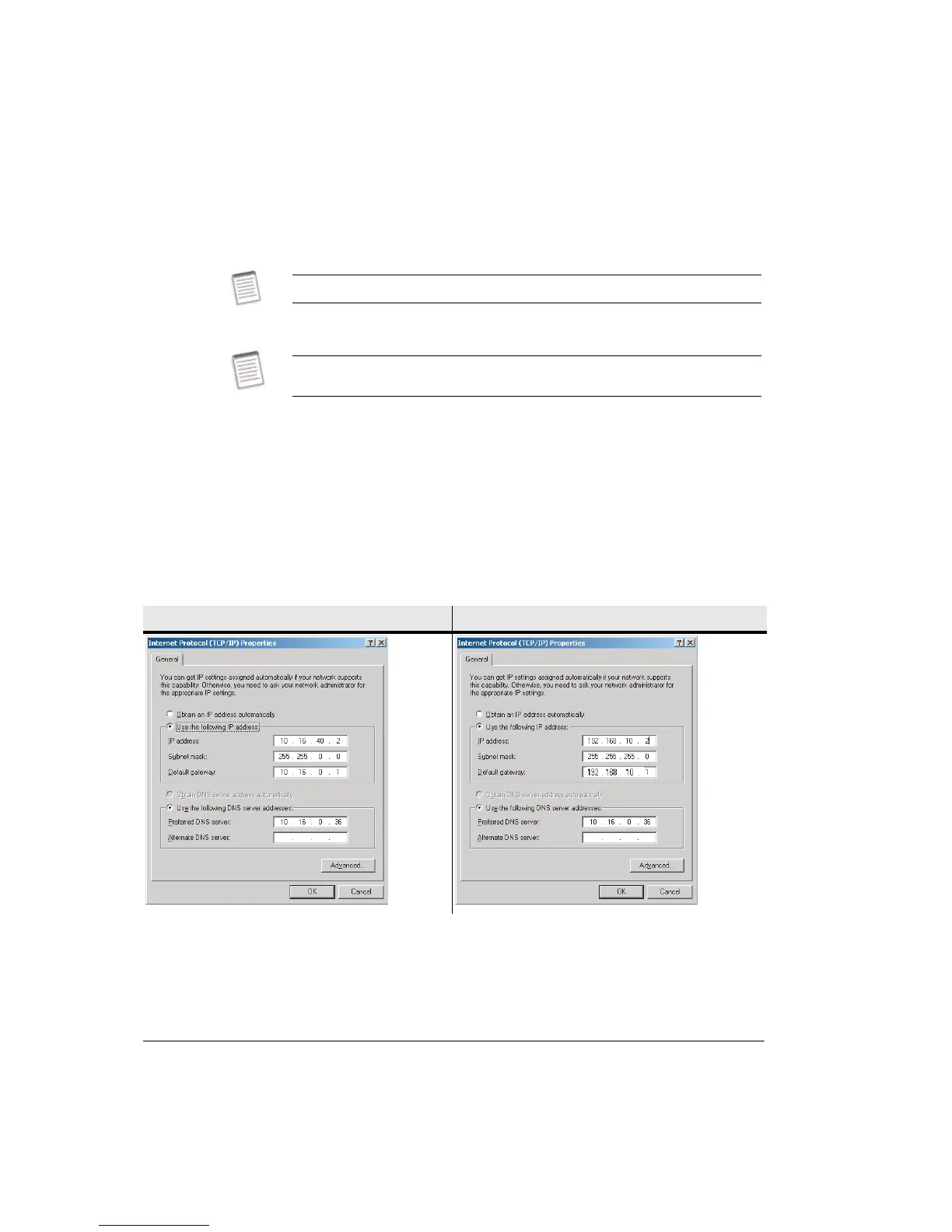
Example - Changing TCP/IP Properties
The following screens provide an example of changing the TCP/IP properties and
makes note of the points you must be aware of when changing these properties.
The 9500 MXC you are connecting to has an IP address of 192.168.10.1 and a
subnet mask of 255.255.255.0. The subnet mask indicates that the network
portion of the IP address is 192.168.10, and that the host portion is 1.
Existing settings for a DNS server may be ignored.
This procedure must be repeated when physically connecting to other 9500 MXC
Nodes/Terminals in the network.
TCP/IP Properties Before TCP/IP Properties After



 To Next Page