9500 MXC User Manual
3DB 23063 ADAA - Rev 004 July 2007 Vol. IV-8-11
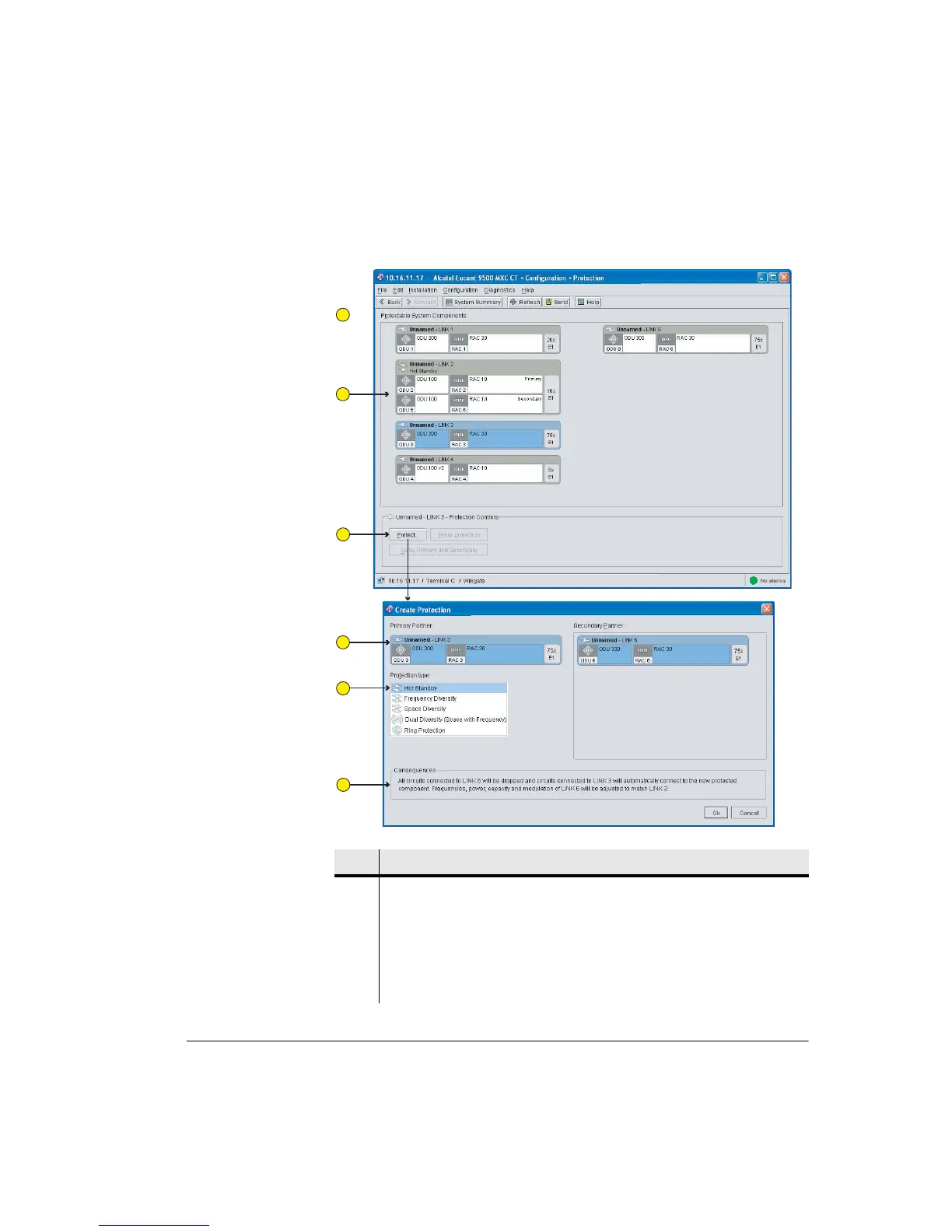
Figure 8-3. Typical INUe Protection Screen
Item Description
1 The Protection screen identifies all protectable plug-ins and all plug-ins that
have been configured for protected operation.
Once a link is protected, the options are to break protection or to swap primary
with secondary.
2 Link 2 shows a hot-standby pairing, its primary/secondary status, and its
configured capacity.
1
2
3
4
5
6



 To Next Page