User interface at a glance
E
1
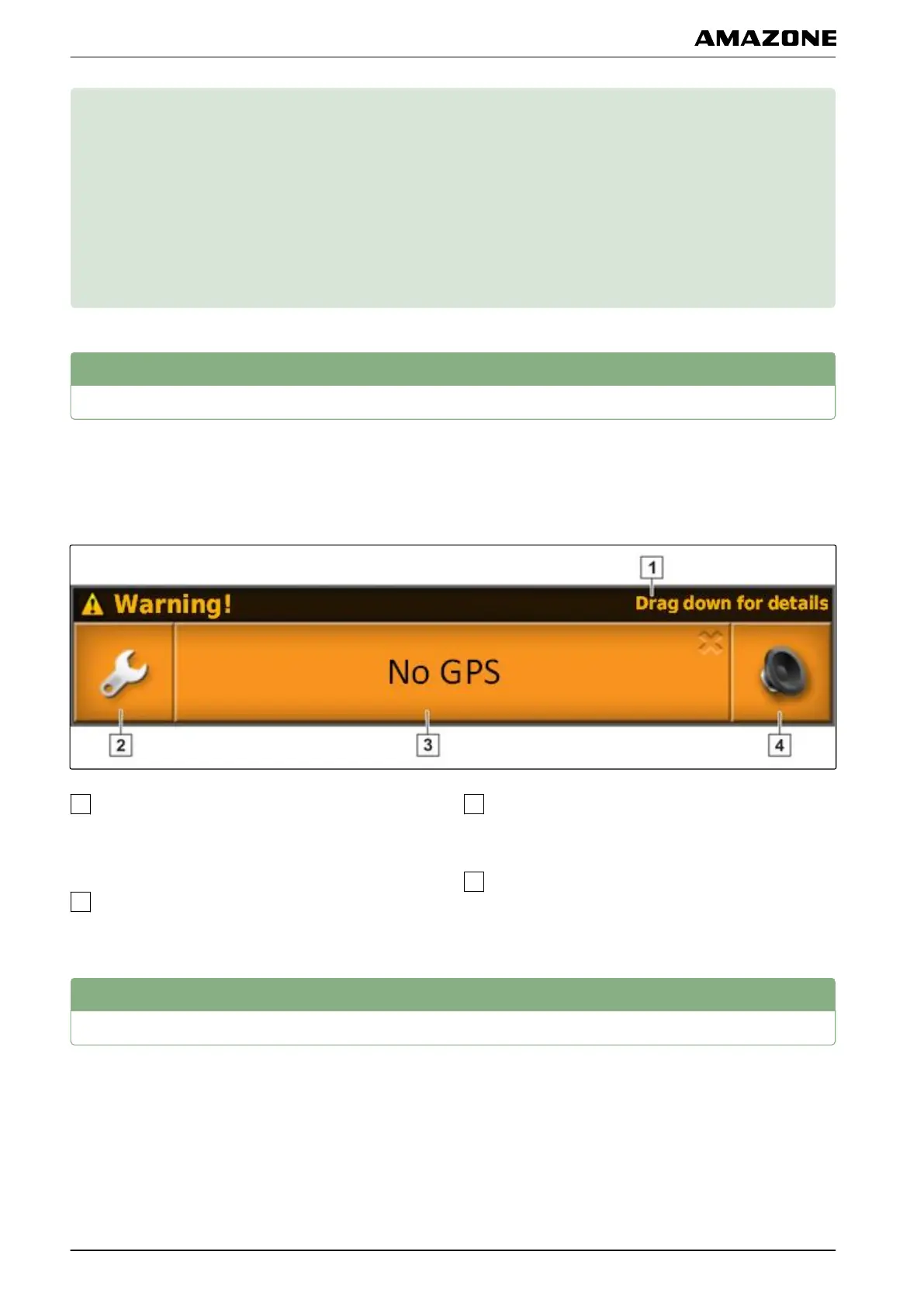
General warning messages
Warning messages are issued for different events. The
functions of a warning
message will be explained in the
following. For a detailed description of the different
warning messages, see page 222.
When this line is shown, other details regarding the
warning
message can be called up. To do so, swipe
straight down with your finger from the middle of the
warning message.
This button opens the " Configuring
general alarms
" menu; see page 60.
The cause for the alarm message is written on this
button. This button can also
be used to
acknowledge the alarm message.
The alarm tone can be switched off with this button.
2
Warning messages from the Universal Terminal
The user interface of the implement is shown on the
Universal
Terminal. When the implement issues an error,
a warning message is also shown outside of the
Universal Terminal.
007212
002299
005010
E | User interface at a glance |
MG5574-EN-II | B.1 | 25.10.2016
16



 To Next Page