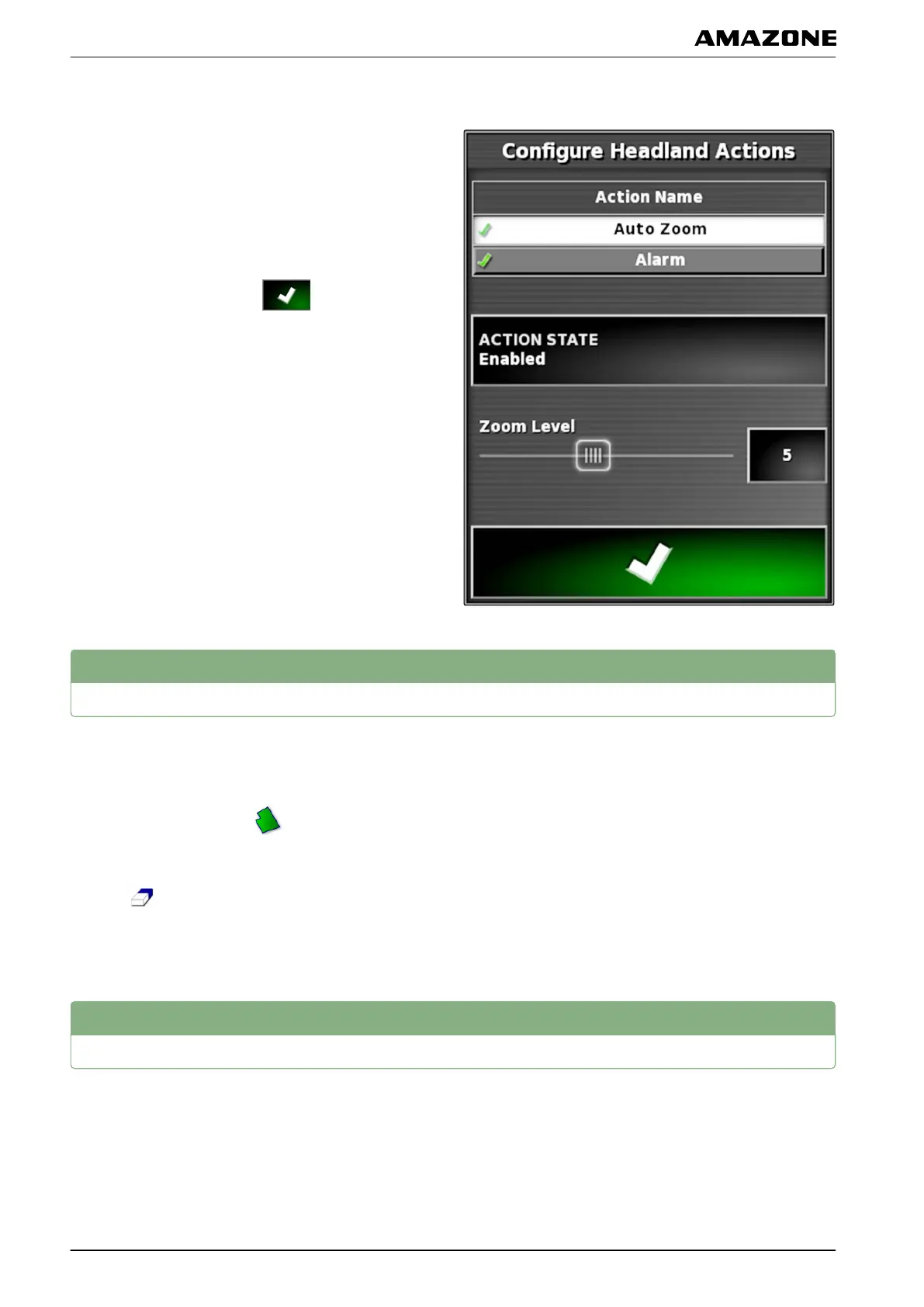
Configuring Auto Zoom
1. Under "Action name", select "Auto Zoom".
2.
Under "Action state", enable the action.
3. Under "Zoom level", set the extent to which the
automatic zoom should enlarge the map.
4. Confirm the settings with
.
5
Deleting all boundary lines
With this function, all of the boundary lines that are
assigned
to the selected field will be deleted.
1. In the job menu, tap on
.
2. Delete all of the boundary lines for the selected field
with
.
3. Confirm deleting.
6
Setting flag point
Flag points can be used to mark hazard points and
obstacles
on the field. In addition, the flag points also
serve as a reference for GPS drift correction.
005676
002555
001782
J | Managing fields | Deleting all boundary lines
MG5574-EN-II | B.1 | 25.10.2016
140



 To Next Page