4
Configuring a vehicle
4.1 Creating a new vehicle
In the "V
ehicle" menu, the vehicles on which the
AMAPAD will be used are configured. Vehicles can be
selected from the database on the AMAPAD. If the
desired vehicle is not available in the database, a
custom vehicle can be created.
4.1.1 Selecting a vehicle from the database
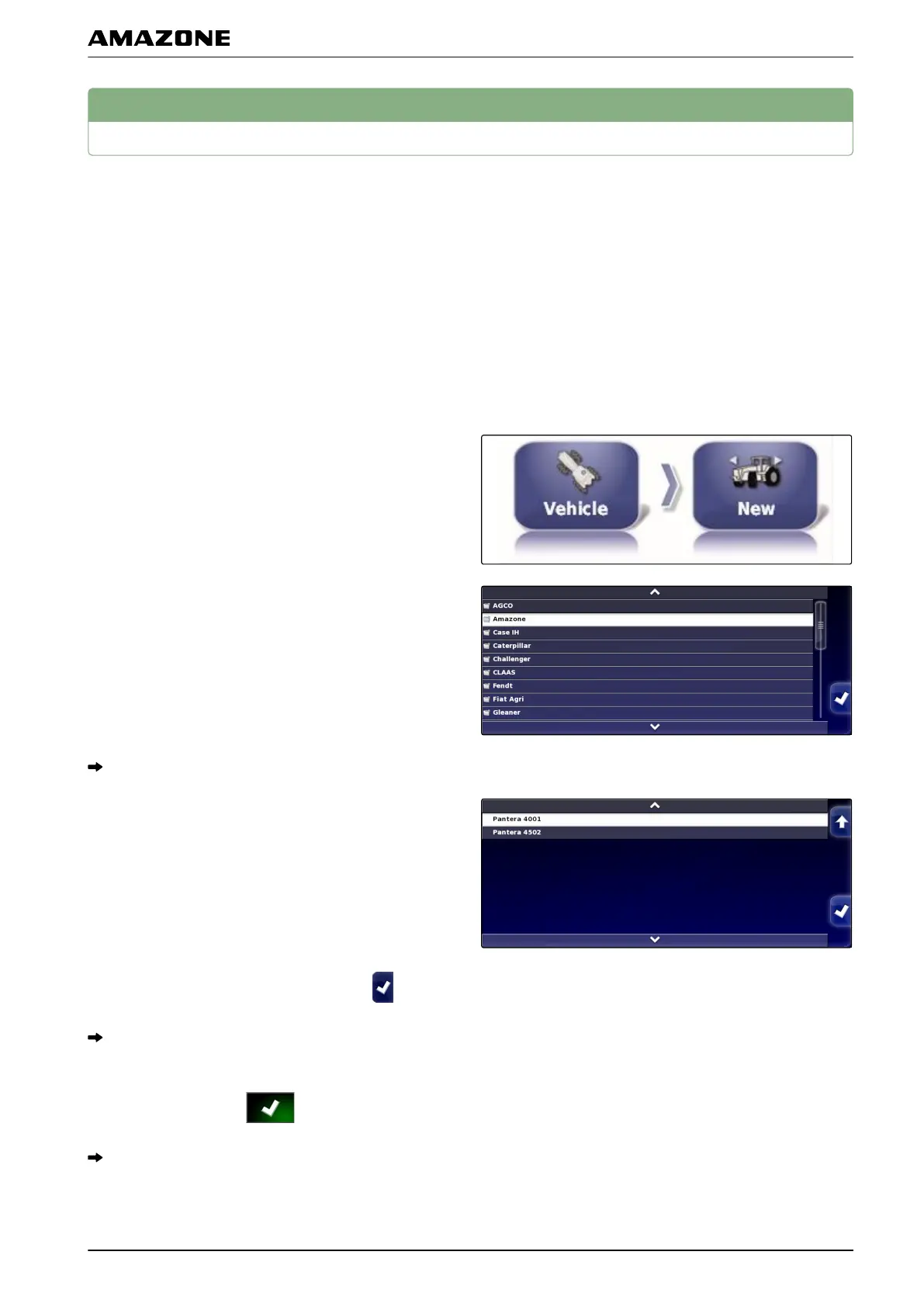
1. In the setup menu, tap on "V
ehicle" > "New".
2. Select the desired manufacturer from the
manufacturer list.
A list with vehicle models will be shown.
3. Select the desired vehicle model.
4. Confirm the selection of the model with .
For some vehicle models, the AMAPAD must be
restarted.
5. Confirm restart with .
The vehicle geometry menu will be shown. To define
the vehicle geometry
, see page 73.
005558
001490
001491
F | Configuring the AMAPAD | Configuring a vehicle
MG5574-EN-II | B.1 | 25.10.2016
71



 To Next Page