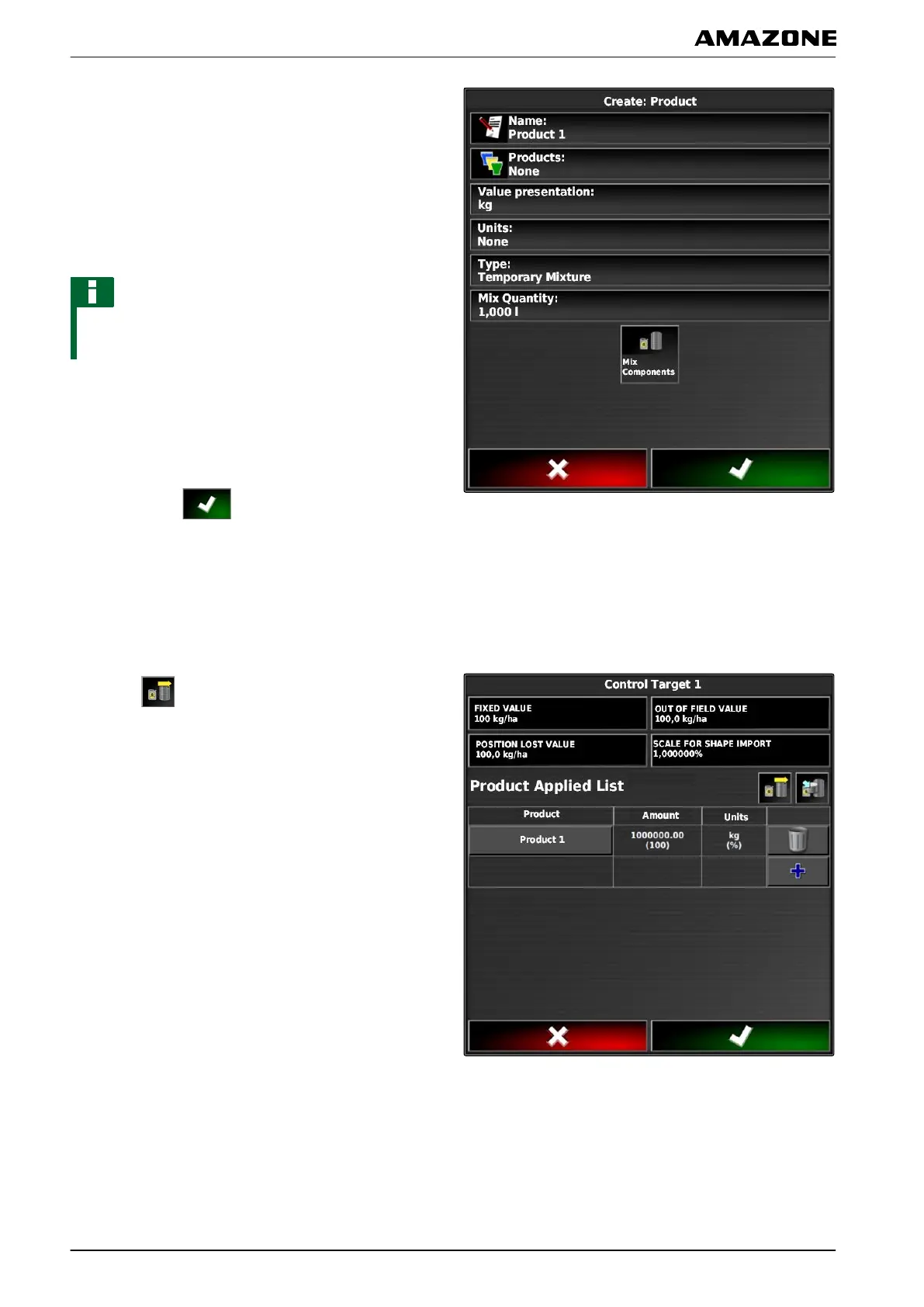
2. Enter a name for the mixture under "Name".
3. Select or create a product group under "Products".
4. Select the unit in which the product will be spread/
applied under "Measured value display".
5. Select the unit type under "Units of measure".
NOTE
The "Units of measure" and "Measured value display"
fields must be filled in.
6. Under "T
ype", select "Temporary mixture".
7. To adjust the products in the mixture,
select "Mixture components".
8. Confirm with
.
5.5 Adding a mixture
Created mixtures can be added to the list of used
products.
1. Select
.
060594
Q | Using rate control| Configuring rate control
MG5574-EN-II | B.1 | 25.10.2016
208



 To Next Page