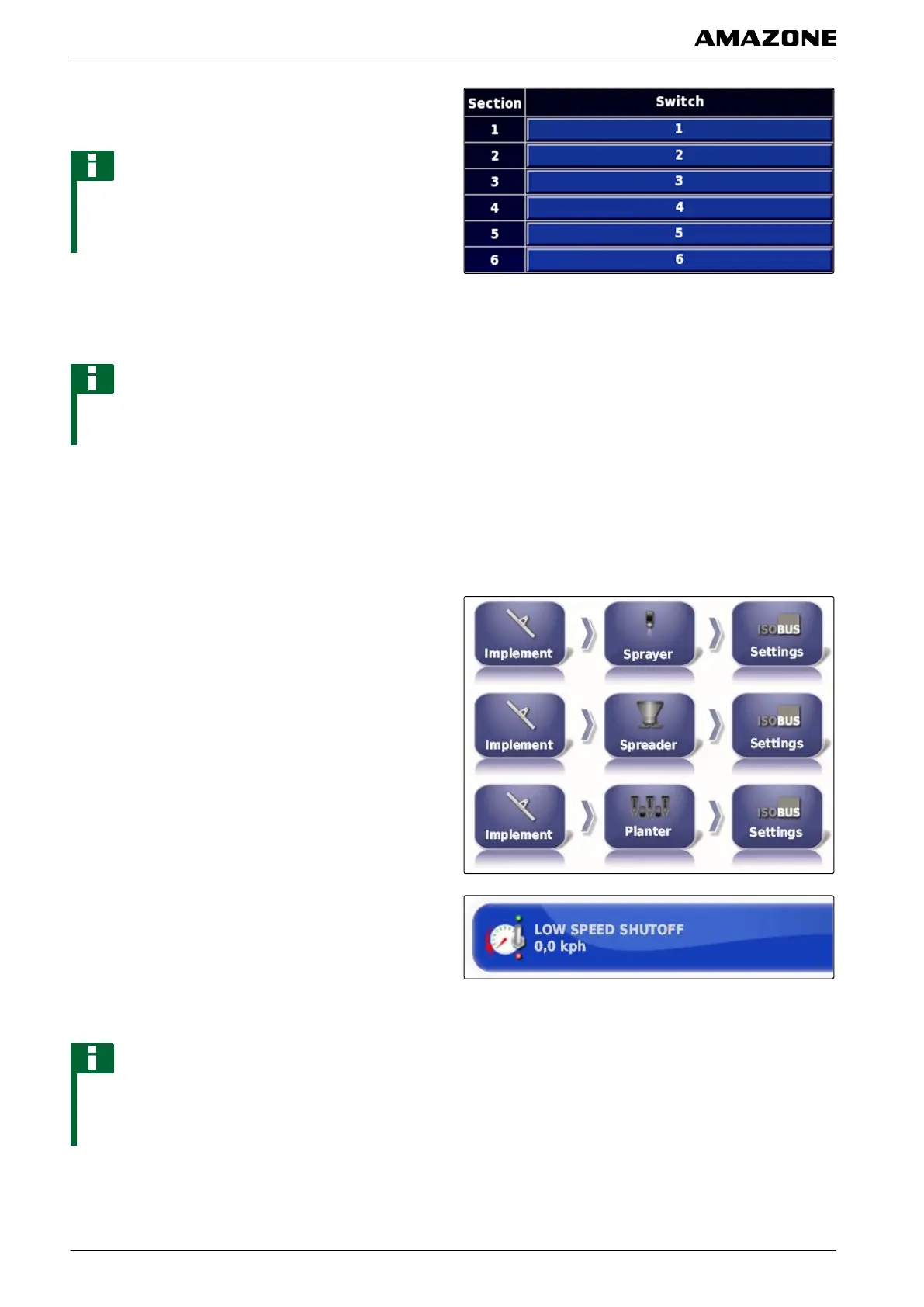
7. In the "Switch" table, assign each section to a
switch.
NOTE
Multiple part-width sections can be actuated with the
same
section switch. To do so, the part-width sections
must be assigned to the same section switch.
5.7 Configuring ISOBUS
NOTE
The symbol and the designation for the menu vary
depending
on the selected implement.
5.7.1 Defining the lower limit for the working speed
In this menu, the speed at which the implement starts
the
application can be defined.
1. In the setup menu, tap on "Implement" > " Sprayer
(spreader
, precision airplanter) " > " ISOBUS
settings".
2. Tap on "Switch off at low speed".
3. Enter the speed.
NOTE
This function is disabled when the speed is set to 0
km/h. The application
will not be stopped when the
vehicle comes to a standstill.
005434
005431
F | Configuring the AMAPAD | Configuring an implement
MG5574-EN-II | B.1 | 25.10.2016
94



 To Next Page