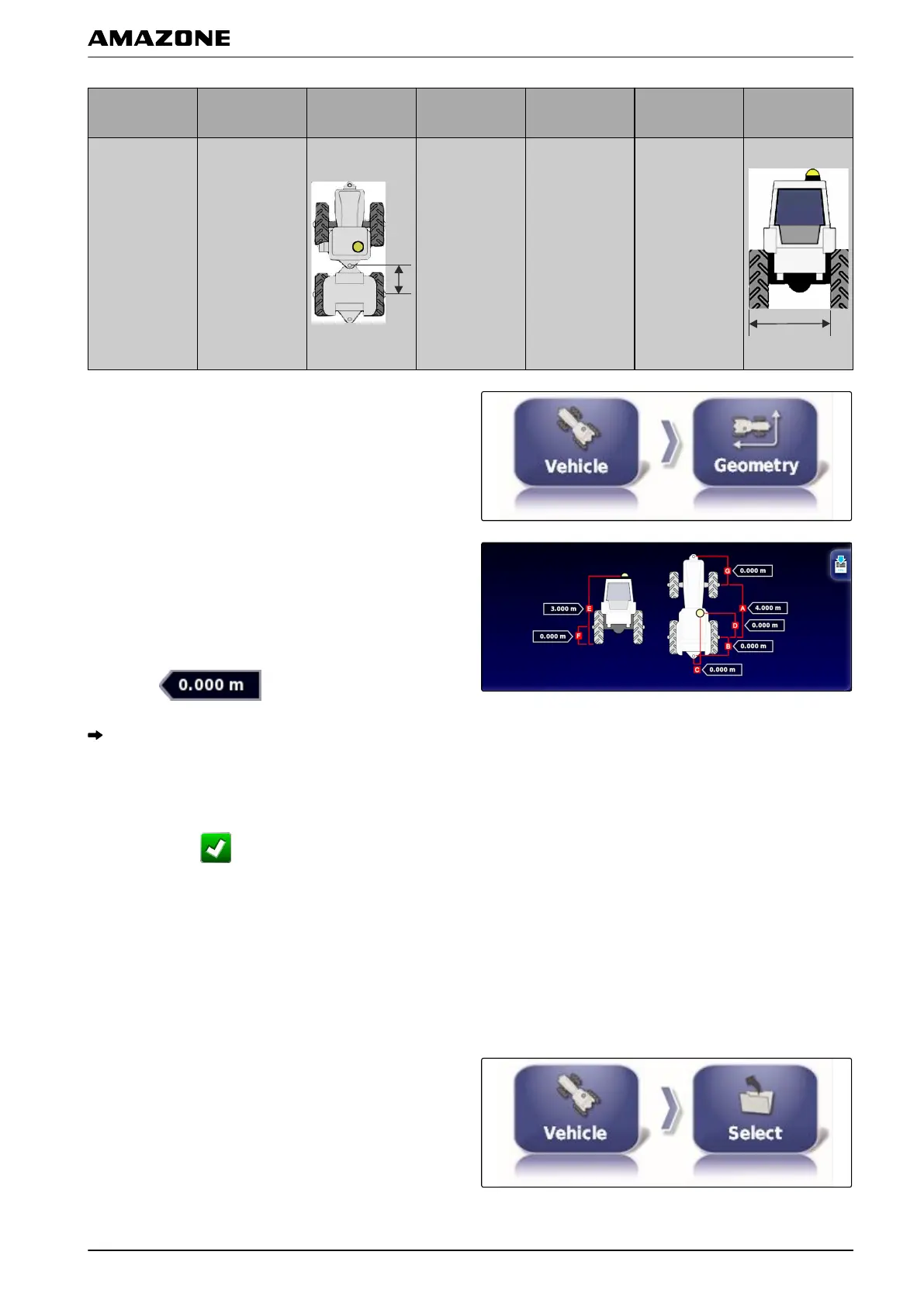
Geometry
value
Description Figure
Geometry
value
Description Figure
Pivot point
Only for
articulated
vehicles.
Distance
between
the
rear axle and
the pivot point.
Track spacing
Only for
caterpillar
tractors.
Distance
between
the
left edge of the
left caterpillar
track and the
left edge of the
right caterpillar
track.
1. In the setup menu, tap on "V
ehicle" > "Geometry".
2. Check the name of the selected vehicle.
3. If t
he wrong vehicle has been selected,
see page 75.
4. To change a geometry value:
Select
.
The name of the selected geometry value is shown
on the title bar
.
5. Enter the value.
6. Confirm with
.
4.2 Selecting a vehicle
In this menu, configured vehicles can be selected. In
addition, vehicle
data can be imported from a USB stick
and copies of the vehicle data can be made. In this way,
the vehicle data can be imported onto other terminals.
1. In the setup menu, tap on "V
ehicle" > "Select".
001558
F | Configuring the AMAPAD | Configuring a vehicle
MG5574-EN-II | B.1 | 25.10.2016
75



 To Next Page