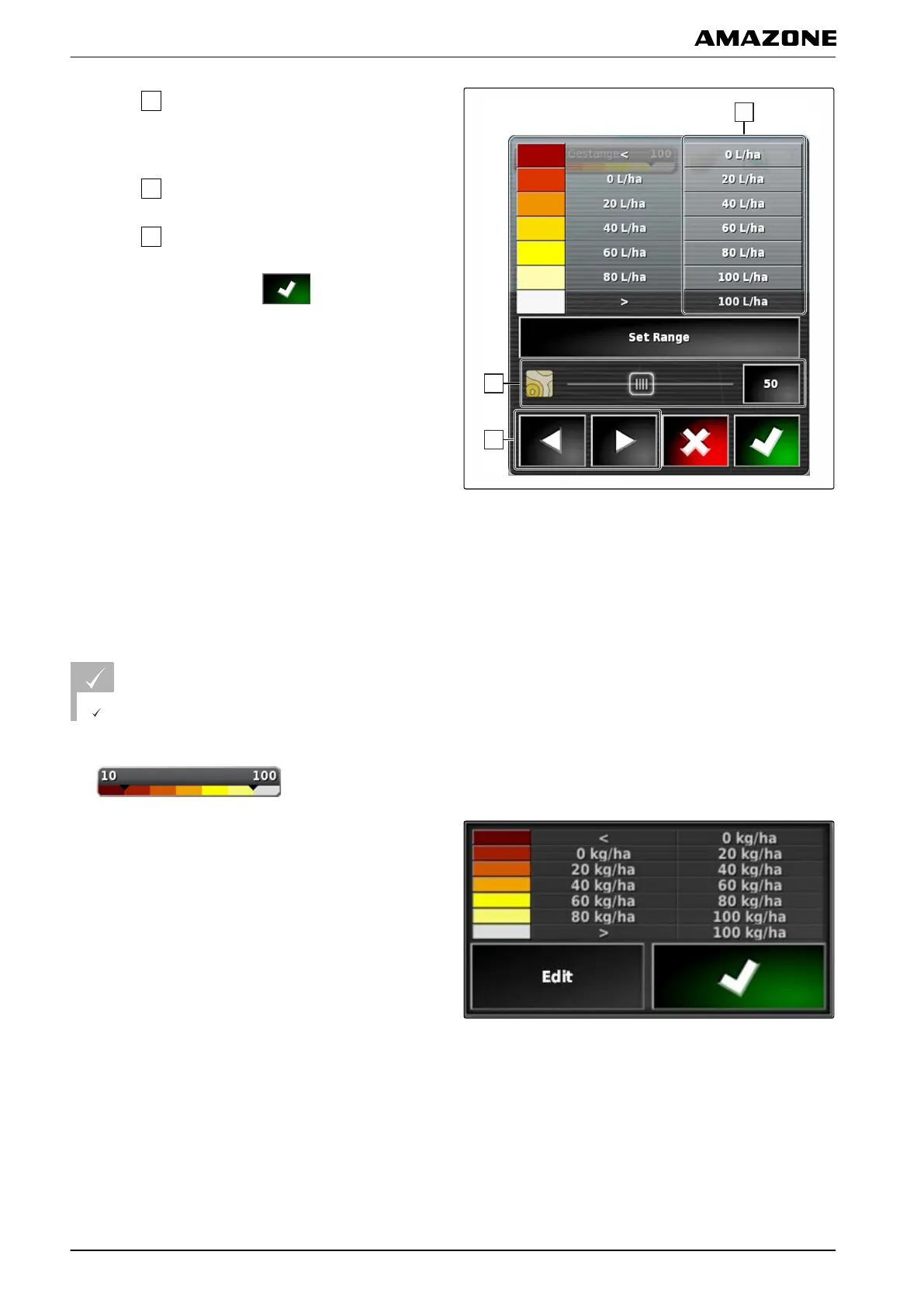
8. Under
, define the maximum value at which the
application rate is shown in the corresponding
colours.
9. Under
, set the transparency of the coverage.
10. Under
, select the colours for the coverage.
1
1. Confirm the settings with
.
8.1 Defining the application rate ranges based on the application rate
The minimum and maximum values of the application
rate scale can be
defined based on the already applied
quantity.
REQUIREMENTS
A portion of the field must already be worked.
1. Open the overview for the coverage scale with
.
2. Open the settings for the coverage scale with "Edit".
006976
Q | Using rate control| Configuring the coverage scale
MG5574-EN-II | B.1 | 25.10.2016
214



 To Next Page