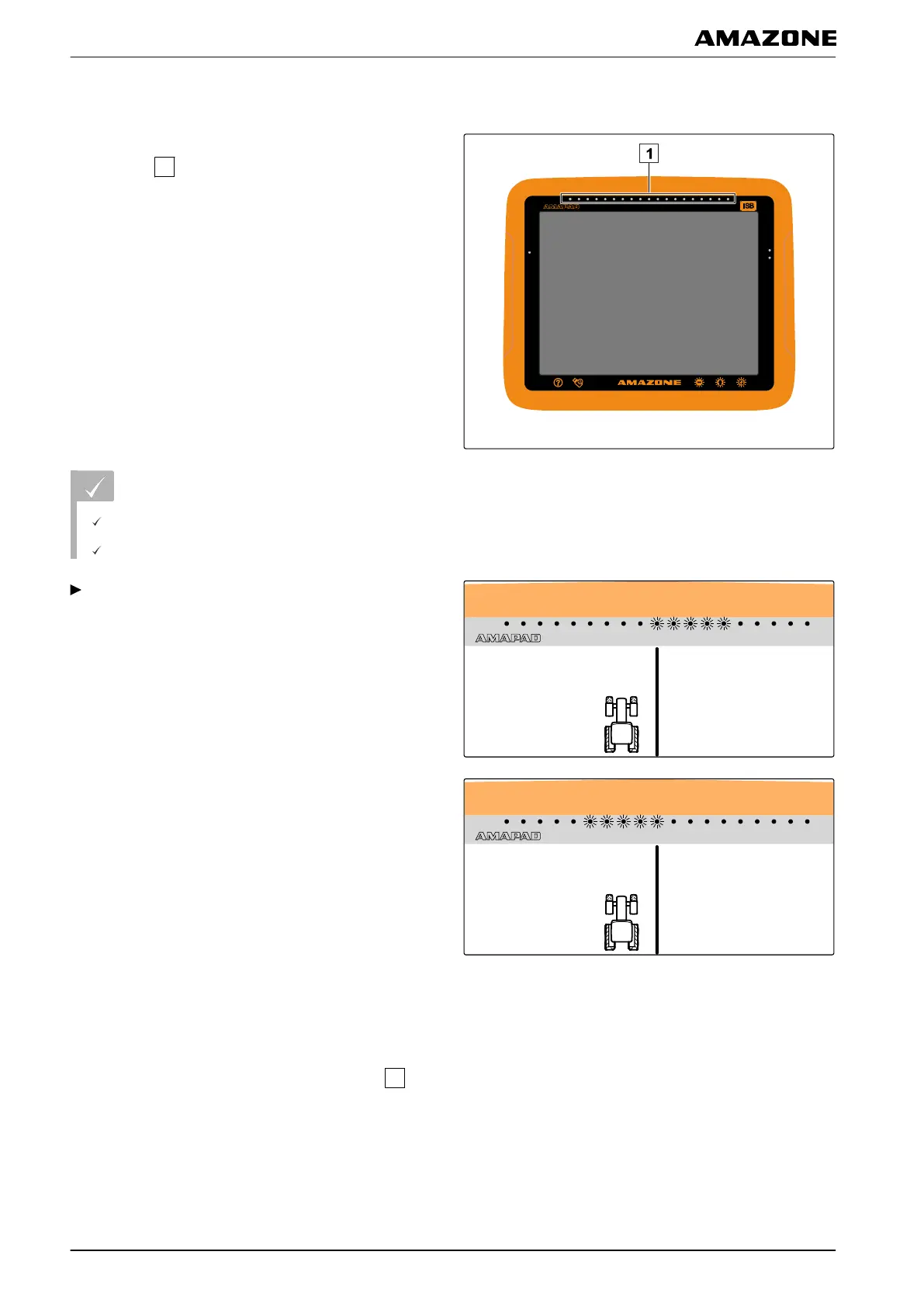
3.1 Checking the track deviation with lightbars
The lightbar is located at the upper edge of the
touchscreen
. During operation, the lightbar shows
how far the vehicle
has deviated from the defined track
line.
The vehicle is on the right track when only the blue LED
in the middle of the light bar is lit. When the vehicle
deviates from the track line, the LEDs of the lightbar on
the sides of the blue LED light up. The side on which the
LEDs of the lightbar begin to light up depends on the
basic settings.
REQUIREMENTS
The lightbar is enabled; see page 28
LED mode is selected; see page 30
When the LED mode " Driving to" has been
se
lected,
steer the vehicle towards the side on which the
LEDs are lit on the lightbar.
or
When t
he LED mode "Driving away" has been
selected,
steer the vehicle away from the side on which the
LEDs are lit on the lightbar.
3.2 Checking the track deviation with the dashboard
The dashboard is located at the bottom edge of the
operating menu. In the track deviation data field
, the
deviation
of the vehicle from the track line is shown.
The vehicle is on the right track when 2 green arrows are
shown
beside the zero. Depending on the basic setting,
a red arrow is shown beside the track deviation when the
vehicle deviates from the track line.
005541
005542
K | Using track lines | Following track lines
MG5574-EN-II | B.1 | 25.10.2016
156



 To Next Page