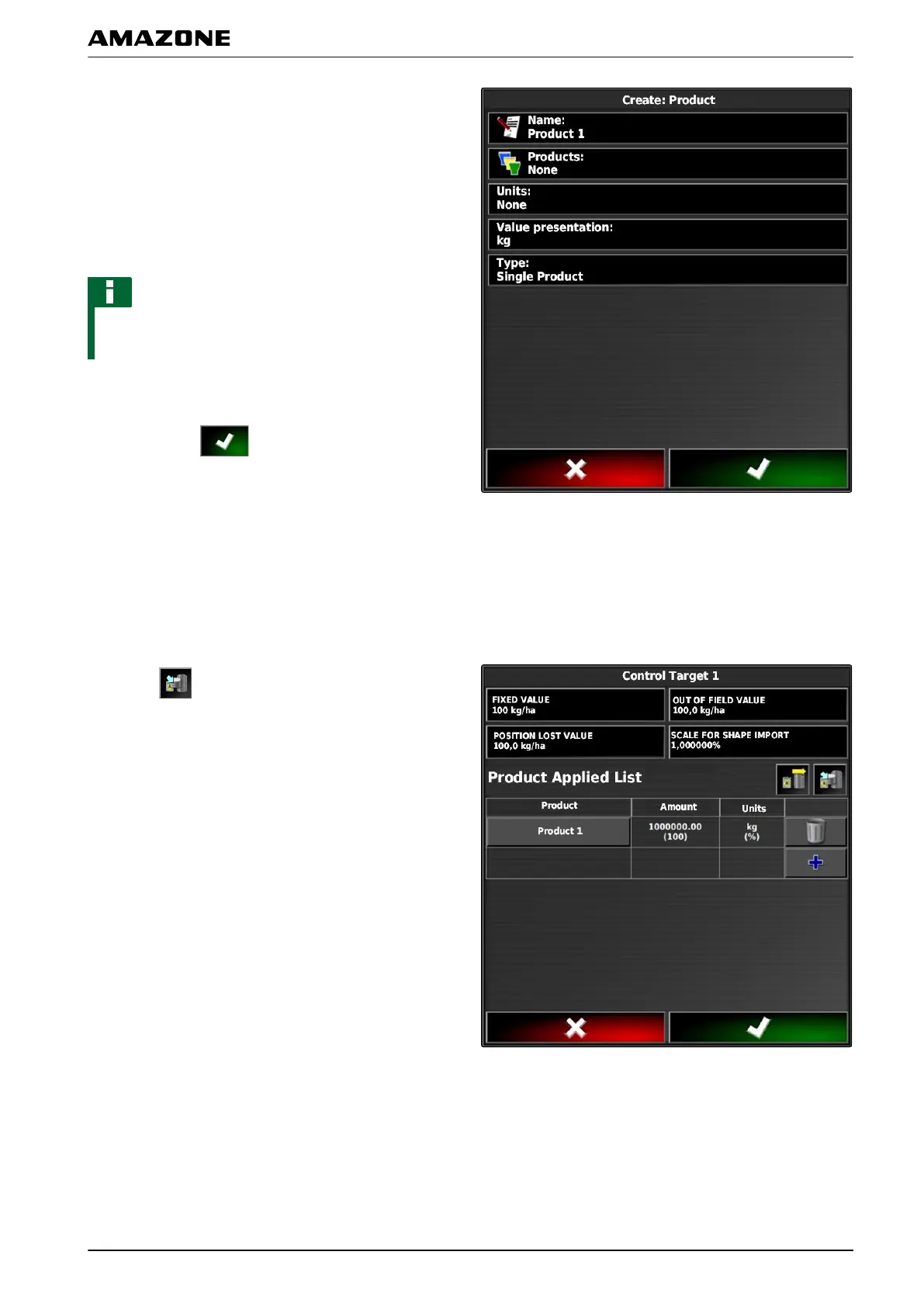
2. Enter a name for the product under "Name".
3. Select or create a product group under "Products".
4. Select the unit type under "Units of measure".
5. Select the unit in which the product will be spread/
applied under "Measured value display".
NOTE
The "Units of measure" and "Measured value display"
fields must be filled in.
6. Under "T
ype", select "Individual product".
7. Confirm with
.
5.4 Saving a mixture
If several products were included in the list of used
products, these products can be
saved together as a
mixture.
1. Select
.
059732
Q | Using rate control| Configuring rate control
MG5574-EN-II | B.1 | 25.10.2016
207



 To Next Page