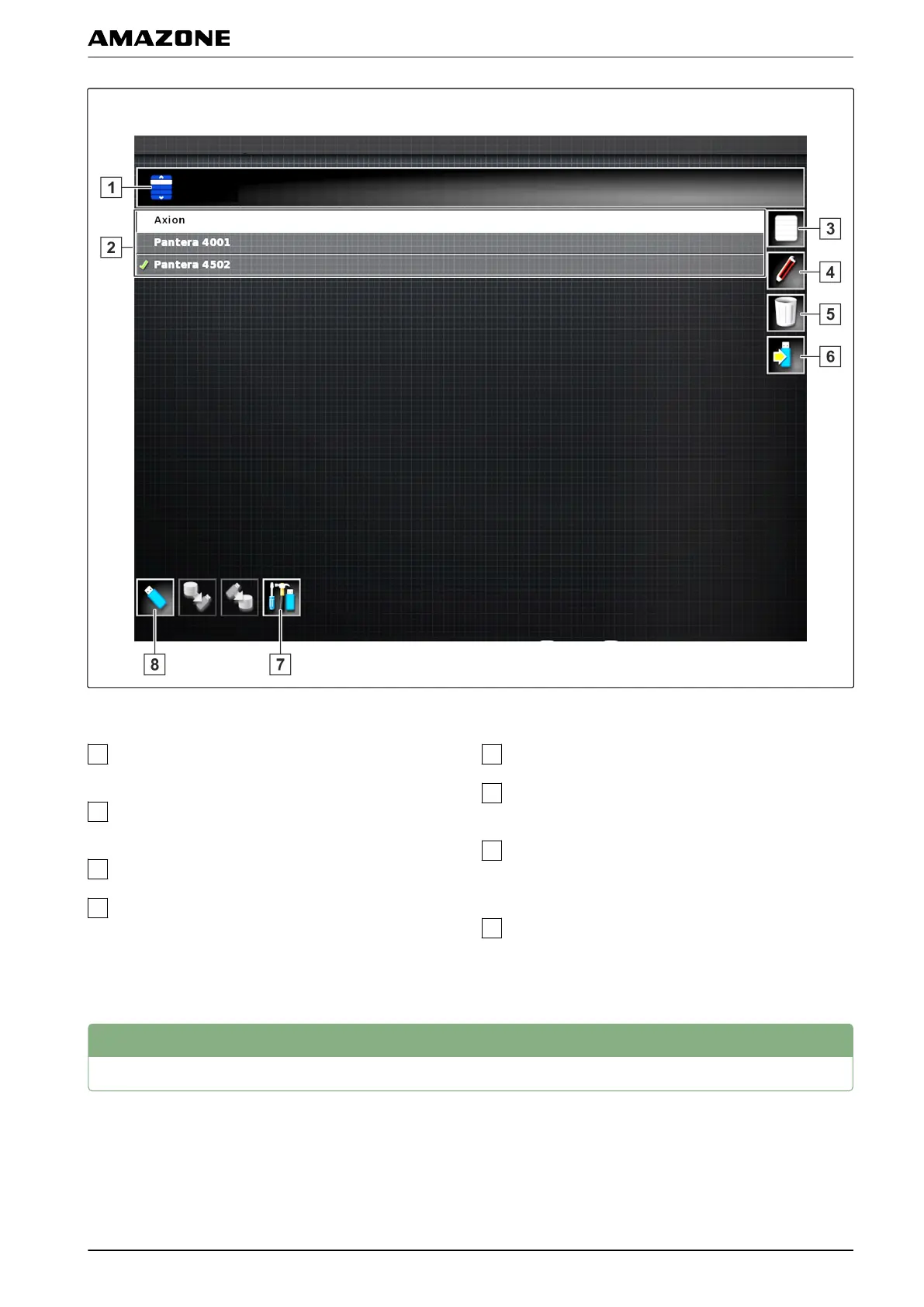
Overview of the inventory manager
Select category: Opens the selection list for the
inventory data
categories.
Inventory data: Existing inventory data in the
selected category
.
Select all of the displayed inventory data.
Rename selected inventory data.
Delete selected inventory data.
Export selected inventory data to the USB flash
drive.
Export diagnosis protocol to the USB flash drive.
Diagnosis
protocols are used by trained personnel
for troubleshooting.
Show inventory data on the USB flash drive. When
the inventory data
on the USB stick is shown, the
background colour is blue.
2
Exporting job data backups
When job data is exported to a USB stick, a job data
backup
is saved on the AMAPAD at the same time. If the
exported job data is lost, these job data backups can be
exported again.
060139
R | Managing inventory data| Exporting job data backups
MG5574-EN-II | B.1 | 25.10.2016
217



 To Next Page