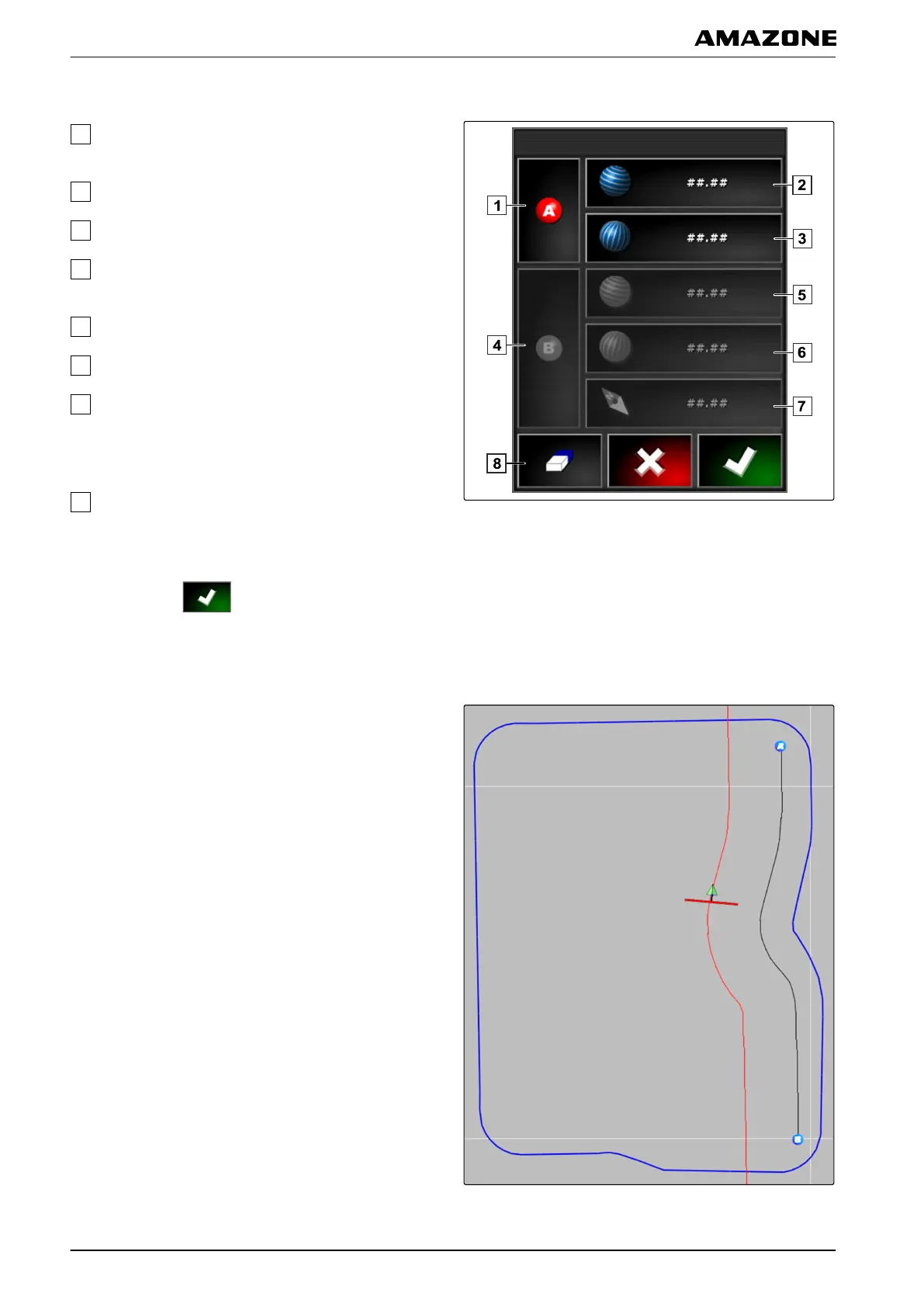
Possible settings:
Set start point: Defines the starting point of the A-B
line
using the current vehicle position.
Latitude of the starting point for the A-B line.
Longitude of the starting point for the A-B line.
Set end point: Defines the end point of the A-B line
using the current
vehicle position.
Latitude of the end point for the A-B line.
Longitude of the end point for the A-B line.
Direction of the track line: Instead of the
coordinates
of the end point for the A-B line, the
direction of the track line from the starting point can
be entered in degrees.
Delete entries.
7. Enter coordinates.
8. Confirm with .
1.3 Creating curved track lines
Curved track lines are suitable for fields that are not
rectangular
. Curved track lines can be recorded e.g.
along an irregular field edge. The field edge then serves
as a template for the curved track line.
002054
K | Using track lines | Creating track lines
MG5574-EN-II | B.1 | 25.10.2016
150



 To Next Page