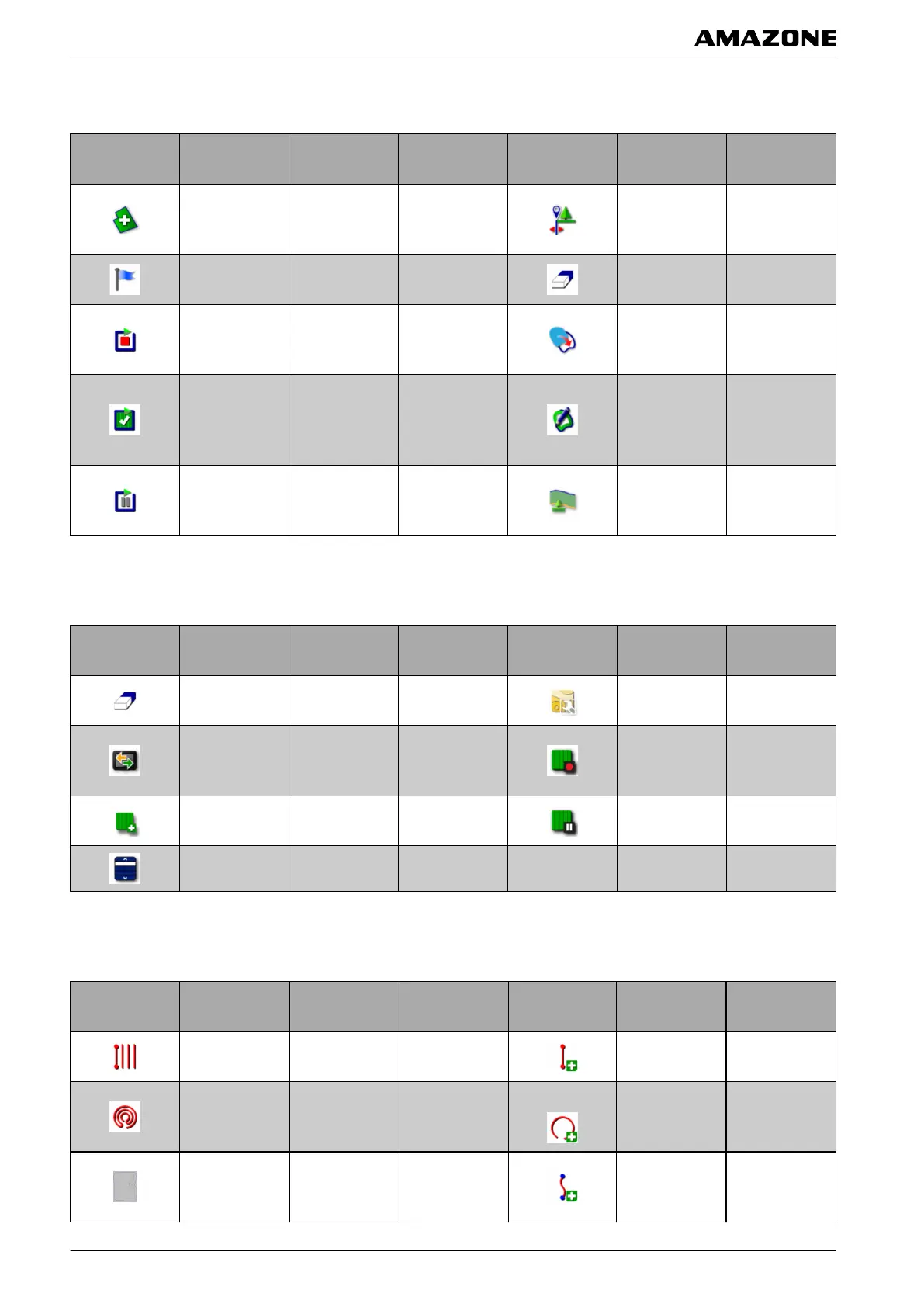
4.2 Buttons in the field menu
Button Function
More
information
Button Function
More
information
Create a new
field
see page 127
Configure the
boundary
of
fset
see page 129
Setting flag
point
see page 140
Delete all
boundary
lines
see page 140
Record
boundary line
see page 131
Create
boundary line
with shape file
see page 132
Terminate
recording
of
the boundary
line
see page 131
Create the
boundary
line
from the
coverage
see page 133
Interrupt the
boundary
line
recording
see page 132
Configure
headlands
see page 137
4.3 Buttons in the job data menu
Button Function
More
information
Button Function
More
information
Delete
coverage
see page 123
Use variable
rate control
see page 194
Open the data
exchange
menu
see page 118
Start a job
see page 115
Create a new
job
see page 116 Interrupt a job see page 116
Select a job see page 121
4.4 Buttons in the track line menu
Button Function
More
information
Button Function
More
information
Edit A-B line see page 147
Create new A-
B line
see page 148
Edit circular
track line
see page 147
Create new
circular track
line
see page 152
Edit curved
track line
see page 147
Create new
curved
track
line
see page 150
009813
009815
009811
E | User interface at a glance | Buttons in the operating menu
MG5574-EN-II | B.1 | 25.10.2016
20



 To Next Page