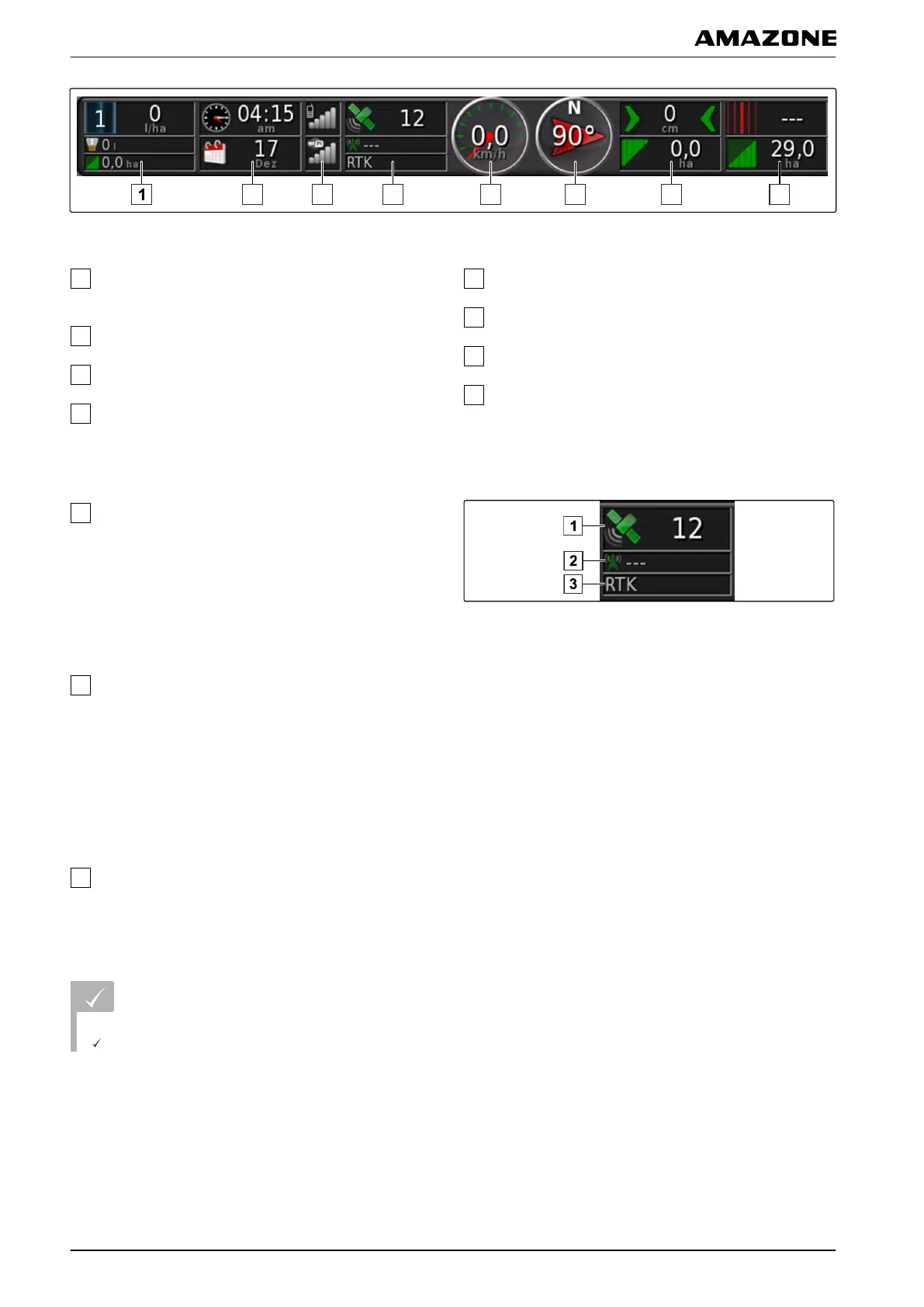
Data fields on the dashboard
Implement data. The displayed data varies
depending
on the connected implement.
Date and time
GPRS signal strength and WLAN signal strength
GPS data
Speed
Direction of travel
Track deviation and worked area
Track number and remaining area
GPS data on the dashboard
Satellite symbol and number of satellites:
Grey: No signal
Red: Low accuracy
Y
ellow: Medium accuracy
Green: High accuracy
Correction symbol and accuracy in metres:
Grey: No correction signal
Red: Low accuracy
Yellow: Medium precision but too low for automatic
steering
Green: Correction source converged, high accuracy
Used correction source
3.1 Adding data fields
REQUIREMENTS
Function is enabled in user controls; see page 41
048222
G | Using the operating menu | Configuring the dashboard
MG5574-EN-II | B.1 | 25.10.2016
106



 To Next Page