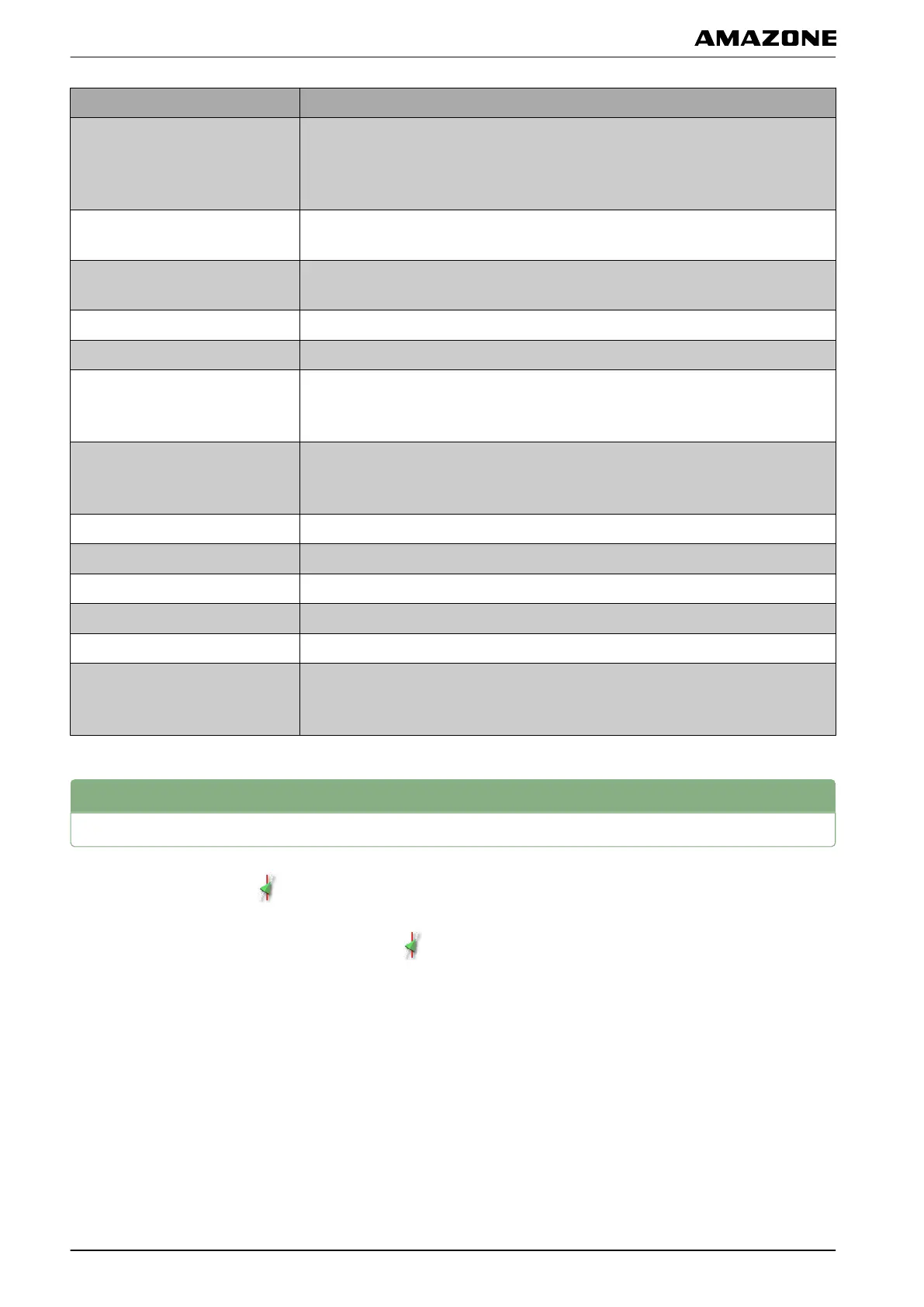
Red status display for: Measure
Steering control
Check whether the steering controller is properly connected and switched on.
Check
whether the correct steering controller is selected in the setup menu, see
page 78.
Vehicle geometry
Check whether the vehicle geometry data is correctly entered, see page 73 or
select
the vehicle again, see page 75.
Vehicle profile
Check whether the vehicle geometry data is correctly entered, see page 73.
Check
whether the right vehicle is selected, see page 75.
Steering calibrated Calibrate steering, see page 166.
Locking mechanism Unlock the steering control on the vehicle.
Track line available
Check whether a track line is selected, see page 154.
Drive
closer to the track line.
Track line synchronised
Check the connection to the GPS receiver.
Load
the track line again and wait until the track line is synchronised.
Prohibited operation Terminate all operations that are being executed on the AMAPAD.
Operator presence Sit on the driver's seat.
Steering wheel Let go of the steering wheel.
Speed Drive between 1 and 25 km/h.
Track deviation Drive closer to the track line.
Heading error
Calibrate the compass, see page 167.
Drive onto
the track line.
3
Coordinating the automatic steering
1. In the job menu, tap on .
2. Call up the "Steering coordination" menu with .
002545
M | Using automatic steering| Coordinating the automatic steering
MG5574-EN-II | B.1 | 25.10.2016
170



 To Next Page