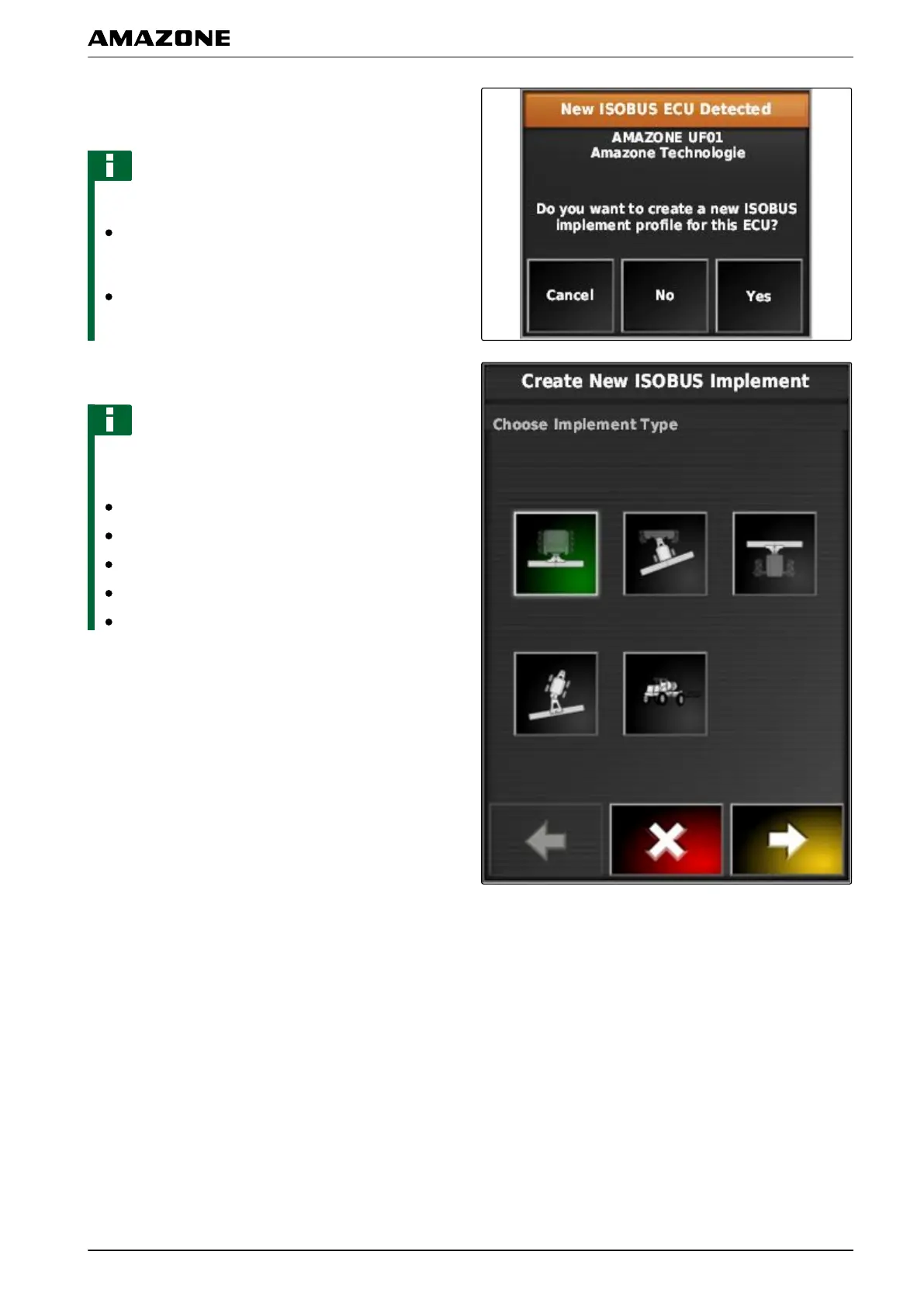
1. If a profile should be created for the implement,
confirm with "Y
es".
NOTE
Other options:
"No": An implement profile will not be created. The
AMAP
AD saves this selection and no longer opens
the assistant for this implement.
"Cancel": An implement profile will not be created.
The AMAP
AD will reopen the assistant when the
implement is connected again.
2. Select the implement type.
NOTE
Implement types from left to right and from top to
bottom:
Rigid
Towed
Front-mounted
With two pivot points
Self-propelled
F | Configuring the AMAPAD | Configuring an implement
MG5574-EN-II | B.1 | 25.10.2016
83



 To Next Page