About Instrument Calibration
MC4 User Guide 131
Start the calibration by pressing F3/
Start
. The following paragraphs
present the general flow of a calibration run:
1. The instrument's input signal should be set to a value corre-
sponding to the next calibration point. This is done using one of
the following methods:
• When the calibrator is capable of generating/simulating the
instrument's input signal, MC4 sets the value automatically.
• If an external device (e.g. a pressure controller) generates
the input signal, set the target value for the input signal as
the external device's set point. MC4 measures the output of
the external device, i.e. instrument's input signal.
• If the input signal is generated manually (e.g. a pressure
pump) set the input signal into required level. Again, MC4
measures the manually generated signal.
• Finally, if MC4 is not capable of measuring/generating/simu-
lating the input signal is manually entered into MC4.
2. The input and output values should be accepted when they both
are stable and the input is close enough to the target value, i.e.
calibration point.
M e n u N u m e r i c A c c e p t
1 6 . 0 5 0 27 5 . 0 0
E r r :
5
0
+
-
0 . 3 1
M e n u G r a p h i c s A c c e p t
° C
2 1 . 0 8 . 2 0 0 8 1 2 : 5 7 : 2 2
E r r o r %
P t 1 0 0
a
3 8 5
S u p p l y : O n
0 . 3 1
7 5 . 0 0
7 5 . 0 0
- 5 0 5- 2 . 5 2 . 5
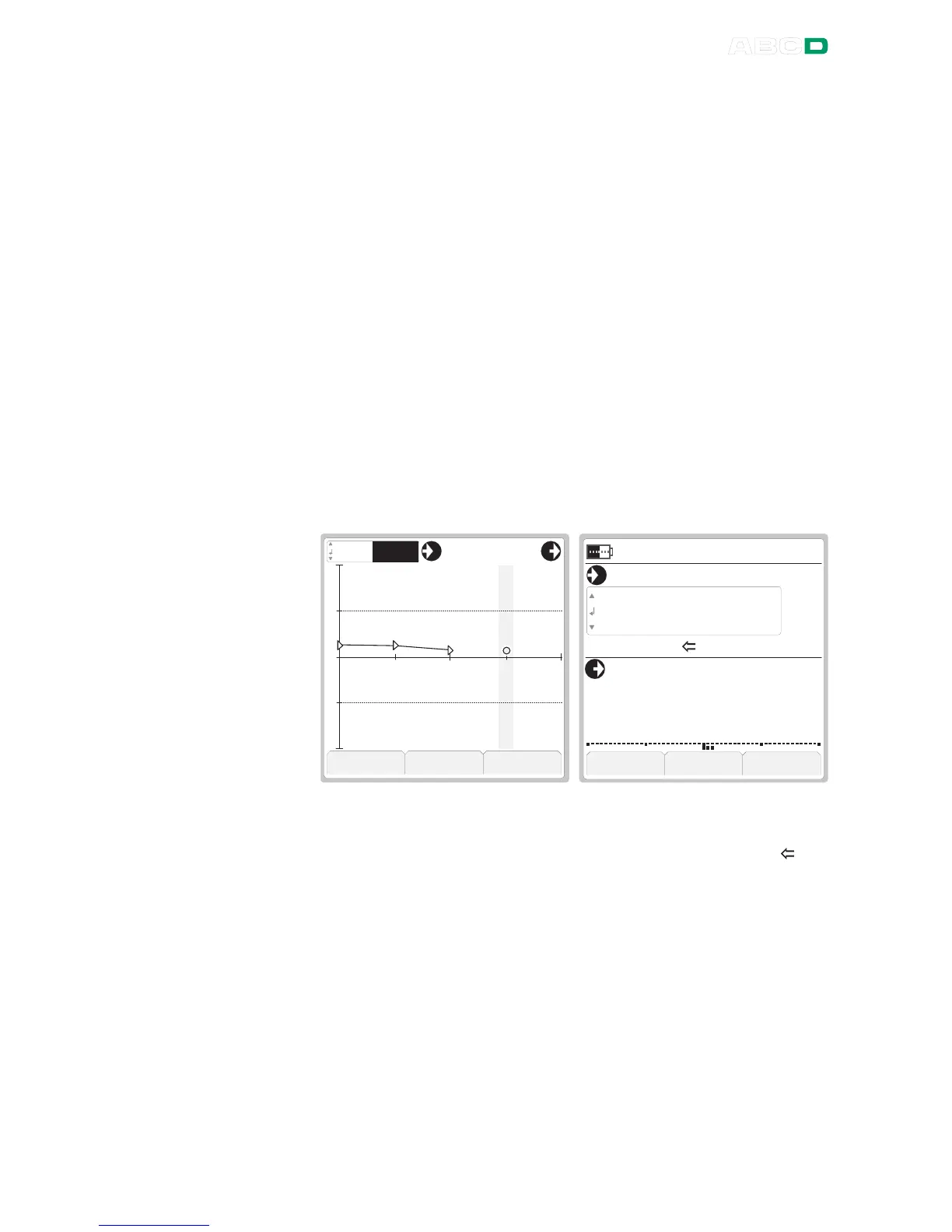
Calibration under way, Calibration under way,
Graphics view selected. Numeric view selected.
Target value/area for point: Target value for point:
Grey vertical bar Number to the left of " ".
Note that both the graphics view and the numeric view are differ-
ent for switches. See examples of them in chapter Electrical
Limit Switches on page 142.
The way MC4 accepts calibration points depend on the Instru-
ment's Calibration Procedure settings. Briefly: MC4 can be set
to accept current point and advance to next point fully automati-
cally. Optionally, accepting and/or advancing may be set to re-
quire user intervention.
More of Calibration Procedure settings in chapter Procedure Da-
ta Page on page 165.



 To Next Page