Sync Camera Assembly
35
(13) Board Address 2 - Factory use only. Always set switch 8 to the ON position. Setting the
switch to the OFF position will place the board into a factory test mode and cause diagnostics
LED, D36 to ash rapidly.
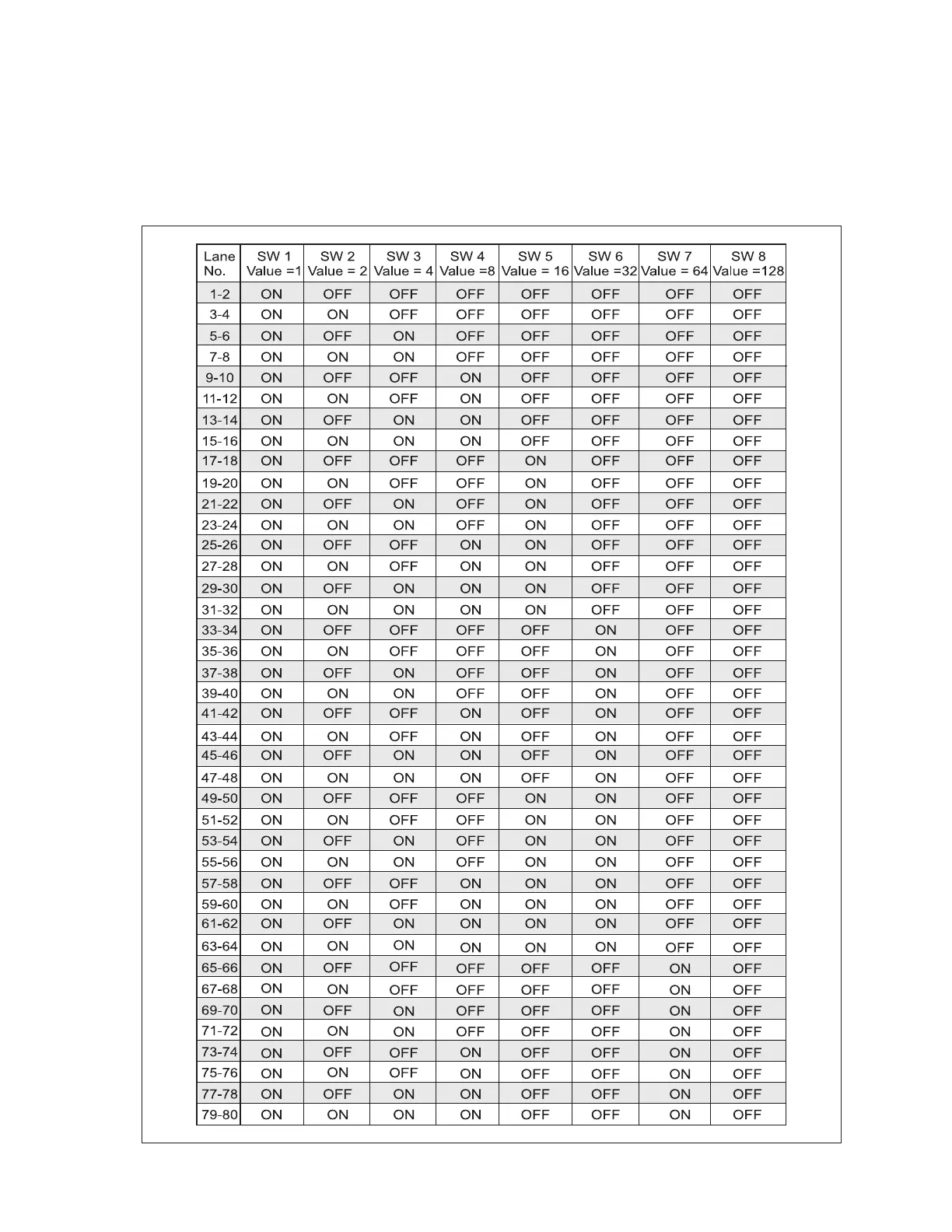
(14) Board Address 1 - Bank of 8 switches used to assign the lane ID. Refer to gure titled
Distribution Board Lane Assignment (Board Address 1).
Distribution Board Lane Assignment (Board Address 1)



 To Next Page