30 Sync Control System
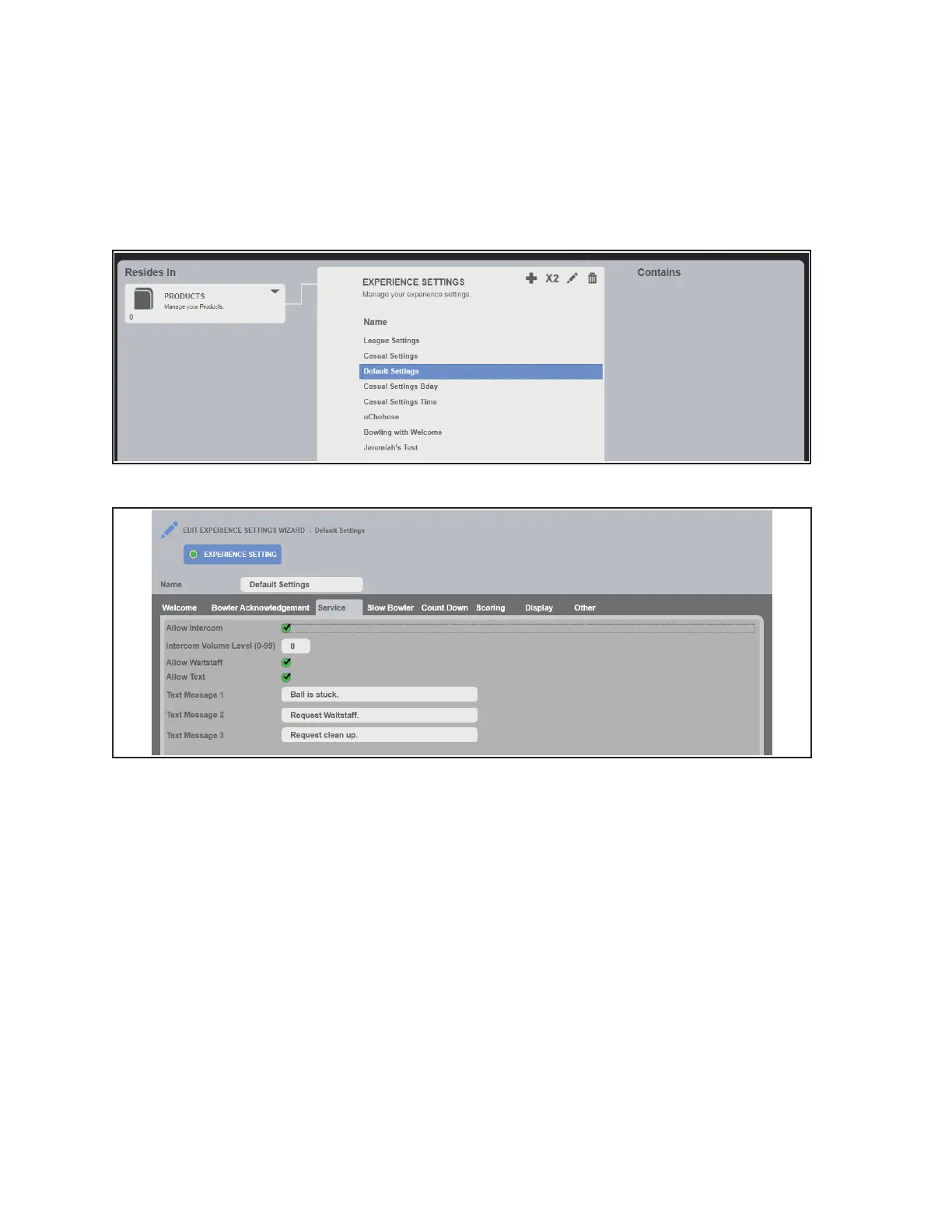
10. Enable the intercom for the Experience Settings. Refer to gures titled Select An Experience
Setting and Enable Allow Intercom.
A. Select an Experience Setting and click the edit button.
B. Select the check mark next to Allow Intercom to enable the intercom for that specic
Experience Setting.
C. Repeat for all listed Experience Settings that require the intercom to be available.
Select An Experience Setting
Enable Allow Intercom
11. Reboot all tablets. Refer to gures titled Desk - Lane Sales Page, Select More and Display Power,
Select Tablet, and Reboot Device.
A. Open the Desk application.
B. Select all lanes and click the More button.
C. Click Display Power under the Settings section.
D. Uncheck the Display Controller and Check Tablet.
E. Click the Reboot button and OK to begin the reboot process.



 To Next Page