Sync Control System 29
7. Set the following parameters found under the Phone tab:
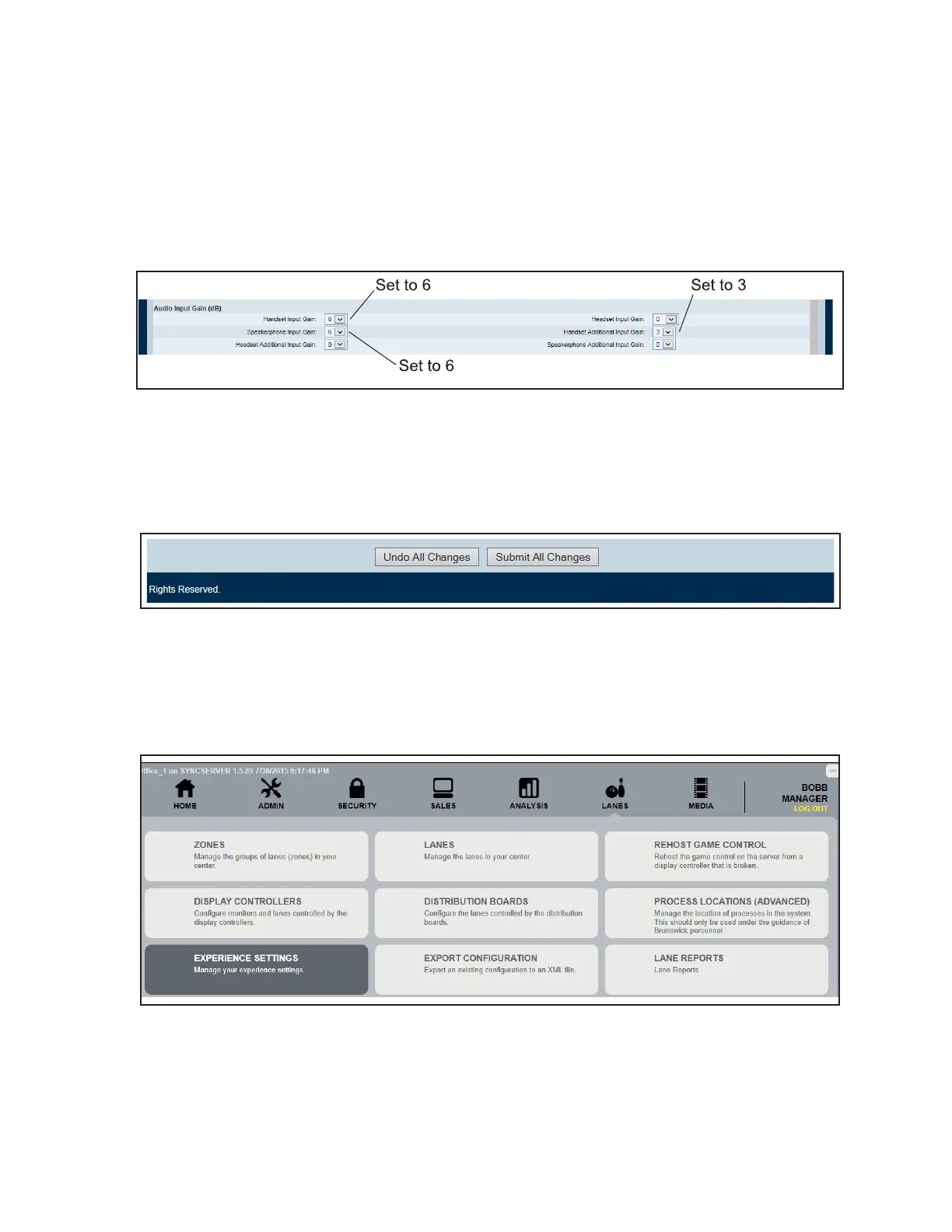
A. Audio Input Gain (dB) Section (Refer to gure titled Audio Settings.):
1) Set the Handset Input Gain to 6
2) Set the Speakerphone Input Gain to 6
3) Set the Handset Additional Input Gain to 3.
Audio Settings
8. Submit All Changes (Refer to gure titled Submit Changes.):
A. Click Submit All Changes at the bottom on the page.
B. Close the Internet Explorer web browser when nished.
Submit Changes
9. Open Sync Ofce. Sign in with a user with Administrator credentials. Refer to gure titled
Experience Settings Selection.
A. Click the Lanes Tab, then click Experience Settings.
Experience Settings Selection



 To Next Page