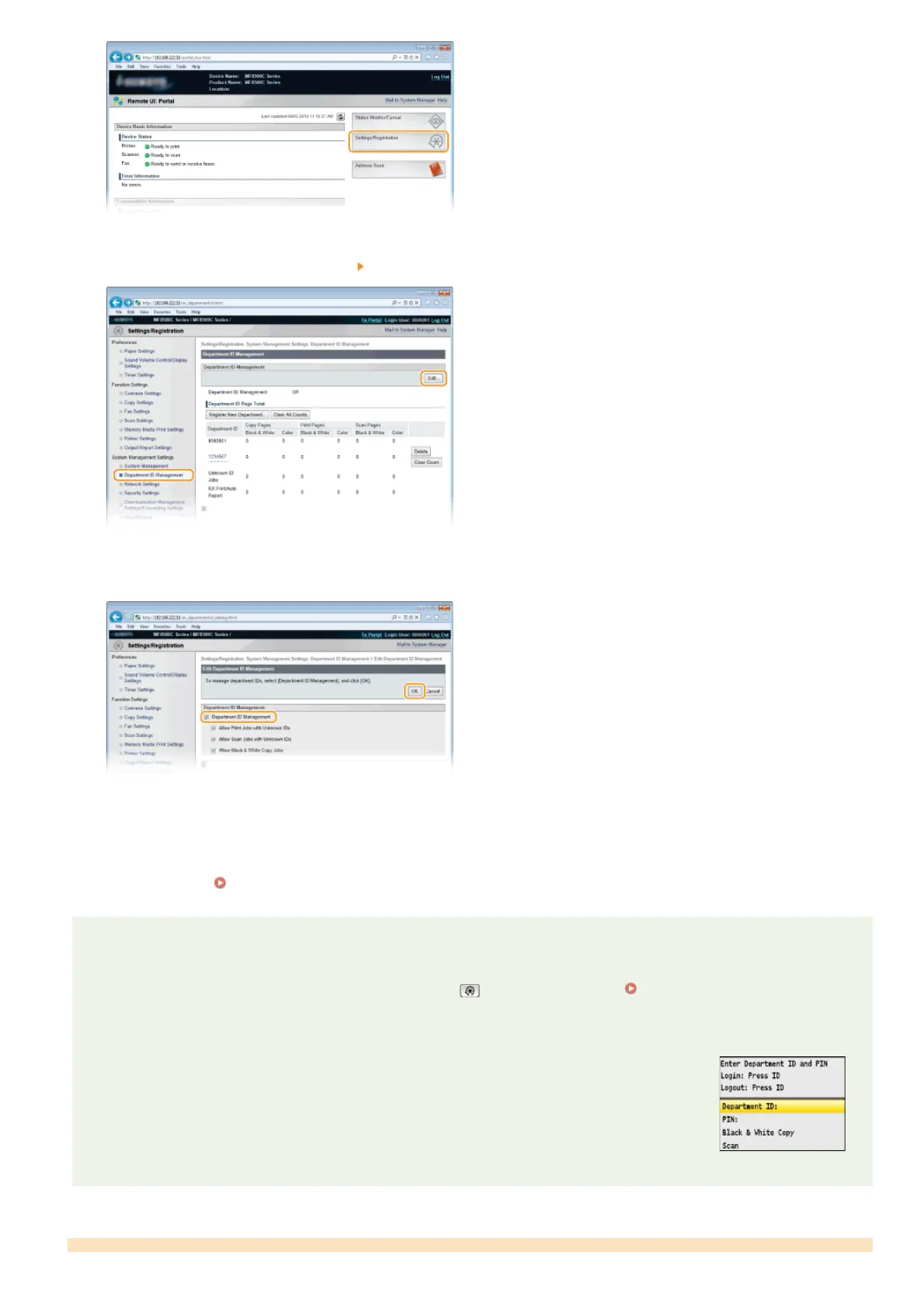
Click [Department ID Management] [Edit...].
Select the [Department ID Management] check box and click [OK].
[Department ID Management]
Select the check box to enable Department ID Management. If you do not want to use Department ID Management, clear the
check box.
NOTE:
For information on the [Allow Print Jobs with Unknown IDs]/[Allow Scan Jobs with Unknown IDs]/[Allow Black & White Copy Jobs]
check boxes, see
Blocking Jobs When Department ID Is Unknown.
NOTE
Using the operation panel
If you only want to enable or disable the settings, you can use on the operation panel. Department ID Management
On/Off
Logging on to the machine
When you try to operate the machine when Department ID Management is enabled, the following logon
screen is displayed:
3
4
㻠㻜㻟㻌㻛㻌㻢㻣㻢











 To Next Page