When [Reject] is selected for an outbound filter
Outgoing multicast and broadcast packets cannot be filtered.
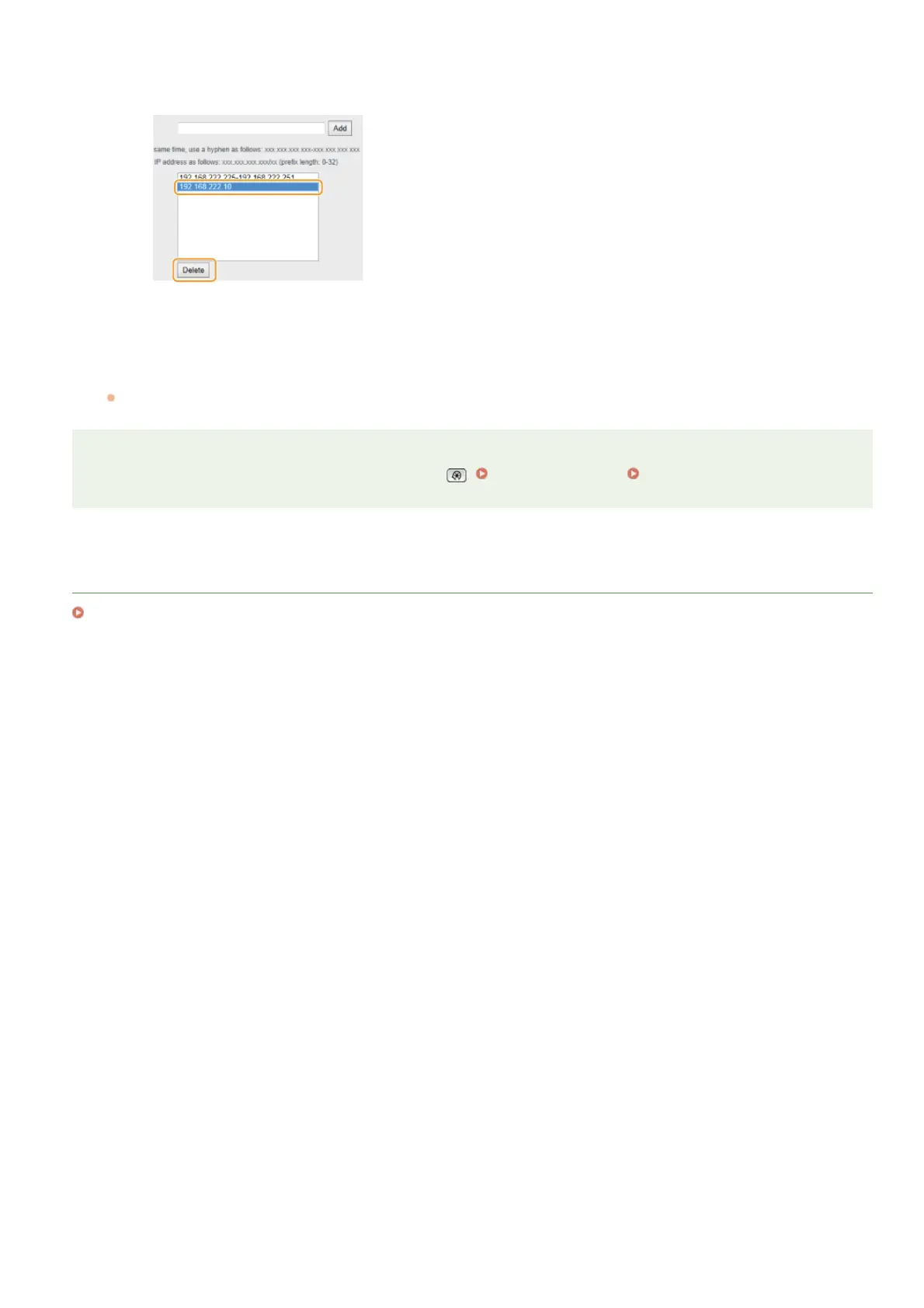
Deleting an IP address from exceptions
Select an IP address and click [Delete].
3
Click [OK].
Restart the machine.
Turn OFF the machine, wait for at least 10 seconds, and turn it back ON.
NOTE
You can enable or disable the IP Address Filter settings from . IPv4 Address Filter IPv6 Address Filter
LINKS
Specifying MAC Addresses for Firewall Rules
6
㻠㻝㻜㻌㻛㻌㻢㻣㻢



 To Next Page