Specify settings for printing received faxes.
Print on Both Sides
Specify settings for printing received faxes on both sides of paper.
Off
On
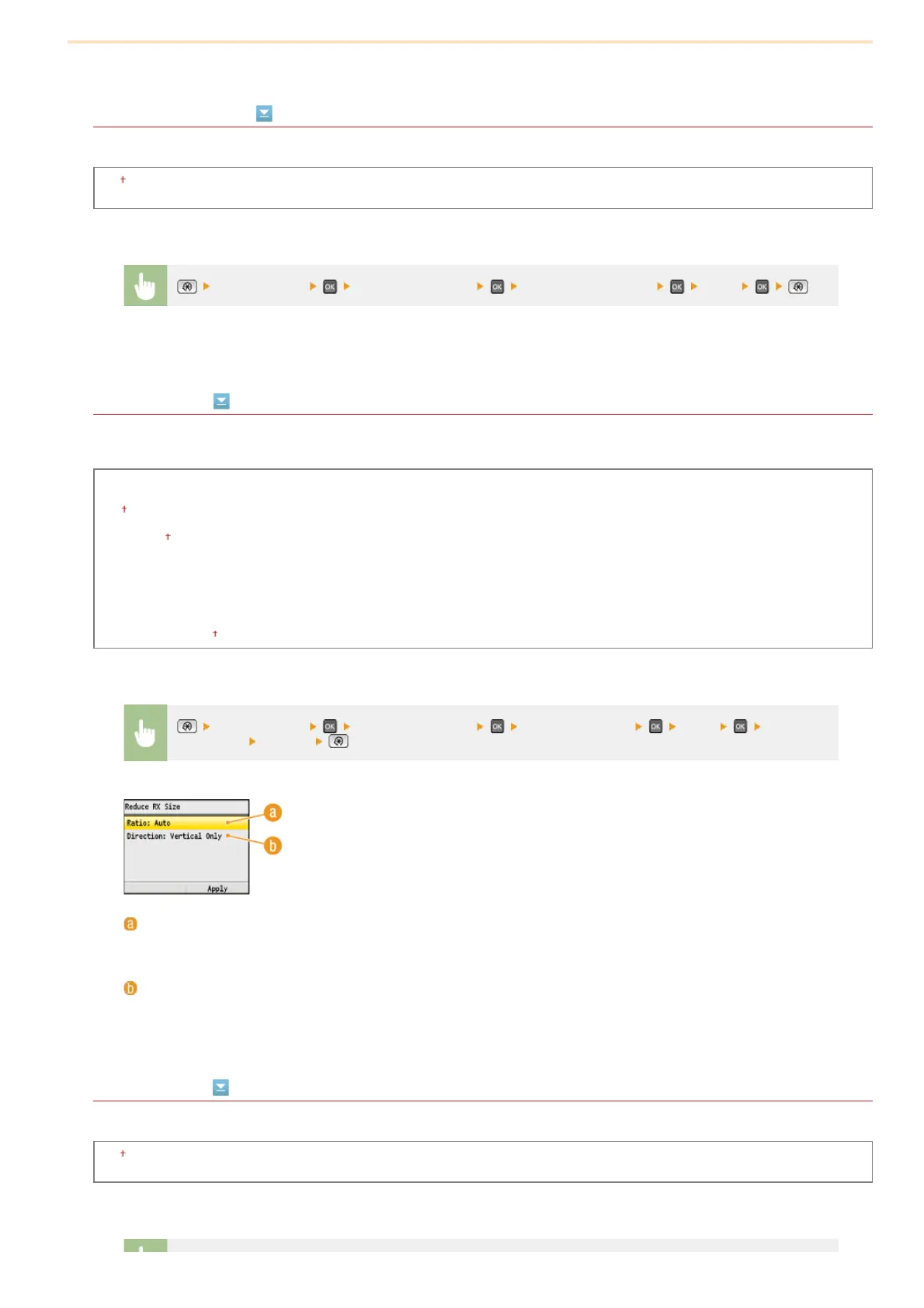
Reduce RX Size
Specify settings for reducing the image size of a received document. You can select an automatic reduction ratio that reduces the
received document to size of the loaded paper. You can also select a ratio from a list.
Off
On
Ratio
Auto
97%
95%
90%
75%
Direction
Vertical/Horizontal
Vertical Only
RX Page Footer
Select whether to print information, including date and time of reception and page numbers, on the bottom of received faxes.
Off
On
*2
<Fax Settings> <RX Print Settings> <Print on Both Sides> <On>
<Fax Settings> <RX Print Settings> <Reduce RX Size> <On> Specify
the settings
<Apply>
<Ratio>
<Auto> reduces the image by a ratio that is based on the size of the loaded paper. <97%>, <95%>, <90%>, or
<75%> reduce the image by the corresponding ratio.
<Direction>
Select <Vertical/Horizontal> to reduce the image both vertically and horizontally. Select <Vertical Only> to reduce
only vertically.
㻡㻜㻝㻌㻛㻌㻢㻣㻢











 To Next Page