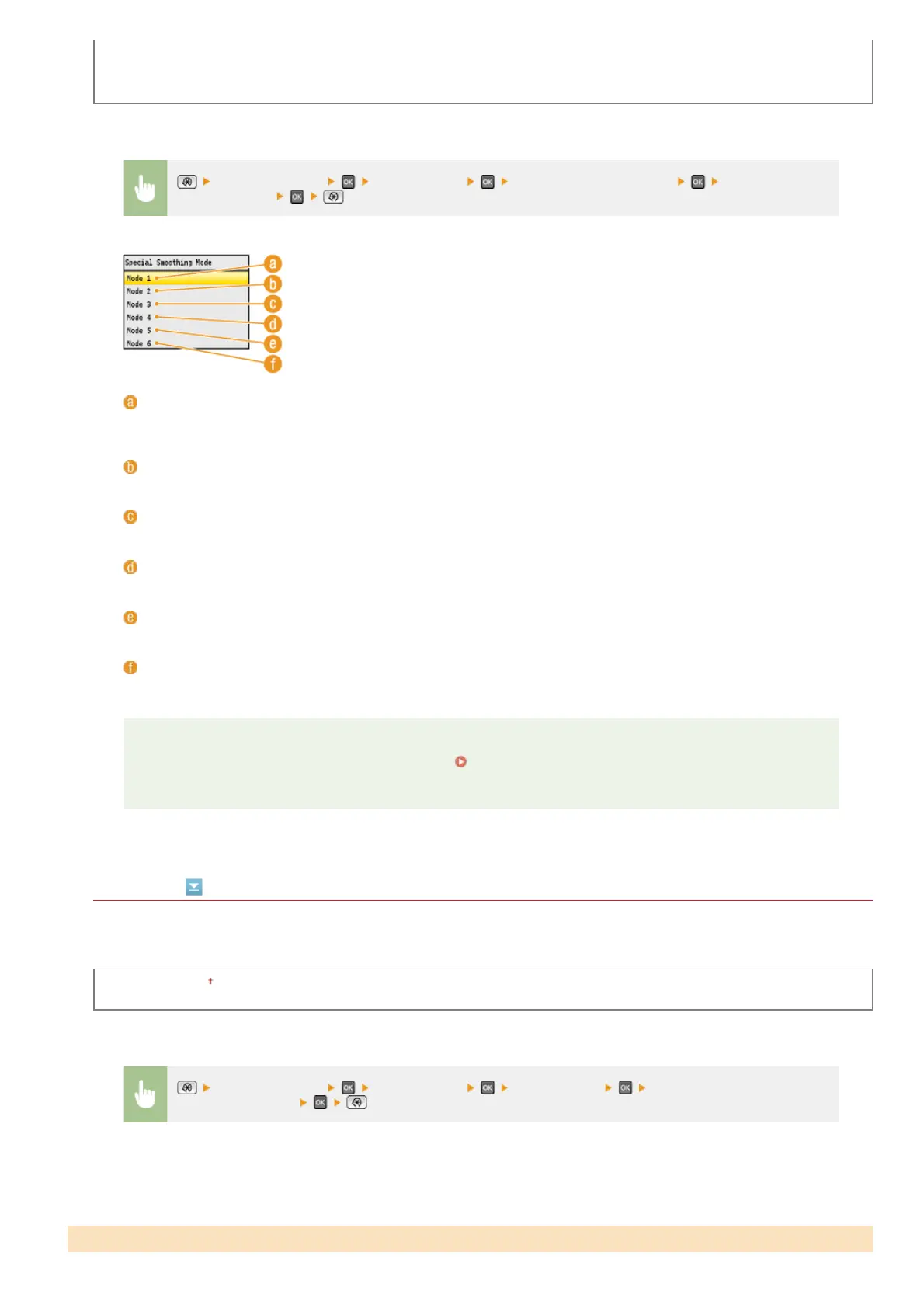
Mode 3
Mode 4
Mode 5
Mode 6
Line Control
Select the data processing method to reproduce lines. If <Resolution Priority> is selected, lines are processed to print as clearly as
text. If <Gradation Priority> is selected, lines are processed as graphics and printed in similar tones and gradations to those of
graphics.
Resolution Priority
Gradation Priority
<Printer Settings> <Print Quality> <Special Smoothing Mode> Select the
smoothing mode
<Mode 1>
Prints the edges of dark colored text, lines, and graphics smoothly. This setting is recommended for most types of
printing.
<Mode 2>
Prints both edges and interior halftones of graphics smoothly.
<Mode 3>
Prints dark colored text and lines on halftone backgrounds smoothly.
<Mode 4>
Prints the edges of objects (text, lines, graphics and photographic images) smoothly.
<Mode 5>
Prints images and halftones evenly.
<Mode 6>
Prints entire objects smoothly.
NOTE
When <Error Diffusion> is enabled for <Halftones> ( Halftones), <Mode 1>, <Mode 2>, <Mode 3>, and
<Mode 4> apply the same effect on printouts as <Mode 6> does.
<Printer Settings> <Print Quality> <Line Control> Select <Resolution Priority> or
<Gradation Priority>
Layout
*
㻡㻝㻠㻌㻛㻌㻢㻣㻢











 To Next Page