FI002K0018v1100UK – THS/21 Instruction manual for installation, use and maintenance
3
INSTALLATION
ORIGINAL INSTRUCTIONS 117
3.10 Enabling from and to external machines
The operation of the Metal Detector can be synchronized with the machines upstream and
downstream on the production line.
3.10.1 Metal Detector inhibition
This contact makes it possible to inhibit the Metal Detector.
Input Description Remote parameters
INHIBITION Metal Detector inhibition
IN
Inhibition time
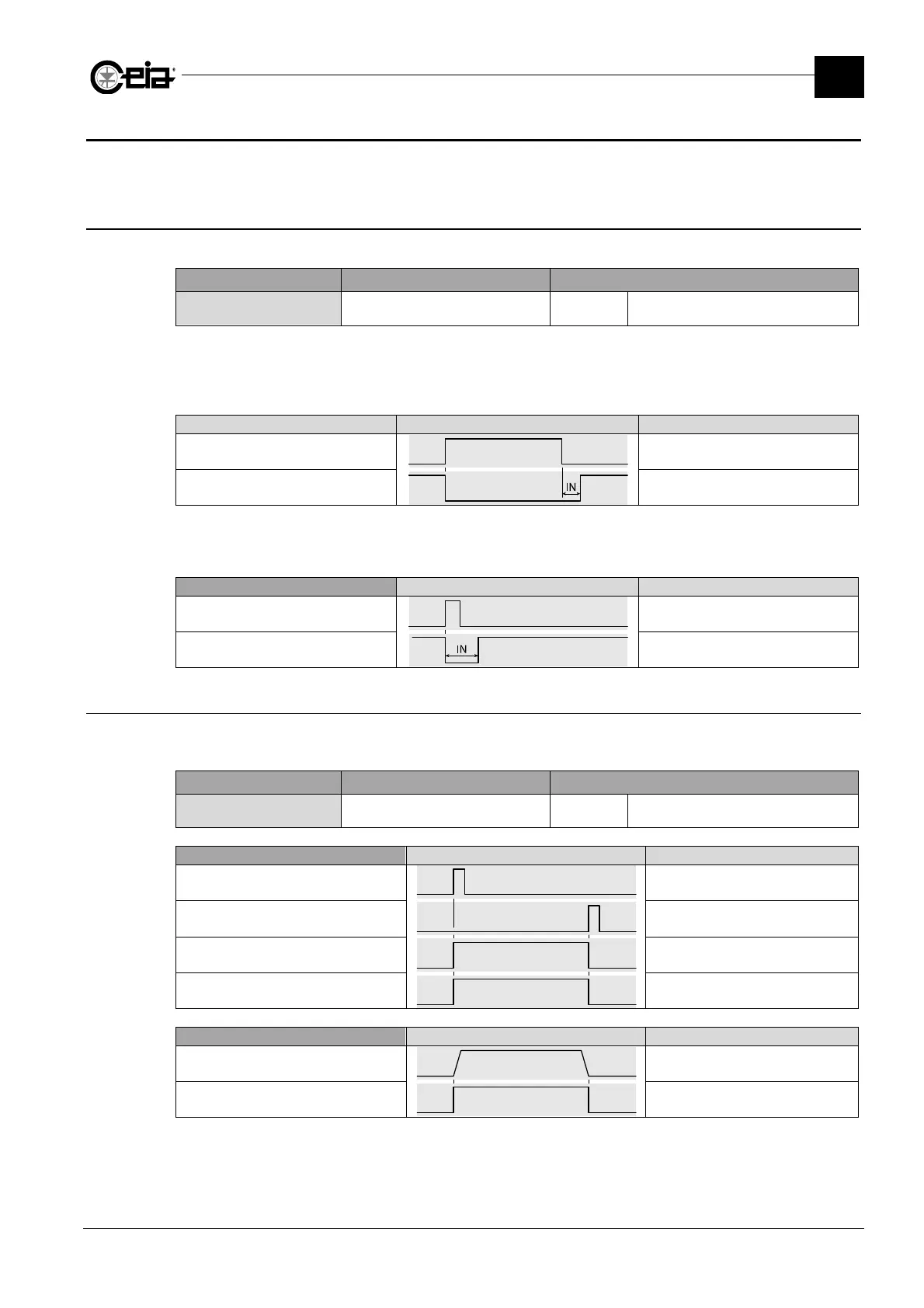
By setting parameter IN to a value greater than 0, use of the INHIBITION input is enabled.
When this input is activated, the Metal Detector remains inhibited. The Metal Detector will become
active again after IN seconds of the deactivation of the input, as shown in the diagram below.
Waveform Description
INHIBITION Metal Detector inhibition
Metal Detector enabled Metal Detector enabled
In systems with a Conveyor Control System, the parameter IN also indicates how long the Metal
Detector is inhibited each time the conveyor belt is started up.
Conveyor Control System Waveform Description
Start Belt movement start button
Metal Detector enabled Metal Detector enabled
3.10.2 Enabling the upstream conveyor belt
For systems with a Conveyor Control System or Control Power Box with encoder, activation of the
PREC_CONV relay coincides with the belt movement.
Output Description Remote parameters
PREC_CONV RELAY Belt in movement
PC
Activation (ON/OFF)
Conveyor Control System Waveform Description
Start Belt movement start button
Stop
Belt movement stop button or
fault/emergency condition
Conveyor belt
Belt in movement
PREC_CONV RELAY -
Control Power Box with encoder
Waveform Description
Conveyor belt speed Conveyor belt speed
PREC_CONV RELAY -







 To Next Page