FI002K0018v1100UK – THS/21 Instruction manual for installation, use and maintenance
3
INSTALLATION
ORIGINAL INSTRUCTIONS 67
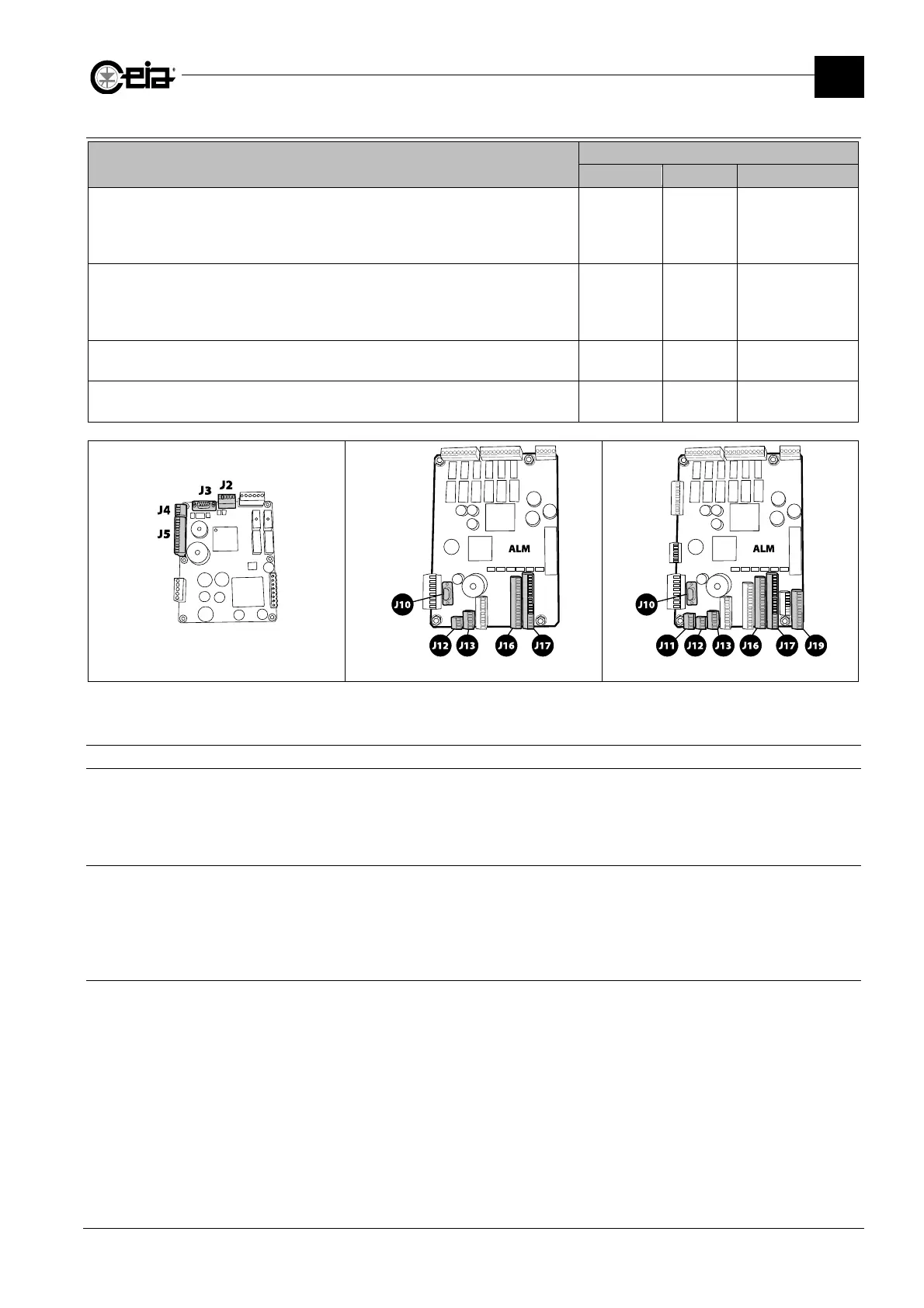
3.5.4 Description of I/O interfaces
I/O INTERFACES
Description
CONNECTION
00211ALM 00211AL_ Name on diagram
RS232 Serial interface (sub-D 9p female)
Connection for serial printer.
Connection for personal computer, to save parameters and any firmware updates.
Deactivated when Bluetooth connection is active.
J10 J3
-
Barcode reader
Connection to a barcode reader, upstream of the Metal Detector, for automatic
selection of the detection parameters in accordance with the barcode of the product in
transit.
J11
N/A
-
Auxiliary RS232 serial interface
Typical use with remote terminal emulation software.
J12 J4
-
RCU Remote Control Unit
Connection of a remote control unit RCU.
J13 J2
-
00211AL_ board Standard 00211ALM board Complete 00211ALM board
3.5.5 Communication connections
3.5.5.1 RS232 serial port connections
The RS232 serial port is used by the CEIA MD Scope program, available on request. A standard
serial communication program (like Windows Hyperterminal) can also be used.
Read the Programming Manual for further information.
3.5.5.2 Bluetooth communication
The programming can be also performed through a Bluetooth connection, using standard
communication software (such as Windows HyperTerminal) or through the CEIA MDScope
program, available on request.
Read the Programming Manual for further information.
3.5.5.3 Ethernet / WiFi connections (on request, with IXC card)
Read the Programming Manual for further information.







 To Next Page