CDM-570A/570AL Satellite Modem with Optional Packet Processor
Revision 5
Ethernet-based Remote Product Management 7–30 MN-CDM570A
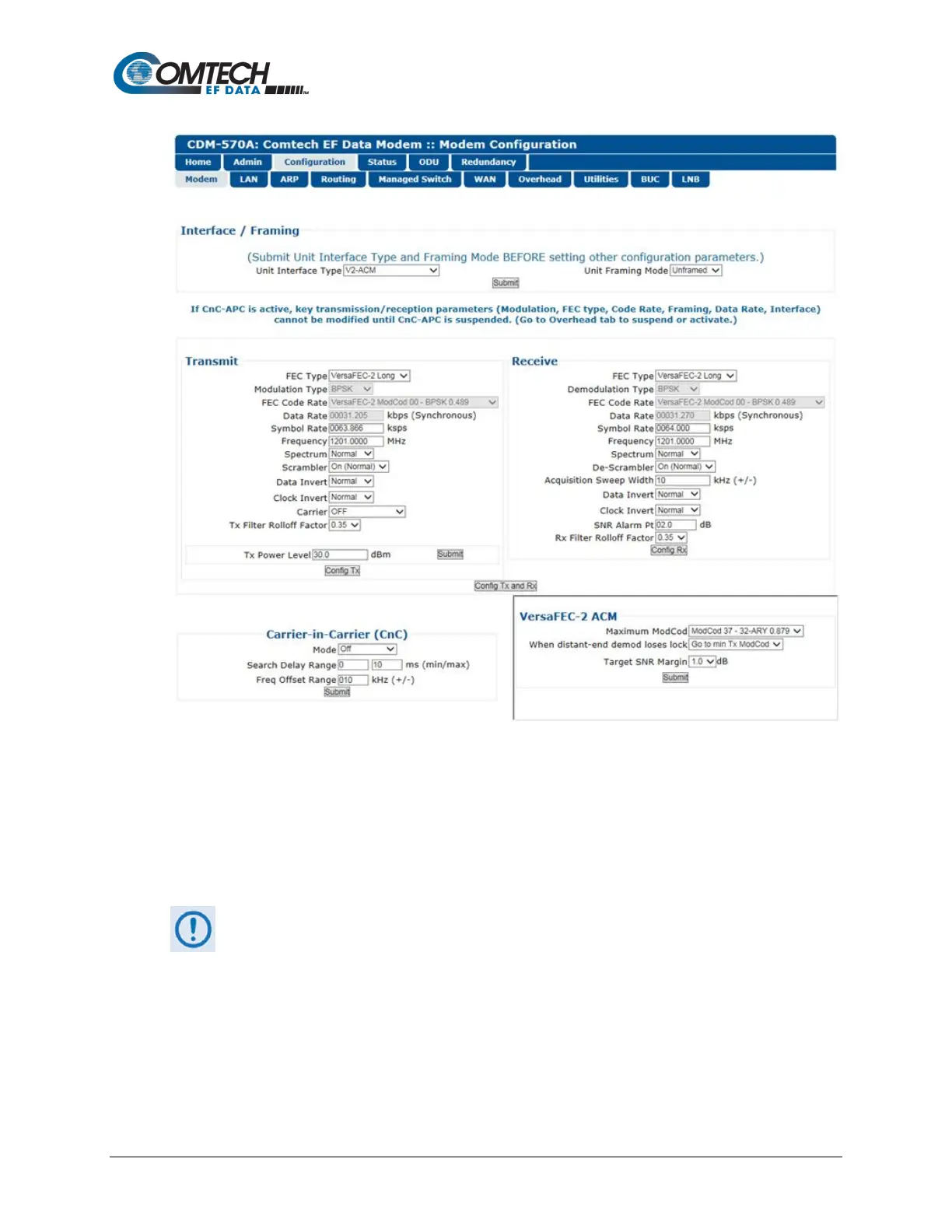
Figure 7-17. Configuration | Modem | VersaFEC-2-ACM (V2-ACM) Page
Use the ‘Configuration | Modem’ page to configure these modem operating parameters:
• Unit Interface and Framing Mode* • Tx Power Level
• Tx / Rx Operating Parameters • Carrier-in-Carrier (CnC) Parameters
• VersaFEC ACM (IP-ACM) or VersaFEC-2 ACM
(V2-ACM) Parameters
* Unit Interface Type and Framing Mode have higher priority and should be
configured before setting other parameters.
The page appearances change with your selection of the operating mode. Figure 7-15 shows this
page as it appears when any non-ACM operating mode is active. When you select IP-ACM
(VersaFEC ACM) shown in Figure 7-16, or VersaFEC2-ACM (V2-ACM) shown in Figure 7-17, the
page displays the addition of the pertinent ACM section, to the right of the CnC section.



 To Next Page