CDM-570L/570AL Satellite Modem with Optional Packet Processor
Revision 5
Optional High Performance Packet Processor D–5 MN-CDM570A
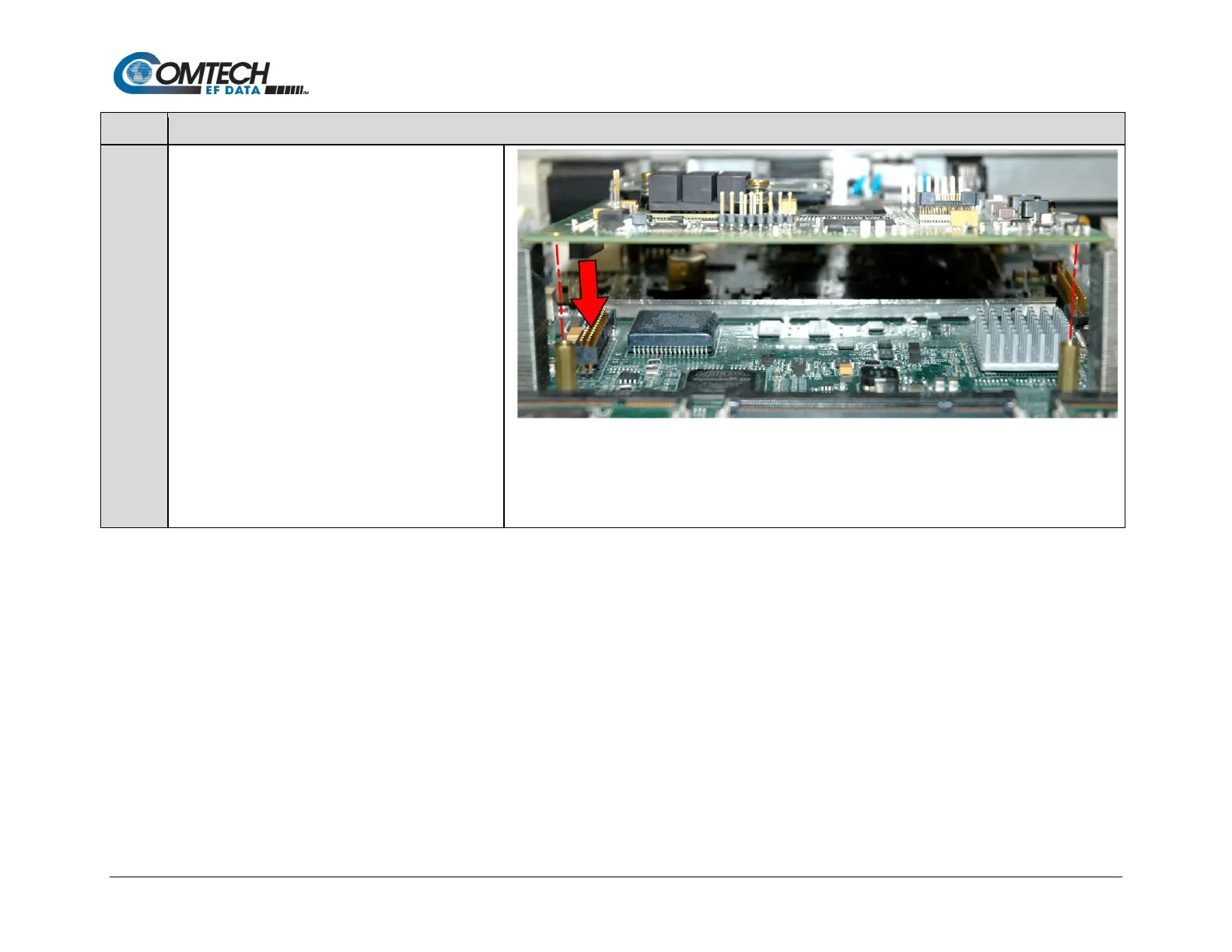
Prepare the Packet Processor Card for installation by
aligning its receptacle with the mating connector on
the modem’s framing board.
Tilt the board slightly, in a downward angle, to align
the RJ-45 and RJ-11 ports with their mating chassis
rear panel cutouts.
Then, plug the card firmly into the connector – take
care not to damage any top- or bottom-mounted
components.
Similarly, be sure not to damage the bottom of the
card on the chassis’ mounting bosses while plugging
the card receptacle into its mating connector.
Installation is complete once the the card receptable is
fully engaged within its mating connector, and the
mounting holes at the front and rear of the card are
aligned with the mounting boss threaded holes.



 To Next Page