SLM-5650B Satellite Modem
Revision 2
Network Processor (NP) Interface 8–13 MN-SLM-5650B
8.6.5.2 Admin (Administration) Page
Depending on the enabled features and options, select the Mode, FAST Features, Security,
SNMP, Upgrade, Defaults, Time, Event Log, or Reboot hyperlink to continue.
8.6.5.2.1 Admin | Mode (FAST Feature Required)
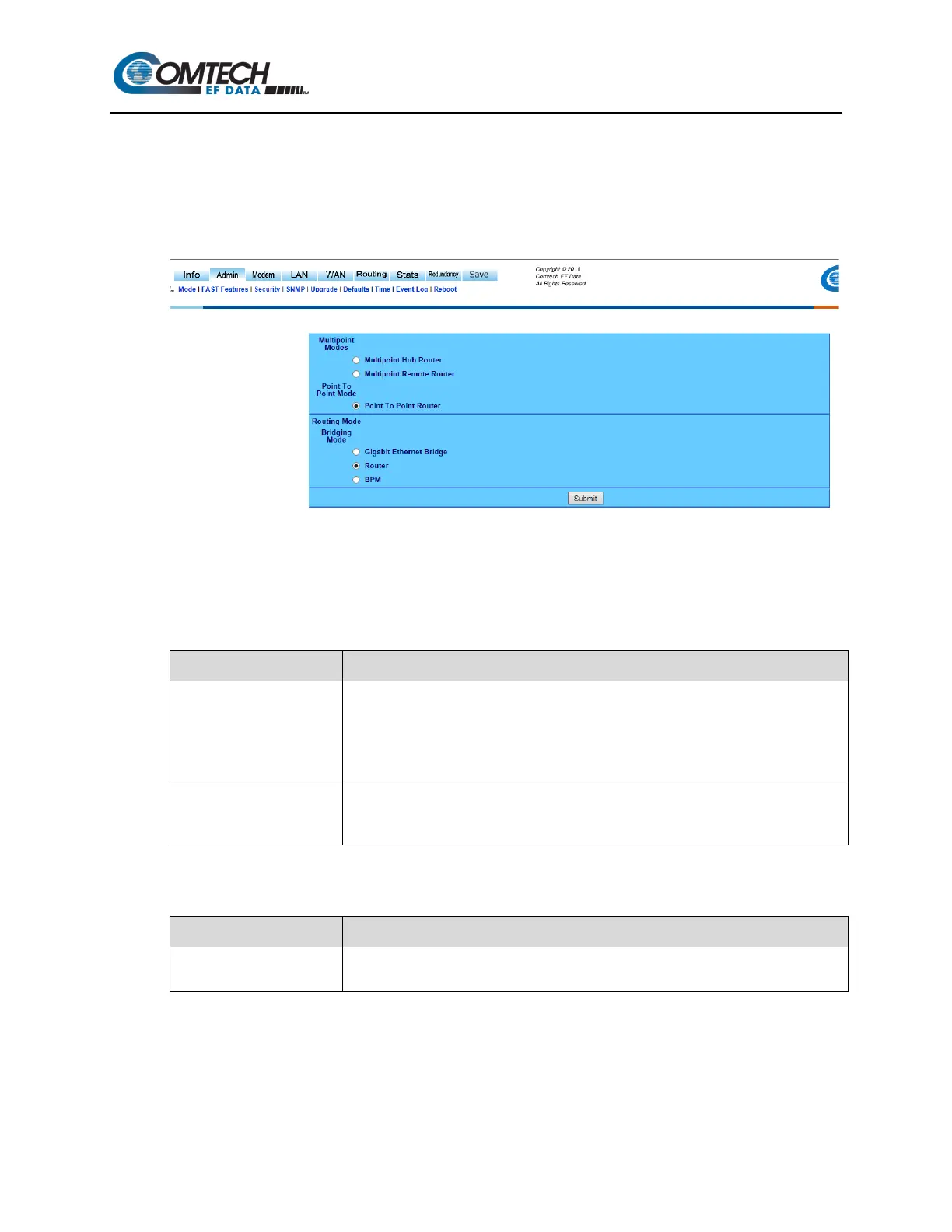
Figure 8-10. Admin | Mode Page
Use the ‘Admin | Mode’ page (Figure 8-10) to specify how the modem/NP Interface is to behave in
working modes. Once the role of a particular modem in the network is determined, this single point
of configuration is intended to simplify deployment.
Multipoint Modes
Item Description
Multipoint Hub Router
When in static SCPC, the option exists for configuring the modems into a hub and spoke
network with a shared outbound at the hub. All of the modems at the hub should be put
in “Multipoint Hub Router” mode.
Note: If a modem at the remote is configured to be a Hub router there will be significant
degradation to network performance due to the potential for routing loops.
Multipoint Remote Router
Select Multipoint Remote Router for all remote modems in a multipoint network. A
Remote router would be classified as a modem which receives the shared outbound and
transmits back to the hub on a dedicated SCPC channel
Point-to-Point Mode
Item Description
Point-to-Point Router
Select for use in a Point-to-Point SCPC link where there are different IP subnets on
either side of the link.



 To Next Page