SLM-5650B Satellite Modem
Revision 2
Front Panel Operation 5–3 MN-SLM-5650B
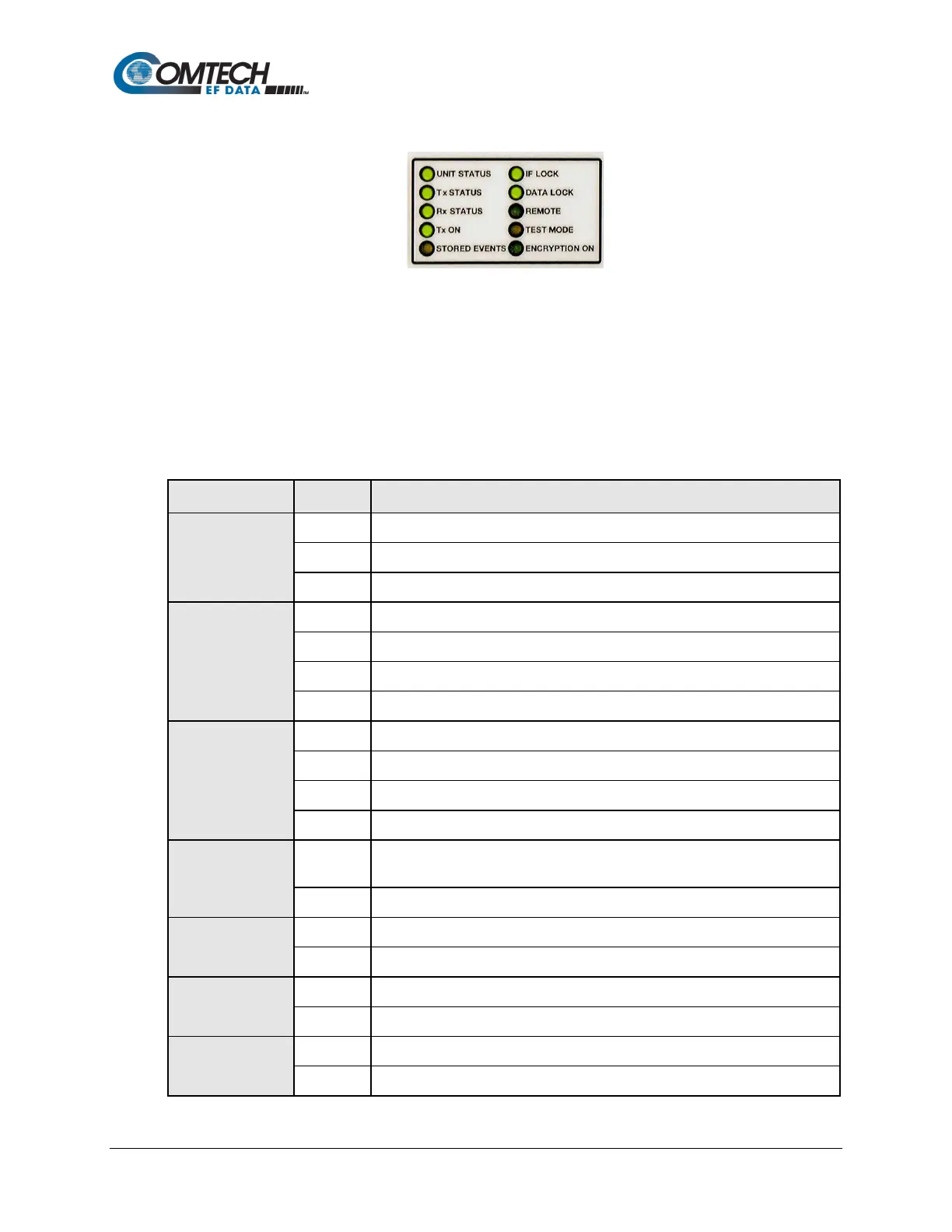
5.1.2 LED Indicators
Figure 5-3. LED Indicators
The 10 LEDs on the front panel indicate:
• General modem summary fault information;
• Status;
• Alarms.
The behavior of the individual front panel LED indicators is as follows:
LED Color Condition
Unit Status
Green No Unit Faults or Stored Faults.
Red A Unit Fault exists.
Orange A Unit Alarm exists.
Tx Status
Green No Tx Traffic Faults or Alarms exist.
Orange A Tx Traffic Alarm exists.
Rx Status
No Rx Traffic Faults or Alarms exist.
Orange An Rx Traffic Alarm exists.
Red An Rx Fault exists.
Off Demod Faults are masked.
Tx On
Green
Transmitter is currently on (this indicator reflects the actual condition of the
transmitter, as opposed to the programmed condition).
Transmitter is currently off.
Stored Events
Orange Stored Events are logged.
Off No Stored Events are logged.
IF Lock
Green Demod has constellation lock.
Off No constellation lock.
Data Lock



 To Next Page