SLM-5650B Satellite Modem
Revision 2
NP Interface Telnet/SSH CLI Operation 9–26 MN-SLM-5650B
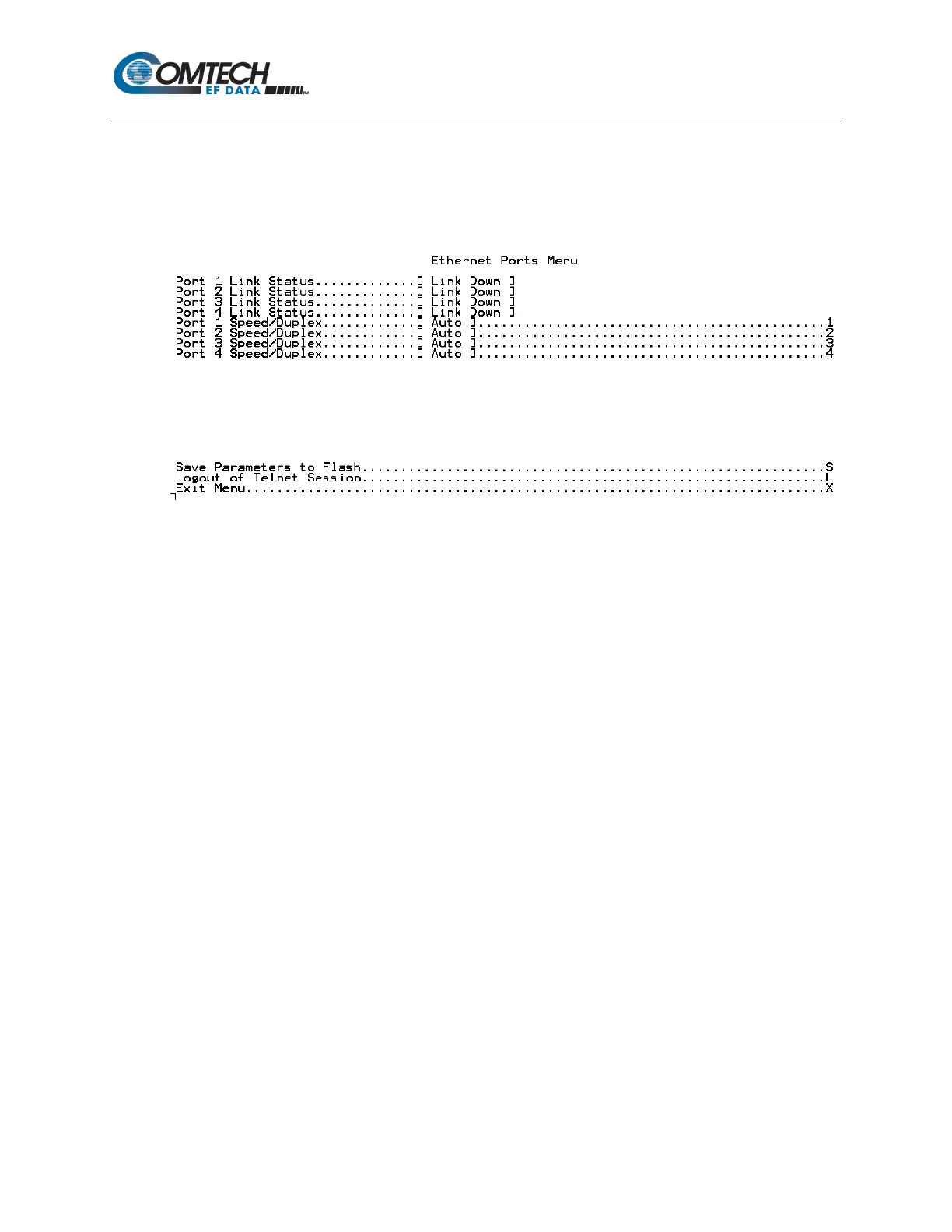
9.2.6.2 LAN Menu | Ethernet Ports Menu (E)
When the Ethernet Ports Menu page is opened from the LAN Menu, a read-only NP Interface
Ports 1 through 4 Link Status information is shown, and allows the user to manually change the
Ethernet Port Speed/Duplex Configurations for each port by pressing ‘1’ through ‘4’ as needed.
9.2.6.2.1 LAN Menu | Ethernet Ports Menu | Ports 1-4 Speed/Duplex
Configuration
When ‘1’, ‘2’, ‘3’ or ‘4’ is pressed on the Ethernet Ports Menu page, the user is then prompted to
configure NP Interface Ports 1 through 4, on a per-port basis, with one of the following selections:
0 – Auto
1 – 10 Mbps Half Duplex
2 – 10 Mbps Full Duplex
3 – 100 Mbps Half Duplex
4 – 100 Mbps Full Duplex
5 – 1000 Mbps Full Duplex
Refer to Chapter Section 8.6.5.4.2 LAN | Ethernet Ports for an overview of this functionality.



 To Next Page