SLM-5650B Satellite Modem
Revision 2
Introduction 1–5 MN-SLM-5650B
1.3.2 Physical Features
1.3.2.1 Front Panel
Chapter 5. FRONT PANEL OPERATION
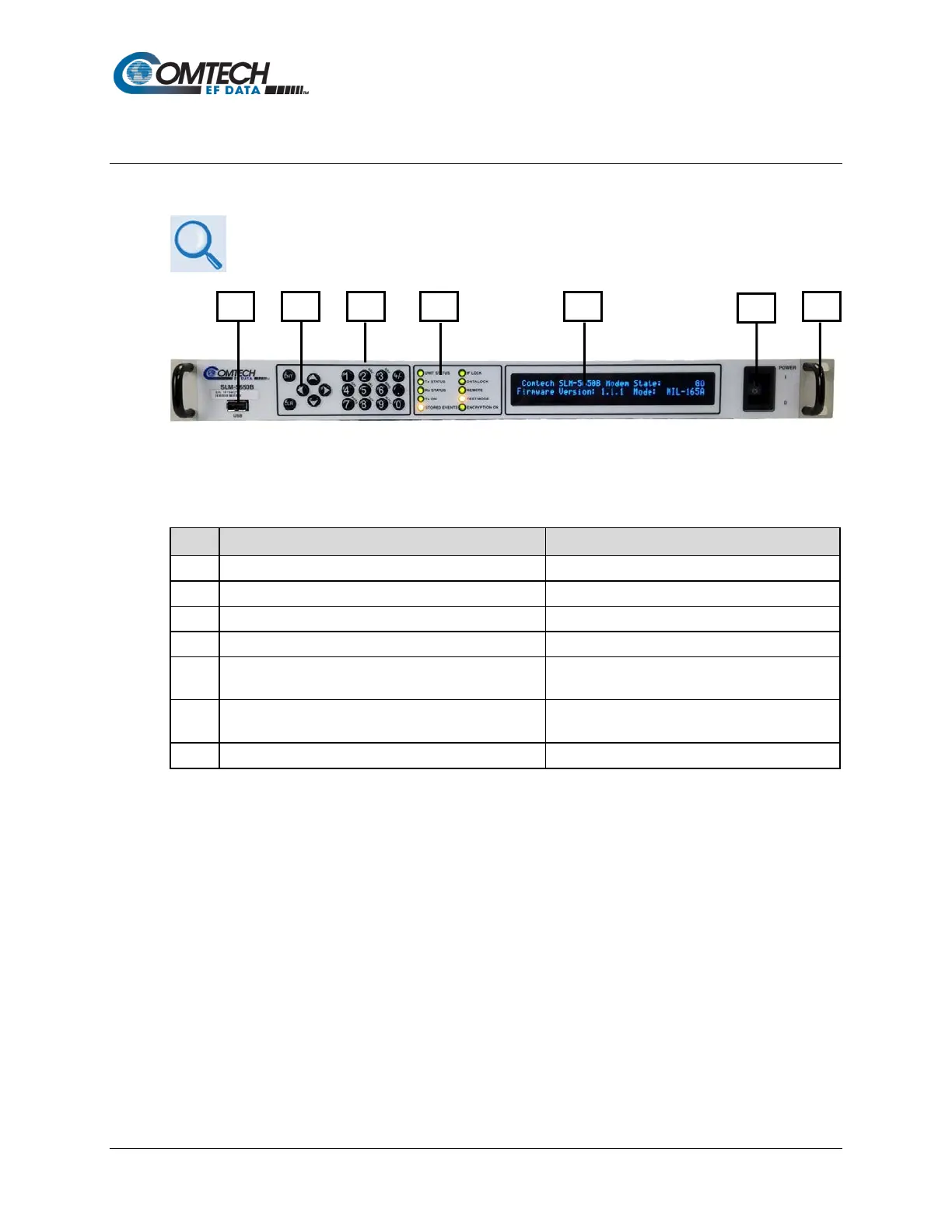
Figure 1-4. SLM-5650B Front Panel
Table 1-1. SLM-5650B Front Panel Features
Item Description Function
1 USB Port Reserved for future software support
2 6-button keypad Local control via menu navigation
4 10 Light-Emitting Diodes (LEDs) Overall status monitoring at a glance
5
40-character, 2-line Vacuum Fluorescent Display
(VFD)
Display of messages, menus and prompts
6
(Illuminated switch optional)
Unit power
7 Rack handles Eases installation into / removal from rack
Local control of the SLM-5650B is accomplished from the modem’s front panel (Figure 1-4). The
function and behavior of the keypad/data entry array, Light Emitting Diode (LED) Indicators, and
Vacuum Fluorescent Display (VFD) are described in detail in Chapter 5.



 To Next Page