SLM-5650B Satellite Modem
Revision 2
Network Processor (NP) Interface 8–20 MN-SLM-5650B
Upgrade
See Chapter 4. FLASH UPGRADING for complete details on using the NP HTTP/HTTPS Interface
for upgrading the base modem, NP Interface and TRANSEC Module firmware.
Item Description
Current Running
(read only) – displays current NP Interface Firmware Image as defined on the
Admin | Reboot page (e.g., Image1 or Image2).
Upgrade To
(read only) – displays the NP Interface Firmware Image that will be overwritten with
the new image as defined on the Admin | Reboot page (e.g., Image1 or Image2).
Upgrade Image File
Click
to locate the bulk image on the local computer’s file system, and
then click [Upload] to upload the image.
8.6.5.2.6 Admin | Defaults
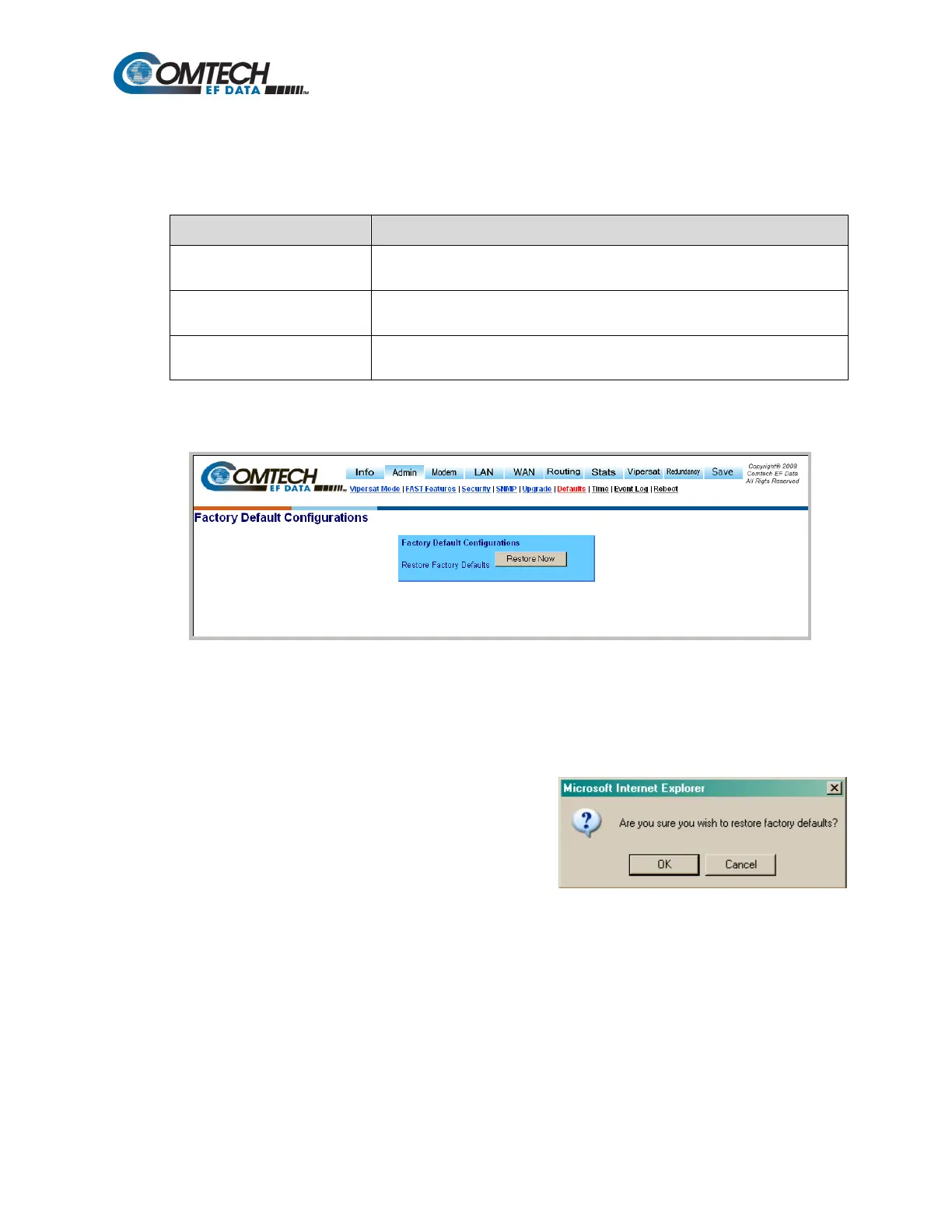
Figure 8-15. Admin | Defaults (Factory Default Configurations) Page
Use the ‘Admin | Defaults’ page (Figure 8-15) to restore all previously-configured modem
parameters – with the exception of the Admin User Name and the Admin Password (see
Section 8.6.5.2.3) – to their Factory Default Configuration settings.
Click [Restore Now] to begin the restoration process.
At the user prompt (shown at right), click OK to execute
the process, or Cancel to abort the command.



 To Next Page