SLM-5650B Satellite Modem
Revision 2
Ethernet-Based Management 6–10 MN-SLM-5650B
6.6 SSH (Secure Shell) Interface
Chapter 9. NP INTERFACE TELNET/SSH CLI OPERATION
Chapter 11. TRANSEC MODULE SSH CLI OPERATION
When the modem is equipped with the optional NP or TRANSEC Module Interfaces, the security
and encryption features for either require that administrative maintenance and control operations
are accomplished using a Secure Shell (SSH) Command Line Interface (CLI).
For demonstration purposes, this manual uses PuTTY, a free and open source
terminal emulator application used as a serial console client for SSH, Telnet,
rlogin and raw TCP computing protocols. While the TRANSEC Module CLI main
and nested screens will be identical across terminal emulator applications,
setup may differ slightly – the chapter assumes users’ familiarity with their
preferred SSH interface.
To initiate a SSH CLI session:
1. From the SSH terminal emulation program’s folder,
double-click the program filename (e.g., putty.exe),
shortcut, icon, etc. to open the SSH application
and its configuration window.
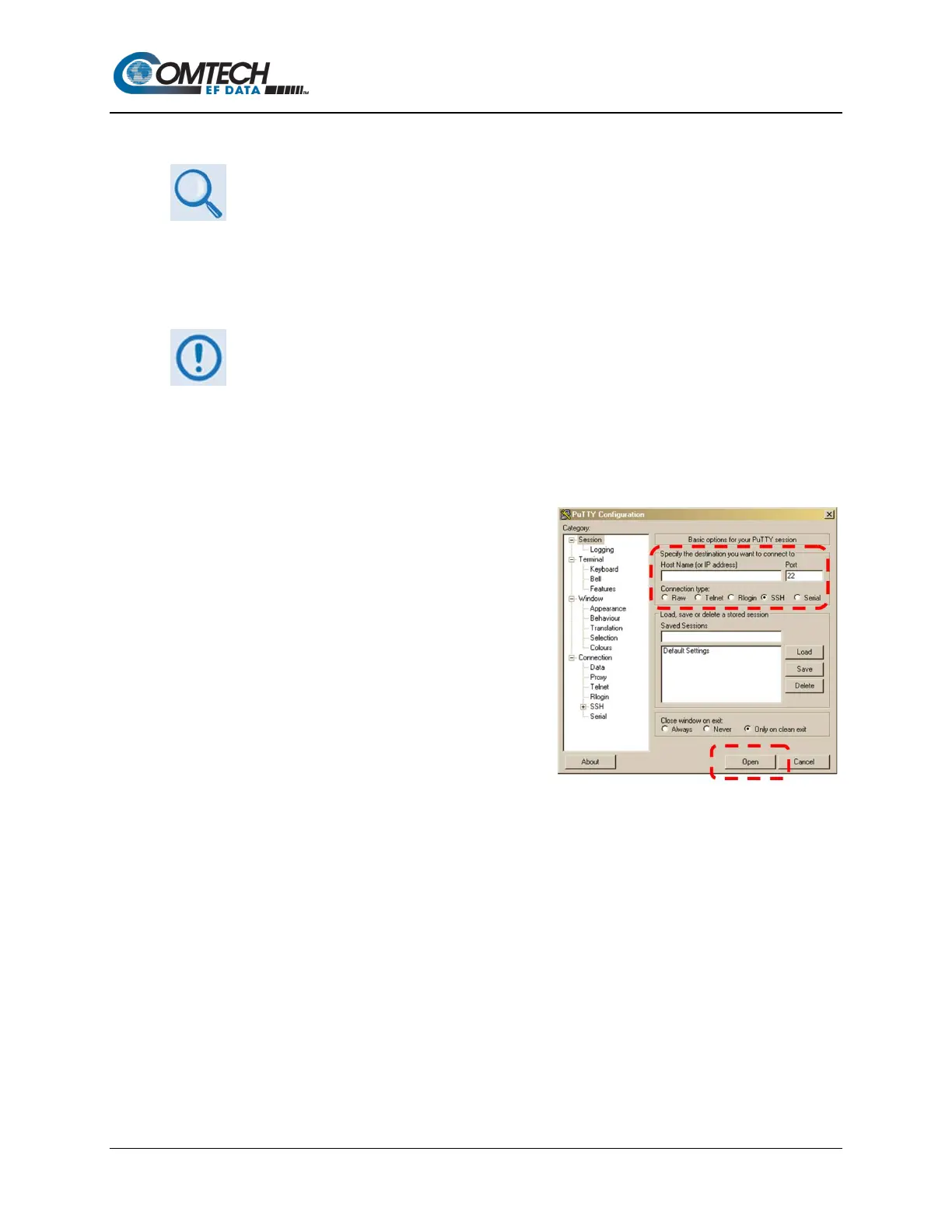
2. (Using PuTTY as the example program) Type in
the IP address of the NP Module or TRANSEC
Module interface (in the example to the right, the
Host Name (or IP Address) window) and select
SSH as the Connection Type.
3. Click Open to open the session. The session
login window will appear as per the first example
shown below (the default for both user name and
password is comtech).



 To Next Page