SLM-5650B Satellite Modem
Revision 2
NP Interface Telnet/SSH CLI Operation 9–16 MN-SLM-5650B
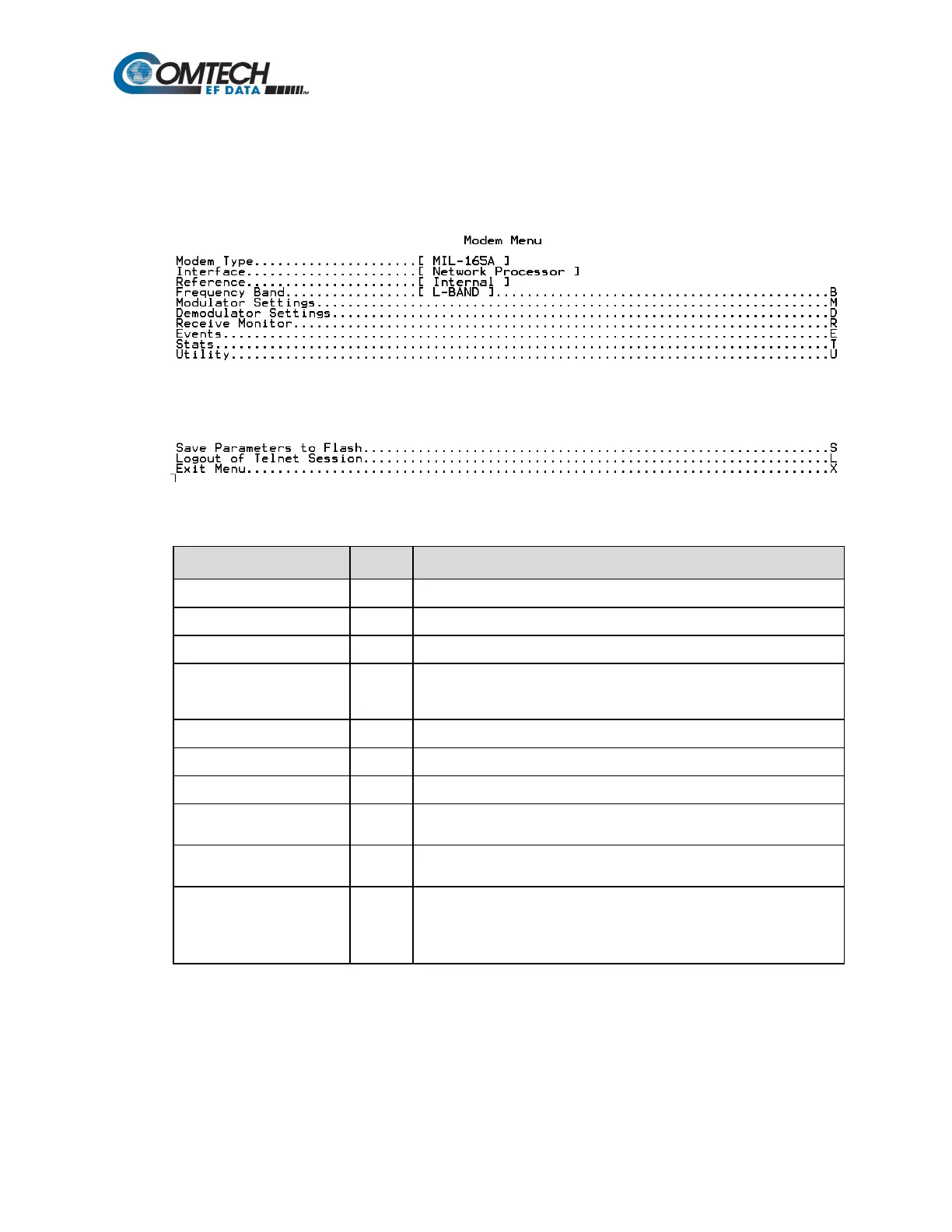
9.2.5 Satellite Modem Configuration (Modem Menu) (M)
When the Satellite Modem Configuration (Modem Menu) page is opened from the Main Menu,
the following page appears:
The page contains the following options or fields:
Menu Options/Fields Entry Description
Displays installed interface
Displays active reference (internal / external)
Frequency Band B
Allows user to configure modulator operating parameters
Allows user to configure demodulator operating parameters
Read-only – displays active Rx operating parameters
Events E
Displays the Modem Event Log and allows user to set or adjust display
parameters for logging
Stats T
Displays the System Event Log and allows user to set or adjust display
parameters for logging
Utility U
Allows user to select/set:
T - Time (in HH:MM:SS format)
D - Date (in DD/MM/YY format), or
C - Circuit ID (exactly 24 characters).



 To Next Page