SLM-5650B Satellite Modem
Revision 2
TRANSEC Module SSH CLI Operation 11–7 MN-SLM-5650B
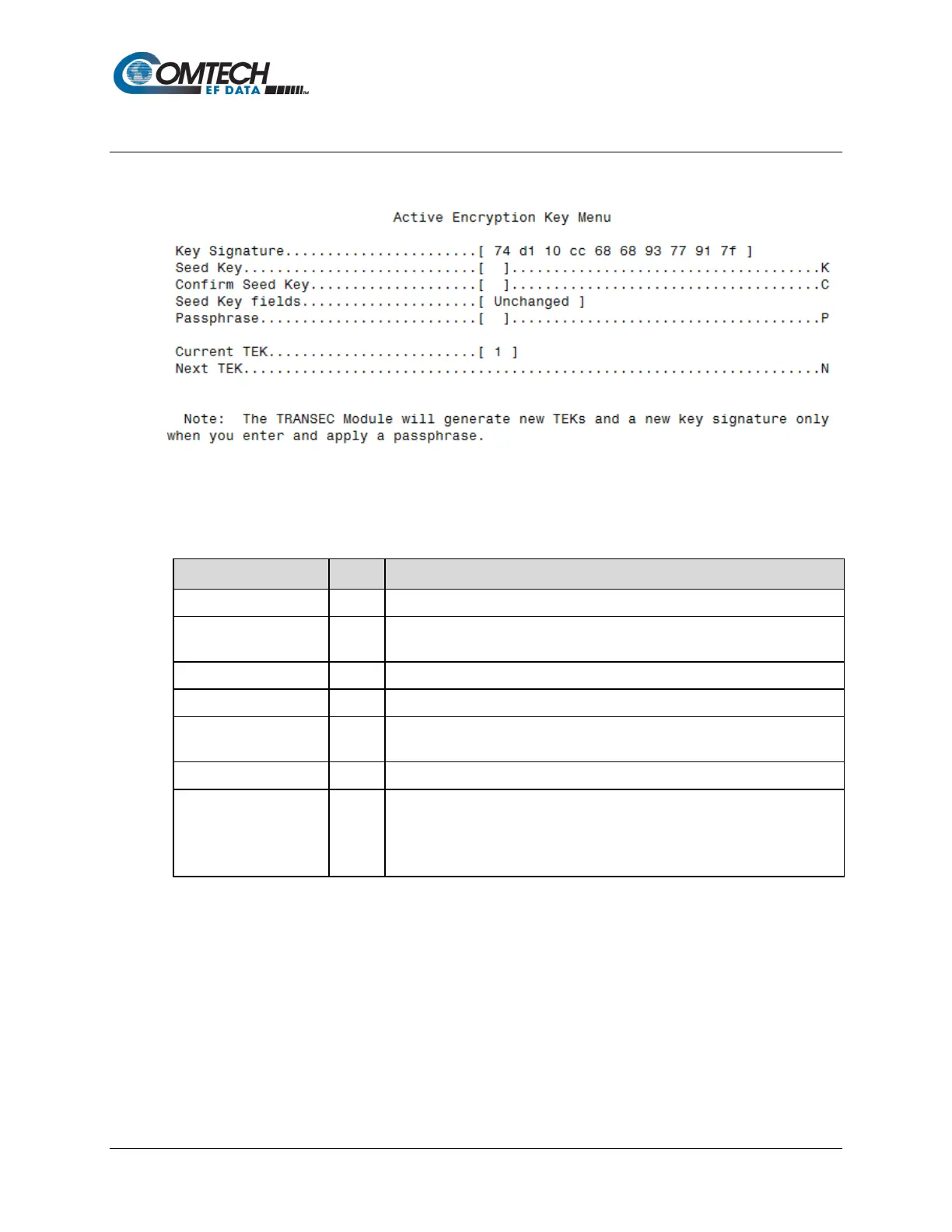
11.2.4.1 Configuration | Active Encryption Key Menu [A]
The Active Encryption Key Menu page, opened from the Configuration Menu, contains the
following options or fields:
Menu Options/Fields Entry Description/User Prompt
[Key Signature] [RO] Current Active Key Signature is identified here.
Seed Key
User is prompted to enter a 32-character Active Seed Key to generate a TEK
when the TRANSEC Module is given a Passphrase (described below).
User is prompted confirm to the Active Seed Key just entered.
Displays the status of the Active Seed Key in real time.
Passphrase P
User is prompted to enter a 10- to 32-character Passphrase that is combined
with the previously entered Active Seed Key to generate TEKs.
[Current TEK] [RO] Identifies the Current TEK (1 through 26).
Next TEK
Generates the next available TEK. The [Current TEK] field will update
accordingly.
Note: This command is disabled when the module is in secondary mode and
the current TEK mirrors the TEK the connected primary modem uses.



 To Next Page