SLM-5650B Satellite Modem
Revision 2
NP Interface Telnet/SSH CLI Operation 9–24 MN-SLM-5650B
9.2.6 LAN Menu (N)
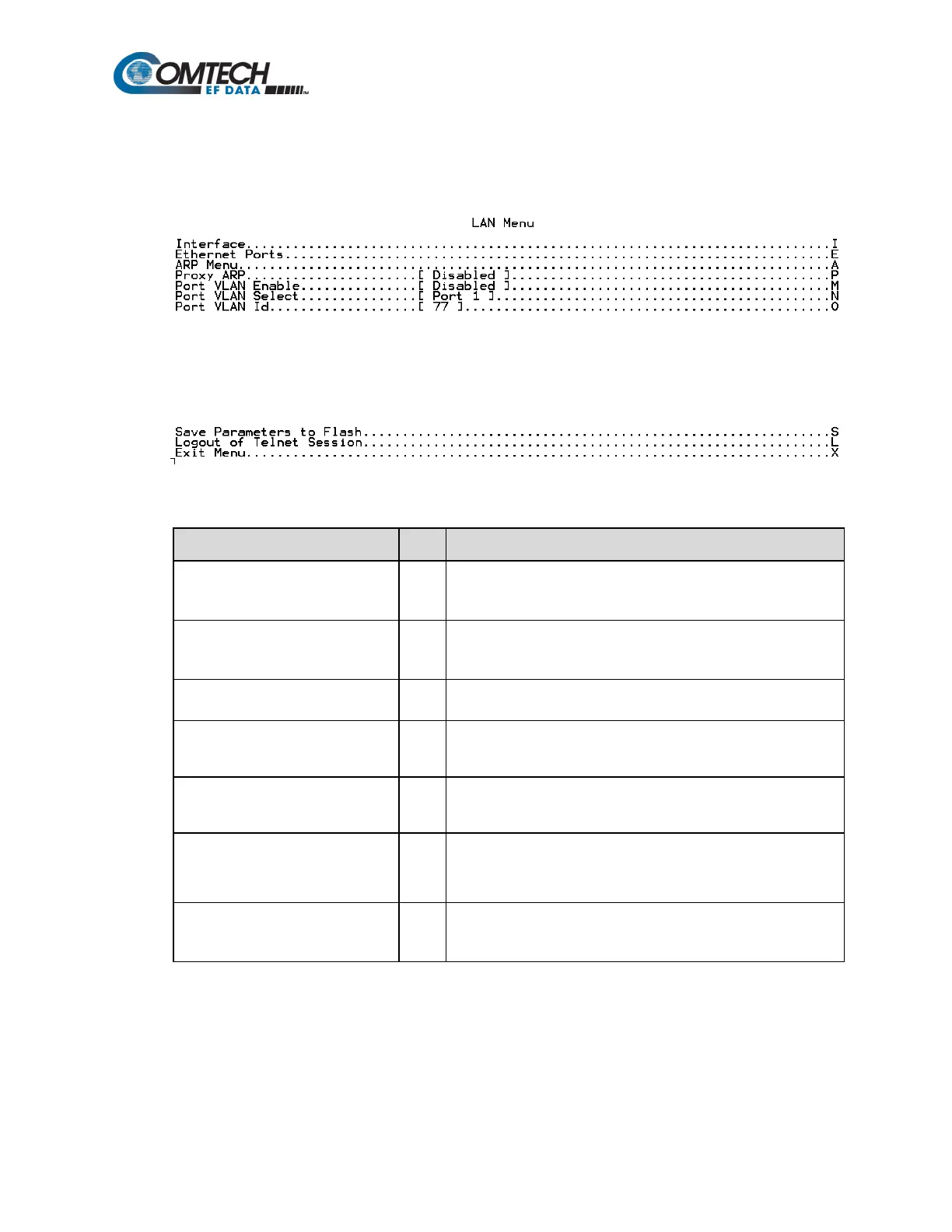
When the LAN Menu page is opened from the Main Menu, the following page appears:
The page contains the following options or fields:
Menu Options/Fields Entry Description
Interface I
The LAN Interface menu allows the user to view the MAC address
of the Network Processor and set the IP address and mask of the
Ethernet Ports E
The Ethernet Ports menu allows the user to view the current status
of the Ethernet ports and set each port to auto-negotiate or for
ARP Menu A
The ARP Menu allows the user to view and edit the ARP (Address
Resolution Protocol) table.
Proxy ARP P
Port VLAN Enable M
Port VLAN Select N
Port VLAN Id O
Enter an ID value from 2 to 4095. Packets containing specified
VLAN only will ingress and egress from the NP Interface port
specified via "VLAN Port Select" (Entry “N”).



 To Next Page