SLM-5650B Satellite Modem
Revision 2
Network Processor (NP) Interface 8–32 MN-SLM-5650B
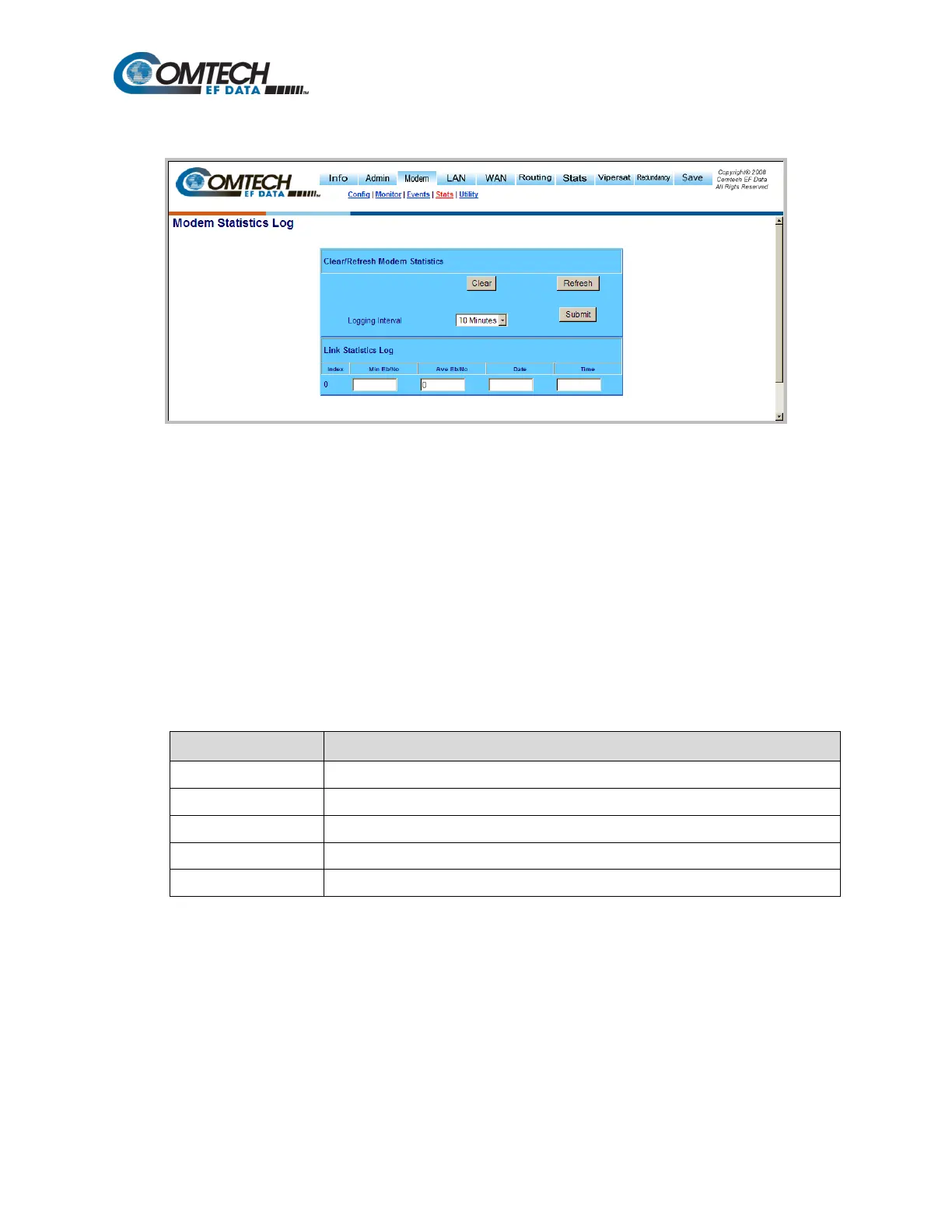
8.6.5.3.4 Modem | Stats (Modem Statistics Log)
Figure 8-22. Modem | Stats (Modem Statistics Log) page
Clear/Refresh Modem Statistics
Click [Clear] to delete all log entries.
Click [Refresh] to refresh the Link Statistics Log to display the most recent entries.
Logging Interval
Use the drop-down menu to set the statistics recording interval. Valid settings are from every 10
minutes to every 90 minutes in 10-minute increments, or Disabled.
Click [Submit] to save all changes made to this page.
Link Statistics Log
Displays the following modem statistics (all information is read only):
Column Description
Index Displays the internal table index.
Min Eb/No Minimum measured E
b
/N
0
during the configured time interval.
b
0
during the configured time interval.
Date Date of the log entry (in YY/MM/DD format).
Time Time of the log entry (in HH:MM:SS format).



 To Next Page