SLM-5650B Satellite Modem
Revision 2
Network Processor (NP) Interface 8–23 MN-SLM-5650B
Event Log Table
Column Description
Event log entries are numbered in the order they are received.
Describes the severity of the event.
Date
Displays the date that the event was logged. In accordance with European convention, the date is
shown in DAY/MONTH/YEAR format.
Time Displays the time of day that the event was logged.
Category For use by Customer Support.
Description Provides a brief description of the action logged.
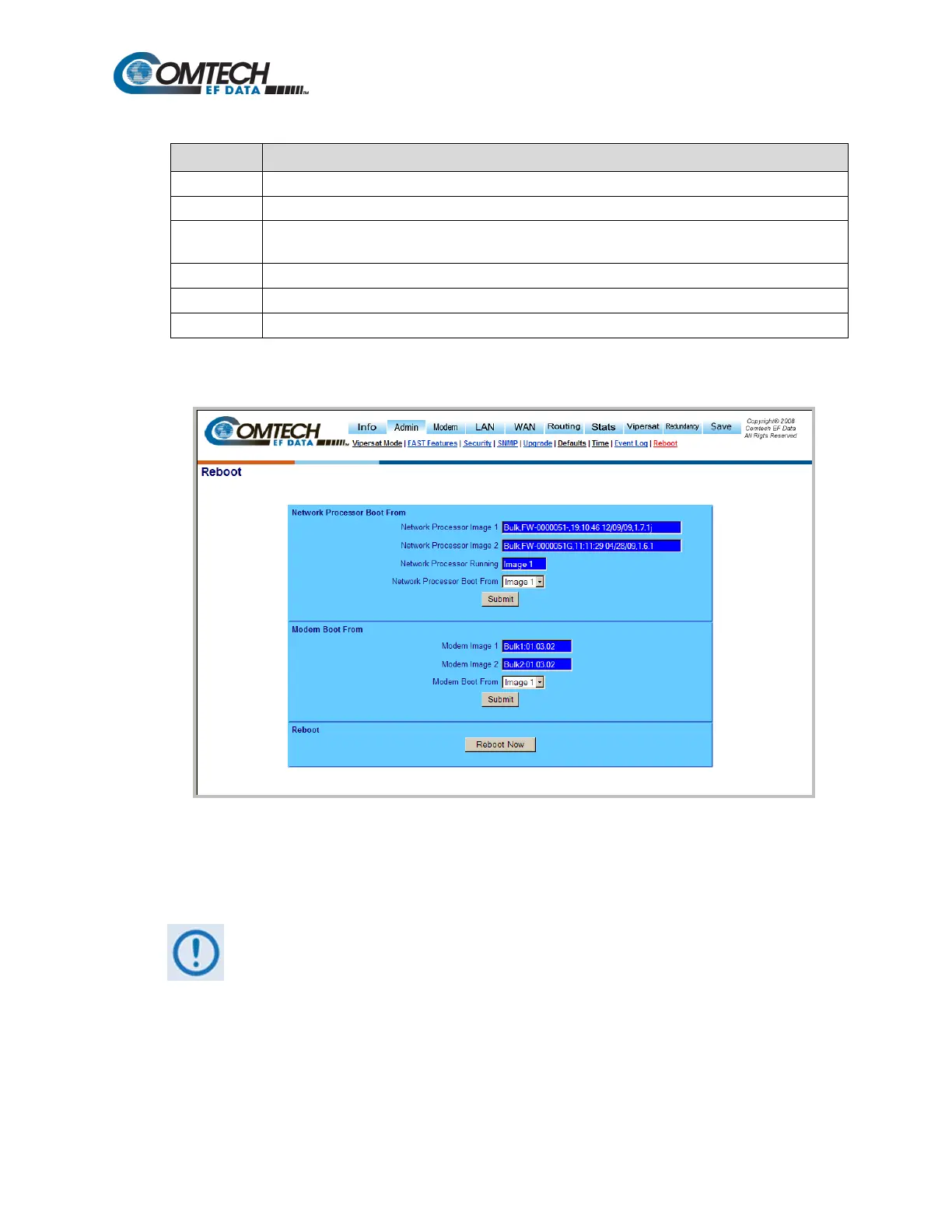
8.6.5.2.9 Admin | Reboot
Figure 8-18. Admin | Reboot Page
Use the ‘Admin | Reboot’ page (Figure 8-18) to display the currently available boot images for both
the NP Interface and Modem, or to select from which images the NP Interface and modem will boot.
Once the NP and/or Modem image boot selections are made, [Submit] MUST be
clicked for the boot parameter updates to take effect upon the next reboot.
Network Processor Boot From
Use the drop-down menu to select the Network Processor image to boot from Image 1, Image 2, or
Newest, and then click [Submit] to save the selection.



 To Next Page