SLM-5650B Satellite Modem
Revision 2
NP Interface Telnet/SSH CLI Operation 9–5 MN-SLM-5650B
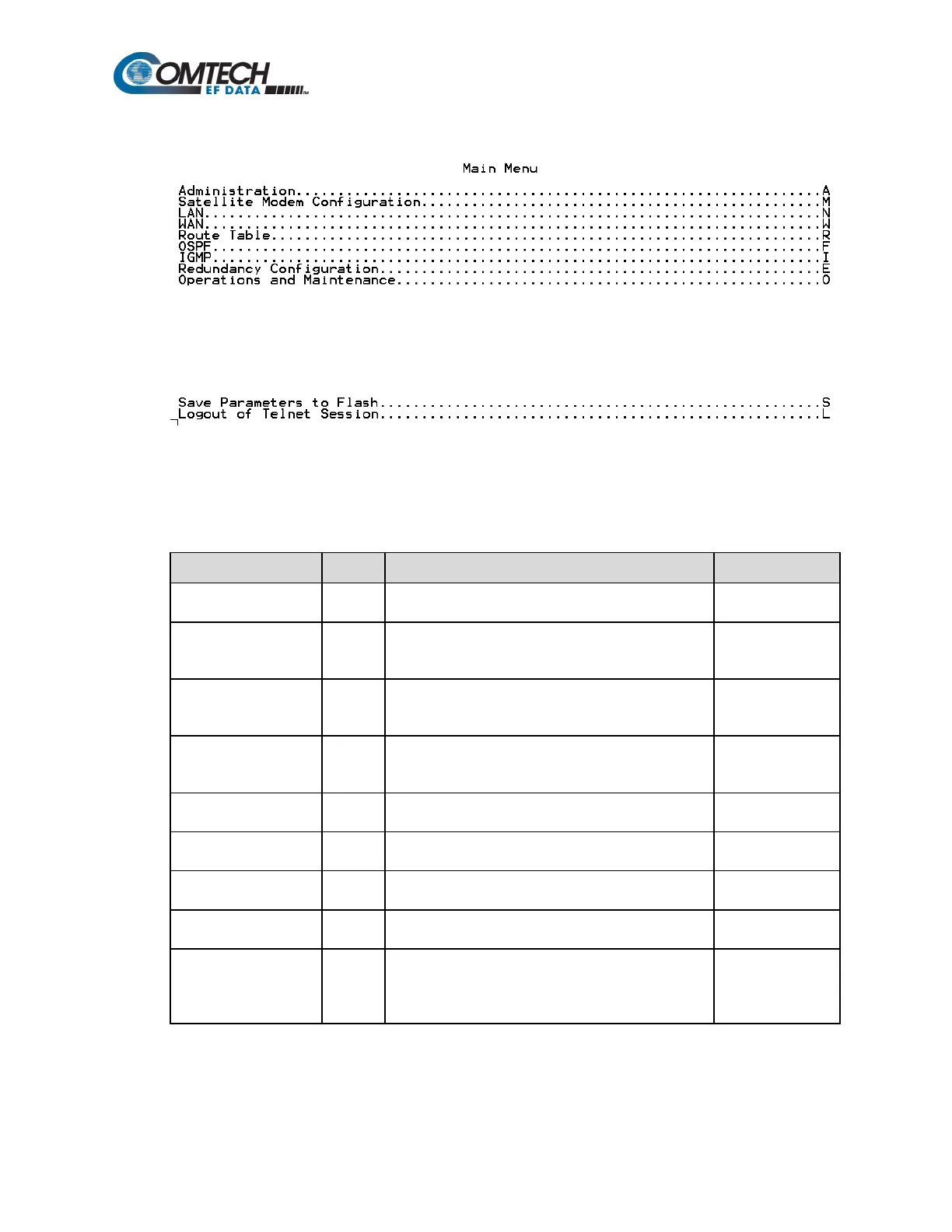
9.2.3 Main Menu
The Main Menu serves as the CLI’s primary navigation page. All selections made on this page take
the user to submenus listed in this table (operation features nested under each of these submenus,
in turn, are described in the chapter sections listed):
Submenu Entry Function/Description See…
Administration A
The Administration Menu provides a basic set of
standard admin functions to the NP Interface.
Section 9.2.4
Satellite Modem
Configuration
M
The Satellite Modem Configuration option displays
nested menus that allow the user to configure and
monitor the satellite base modem.
Section 9.2.5
LAN N
The LAN menu allows the user to change the IP
address and view the ARP (Address Resolution
Section 9.2.6
WAN W
The WAN menu allows the user to configure QoS
(Quality of Service) and DiffServ (Differentiated
Section 9.2.7
Route Table R
The Route Table menu allows the user to configure the
Unicast/Multicast routing tables.
Section 9.2.8
OSPF F
The OSPF Menu allows the user to configure Open
Shortest Path First routing parameters.
Section 9.2.9
IGMP I
The IGMP Menu allows the user to configure Internet
Group Management Protocol parameters
Section 9.2.10
E
The Redundancy Configuration Menu allows the user
to view the 1:1 IP redundancy status.
Section 9.2.11
Operations and
Maintenance
O
The Operations & Maintenance menu allows the user
to configure various options used to control and
maintain the system. This menu also provides
diagnostic tools for troubleshooting and statistics.
Section 9.2.12



 To Next Page