SLM-5650B Satellite Modem
Revision 2
Front Panel Operation 5–2 MN-SLM-5650B
5.1.1 Keypad with Data Entry Array
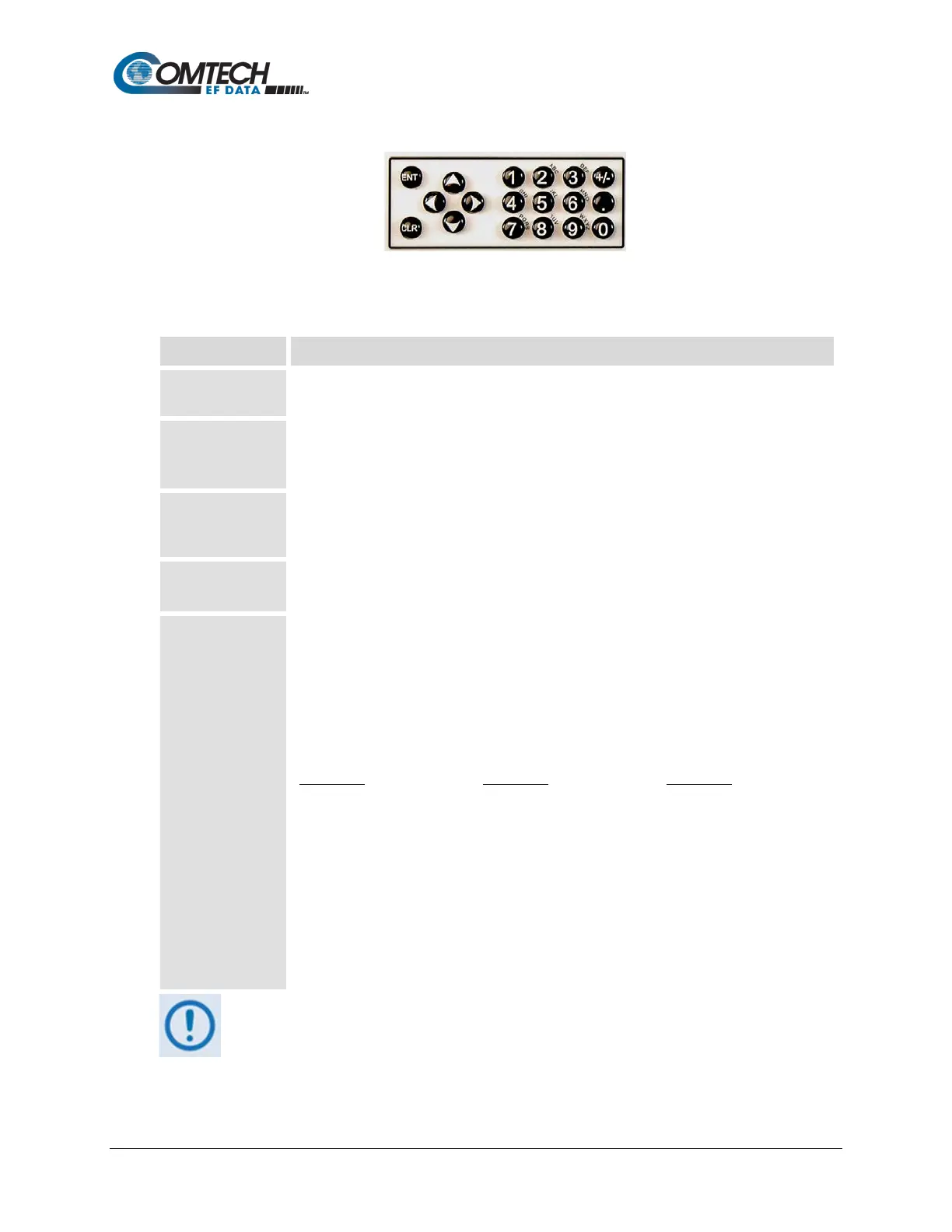
Figure 5-2. Keypad with Data Entry Array
The front panel keypad controls the local operation of the modem. This control section consists of
18 buttons (keys). Each key provides one or more logical functions.
ENT (Enter)
Use this key to select for editing an available function, or to execute a modem configuration
change.
CLR (Clear)
Use this key to back out of a selection, or to cancel a configuration change that has not been
executed using [ENT].
Pressing [CLR] generally returns the display to the previous selection.
and
(left and right)
Use these keys to move between the menu screen options, or to move the cursor on a
space-by-space basis for certain editing functions (e.g., value settings such as frequencies,
text identification strings, etc.).
and
(up and down)
Use these keys primarily to scroll through and select pre-defined options, configuration data
(numbers), or characters.
Use the 12 keys comprising this section of the keypad for entry of alphanumeric parameters
(e.g., value settings such as frequencies, text identification strings, etc.).
The first three columns of keys are multi-function in purpose. Each successive push of multi-
function key 1 through 9 selects the next choice.
For example: The first time the ‘2’ key is pushed, it selects a ‘2’; the second time, an ’A’; the
third time, a ‘B’; the fourth time, a ‘C’. Pushing the key a fifth time would start over with a ‘2’.
Number-to-character assignment for this array are as follows:
1 – Space 2 – ABC 3 - DEF
4 – GHI 5 – JKL 6 – MNO
The last column of keys in this array function as follows:
• Use the ‘+/-’ key to change signs (positive/negative);
• Use the ‘.’ key to enter a decimal point;
• Use the ‘0’ key to enter a zero.
The keypad has an auto-repeat feature. By holding a key down for more than
three seconds, the key action repeats, automatically, at the rate of seven
keystrokes per second. The modem responds by beeping whenever a key is
pressed: A single beep indicates that a valid entry and the appropriate action
was taken; A double beep indicates an invalid entry, or that a parameter is not



 To Next Page