SLM-5650B Satellite Modem
Revision 2
Network Processor (NP) Interface 8–44 MN-SLM-5650B
Item Description / Setting
Priority
Set priority to help determine the OSPF.
Valid range is 0 (default, or not designated) to 255.
Hello Interval
Specify the length of time, in seconds, between the hello packets that are sent on an
OSPF interface.
Valid range is from 1 to 65535 seconds.
Dead Interval
Set the number of seconds that a device’s ‘Hello’ packets must not have been seen
before its neighbors declare the OSPF router down.
Valid range is from 1 to 65535 seconds.
Authentication Key
Assign a specific password to be used by neighboring OSPF routers on a network
segment that is using OSPF’s simple password authentication.
Enable OSPG MD5 authentication.
8.6.5.6.3 Routing | IGMP
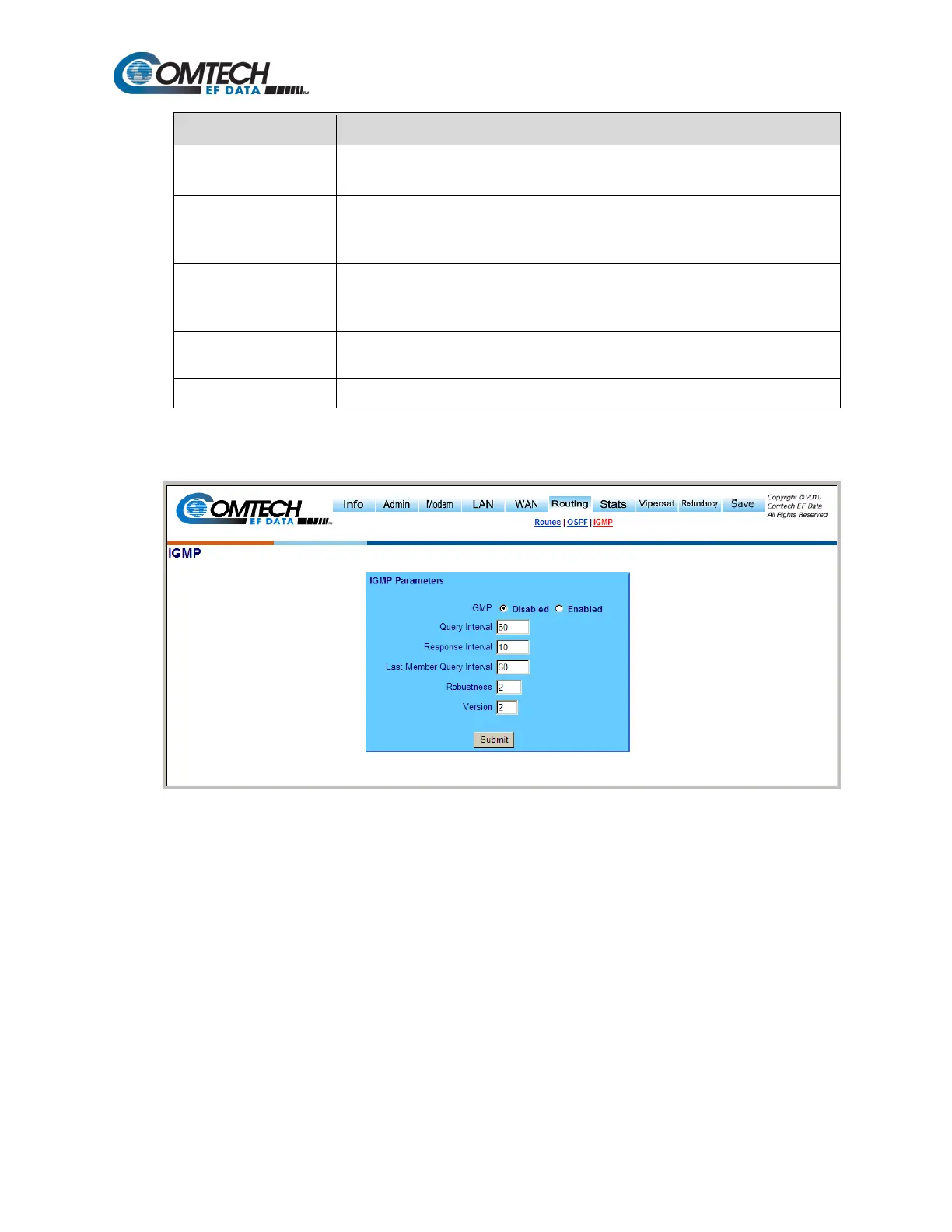
Figure 8-32. Routing | IGMP Page
Use the ‘Routing | IGMP’ page (Figure 8-32) to facilitate use of Internet Group Management
Protocol (IGMP) with configured multicast routes.
IGMP, when enabled, responds to IGMP queries for the configured multicast routes on the transmit
side and generates IGMP queries on the receive side. If there are no active IGMP receivers on the
LAN, it will stop forwarding the multicast traffic (received from the satellite) to the LAN.



 To Next Page