SLM-5650B Satellite Modem
Revision 2
Network Processor (NP) Interface 8–34 MN-SLM-5650B
8.6.5.4 LAN Page
Select the Interface, Ethernet Ports, or ARP hyperlink to continue.
8.6.5.4.1 LAN | Interface
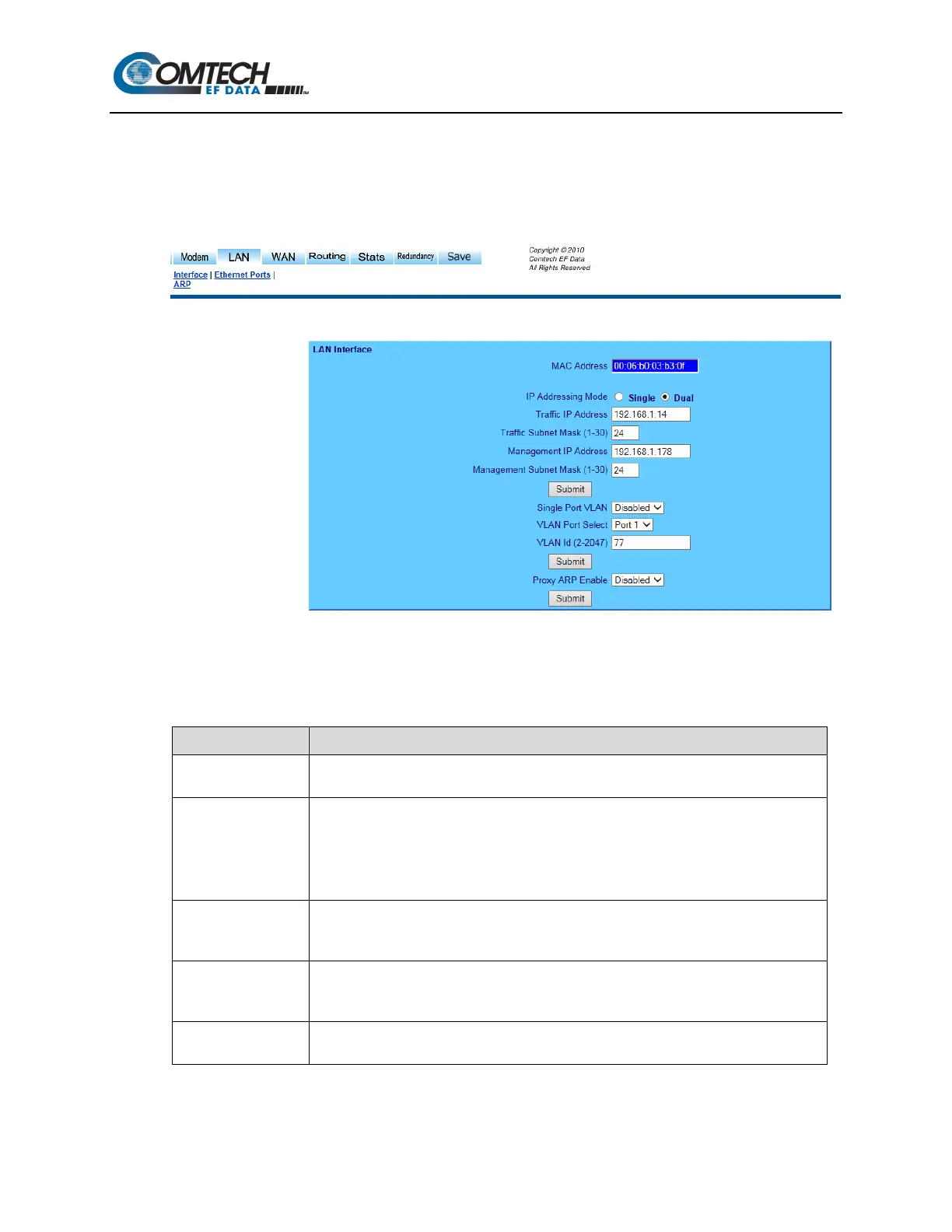
Figure 8-24. LAN | Interface Page
Use the ‘LAN | Interface’ page (Figure 8-24) to set LAN operating parameters, to view the MAC
Address of the NP Interface, and to set the IP Address and Mask of the NP Interface.
Item Description / Settings
MAC Address
The MAC is set at the factory to a guaranteed unique address that cannot be
modified by the user.
IP Addressing Mode
Select Single or Dual. Note the following:
Single: In this mode, Traffic IP Address should used as M&C as well as NextHop IP
Address for adjacent routers.
Dual: In this mode, Management IP Address is used as M&C access to the NP Interface,
and Traffic IP Address is used as the NextHop IP Address for adjacent Routers.
Traffic IP Address
This is the IP Address of the NP Interface only. Once set to a valid value, it is the address
that should be used for management and control connectivity as well as the Next Hop
Address.
Traffic Subnet Mask
This is the IP Address of the NP Interface only. Once set to a valid value, it is the address
that should be used for management and control connectivity as well as the Next Hop
Address for other routers in the user’s network based on IP Addressing mode.
Traffic Subnet Mask
The Subnet Mask is used in conjunction with the Traffic IP Address to determine the subnet
locally attached to by the LAN interfaces.



 To Next Page