SLM-5650B Satellite Modem
Revision 2
TRANSEC Module HTTPS Interface 10–3 MN-SLM-5650B
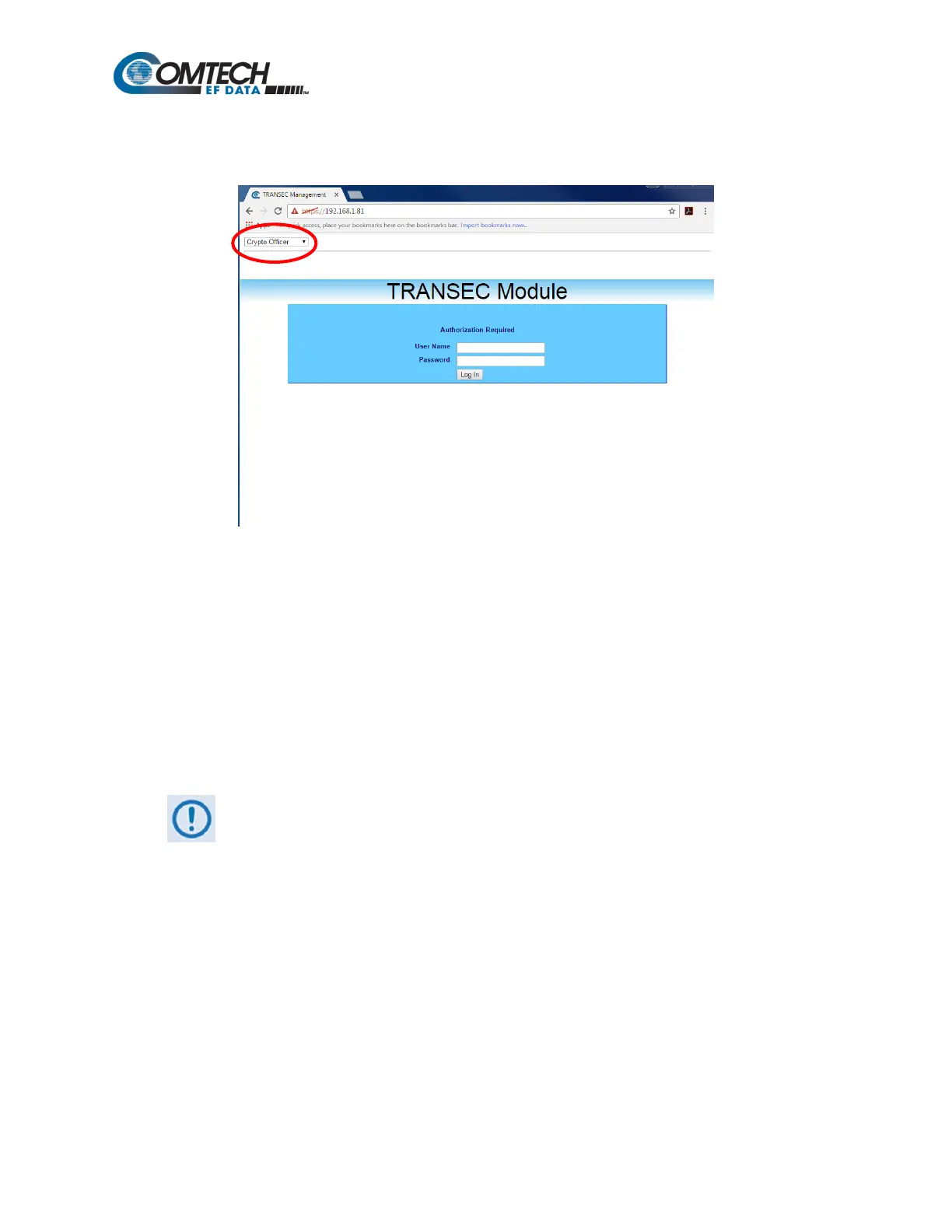
From the login page in the TRANSEC Module HTTPS interface, use the Interface Navigator to
select one of three modes of operation.
Crypto Officer: Connects to the secure TRANSEC Module HTTPS Interface (User Name and
Password required).
Modem Operator: Connects to the Base Modem HTTP Interface. See Chapter 7. Web Browser
for more information.
Network Operator: Not Available.
Once the login page opens, Crypto Officer appears as the default.
On the Login page, type in a valid Crypto Officer User Name and Crypto Officer Password. The
default for both is comtech. Click Log In.
The TRANSEC Module User Name and Password are each restricted to a
minimum of 7 and a maximum of 25 characters, excluding: (ASCII Code 58), <
(ASCII Code 60), > (ASCII Code 62), “ (ASCII Code 34), and ~ (ASCII Code 126).
Once the User Name and Password are accepted, the TRANSEC Module Configure page
opens.



 To Next Page