SLM-5650B Satellite Modem
Revision 2
TRANSEC Module HTTPS Interface 10–23 MN-SLM-5650B
Step Task
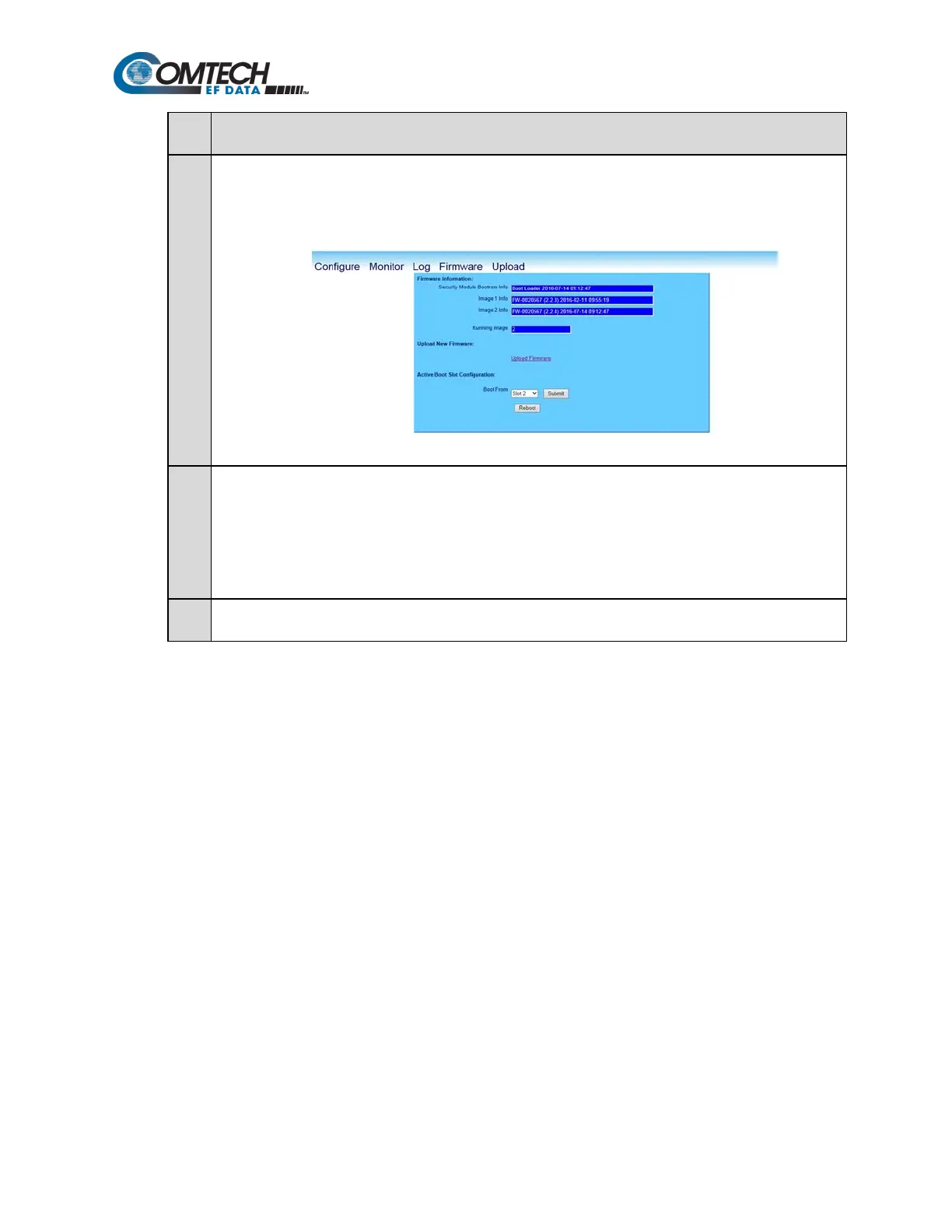
11 On the Firmware page, verify that the newly-uploaded firmware is reported in the proper Security Module
Bulk Info slot. If not, update the Active Boot Slot Configuration by using the drop-down menu to select
Newest to force the TRANSEC Module to boot using the firmware with the most recent build date. Click
Submit when done.
12 Click Reboot to boot the TRANSEC Module with the new firmware.
The modem will reboot with the new firmware.
It will be necessary to restart the TRANSEC Module HTTPS Interface session once the modem has returned
online.
13 To load the second image, repeat Steps 9 through 11.



 To Next Page