SLM-5650B Satellite Modem
Revision 2
Updating Firmware 4–12 MN-SLM-5650B
Step Task
11
(cont)
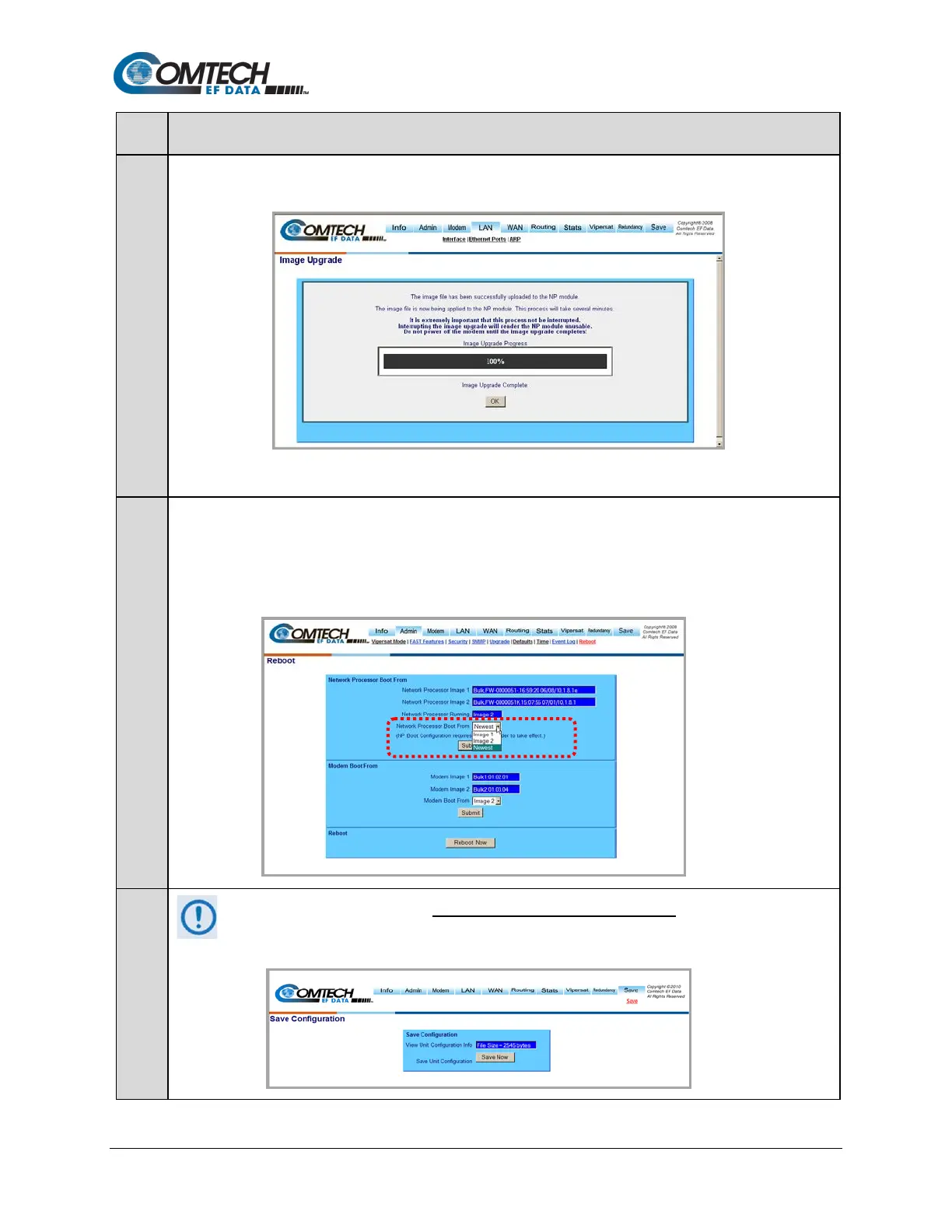
Upon successful completion of transfer, the progress bar reads 100%, and the Image Upgrade Complete message
displays:
Click [OK] to exit the Image Upgrade page and return to the Admin | Upgrade page.
12
Refresh the Admin | Upgrade page and verify that the newly-uploaded firmware is reported in the proper
Network Processor Firmware Info Image slot.
If not, open the Admin | Reboot page then, in the Network Processor Boot From section, use the drop-down
menu to select Newest as needed to force the NP Module to boot using the firmware with the most recent build
date. Click [Submit] when done.
13
Save all settings before rebooting to prevent loss of configuration settings. Go to the Save
Configuration page, then click [Save Now]:



 To Next Page